I love researching ideas. I hate turning them into a presentation deck. Every time I finish a deep dive or jot down notes for a presentation, the same thing happens: the thinking is done, but the visuals stall everything. Fonts, layouts, images — suddenly I’m stuck with a ton of great information, but no graphic design skills to make it look visually appealing.
That’s why I was curious to see if NotebookLM’s new visual features powered by Google’s Nano Banana Pro could help. It turns out, it can — and in a few cases, surprisingly well.
Instead of starting with a blank slide deck, I fed it my research made up of messy, rough notes and even photos to see if it could actually think visually with me.
Here are seven practical ways Google’s AI turned my ideas into visuals, without the usual friction. This has been a game changer for my confidence when it comes to presenting my ideas. If you ask me, a good looking presentation is half the battle of public speaking.
1. Turn deep research into instant slide decks (without starting from scratch)
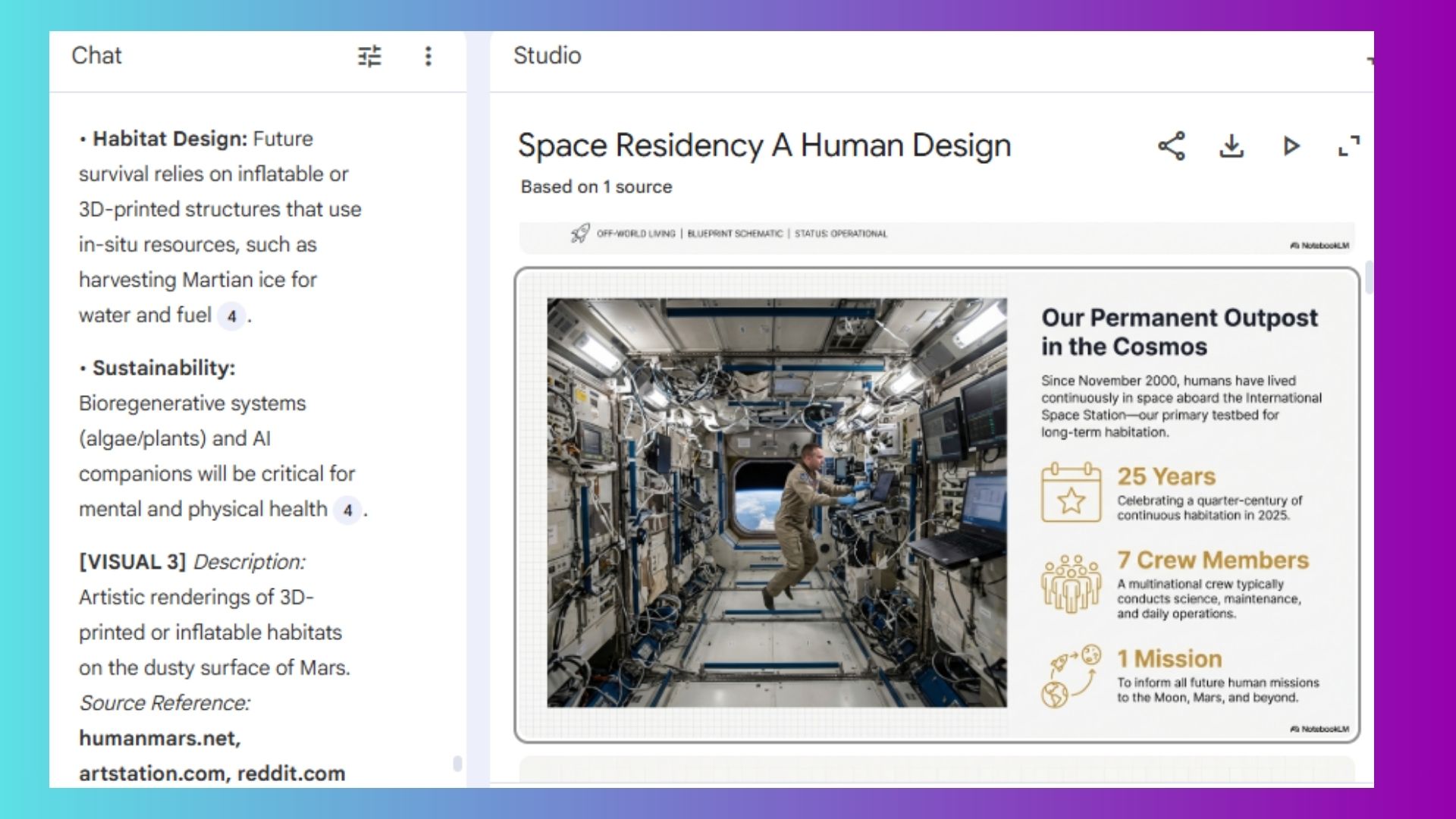
NotebookLM can now take long research reports and automatically convert them into structured slides. I don’t mean just bullet points, but thematic groupings that really highlight the research in a visually appealing way.
I’ve been working on a sci-fi script that follows nine humans in space. It’s science fiction but I wanted it to be as accurate as possible. So, I uploaded my research and created a deck to share.
What stood out to me with dumping my ideas into NotebookLM is how cleanly it connected my ideas across multiple sources. This made it easier to connect details I would’ve missed just scanning hundreds of documents.
2. Generate slides from rough notes (even messy ones)
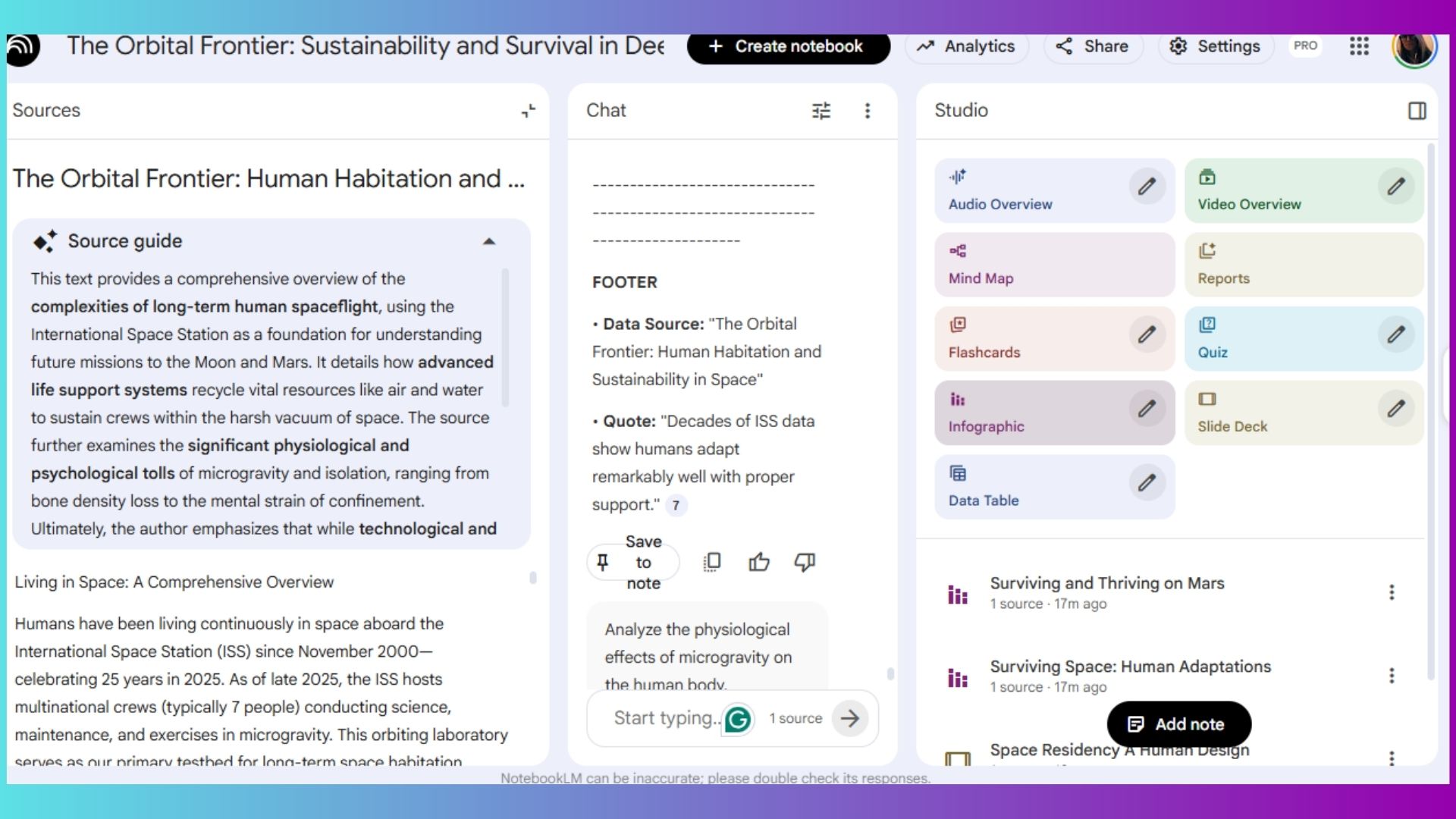
This was one of the most useful tests. I dropped in half-formed notes and key points (the kind I would normally never show anyone) and asked NotebookLM to build a deck from my junk drawer of thoughts.
Within seconds, it created a coherent narrative with slide titles, structure and flow. It’s crazy good. No, it’s not final-design ready, but it’s an excellent starting point.
3. Brainstorm ideas visually, not just in text
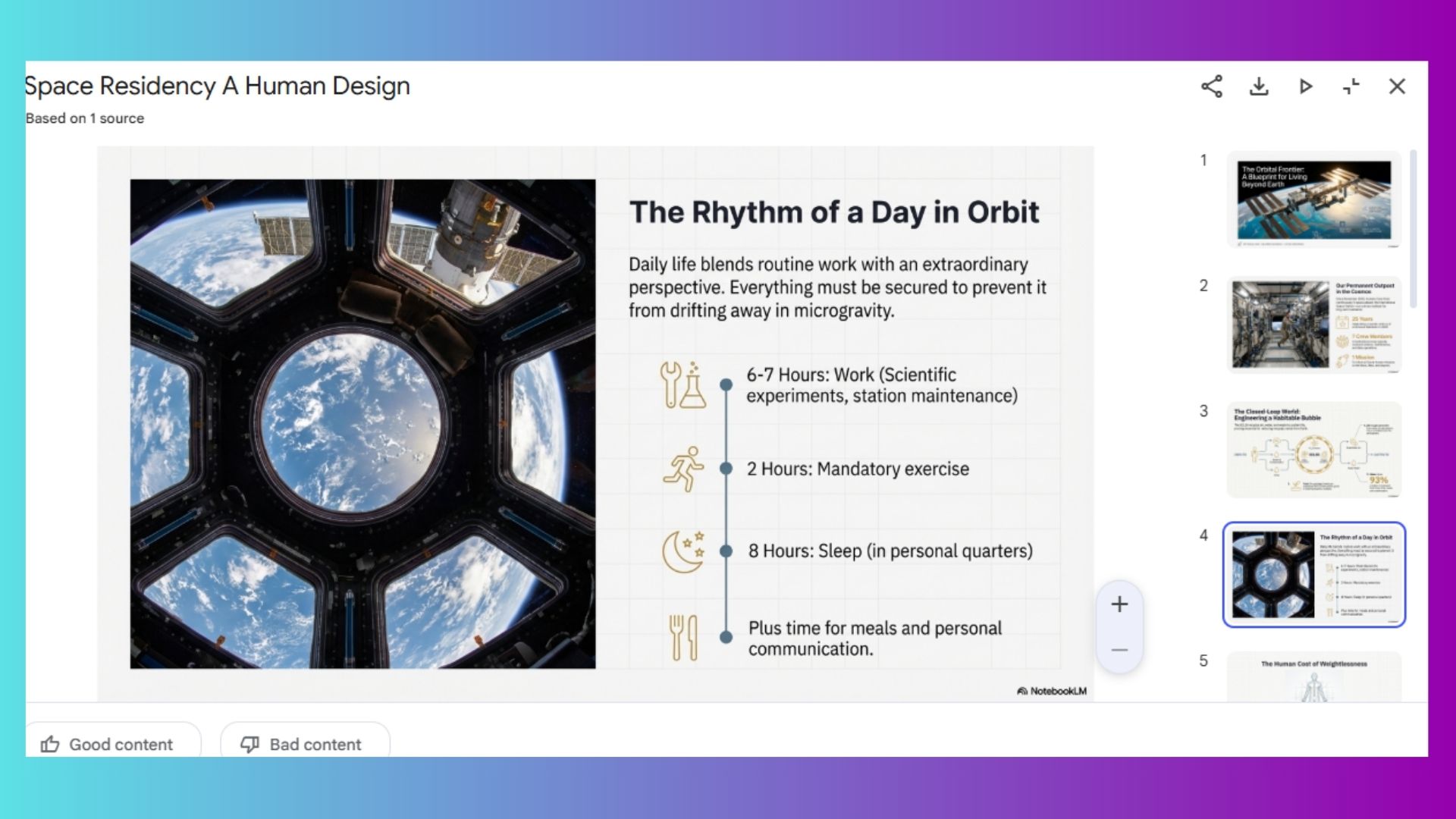
Because Nano Banana integrates so smoothly with NotebookLM, I asked the AI to explore concepts through slides. That small shift mattered to me because I started to see my ideas visually laid out, which helped me compare directions faster, spot weak concepts immediately and build strong ones.
Brainstorming with NotebookLM felt more like integrating a creative whiteboard than a chatbot. AI took all my notes and ran with it to create images that fit perfecly within the presenation.
4. Refine presentations with brand styling
While I don’t have a “brand” per se, I do have colors and fonts that I prefer using. But if you have structured brand guidelines, NotebookLM can polish them using style guidance.
You can tell it your brand tone, color preferences, visual priorities and even logos and will do the rest.
It can also pull visuals from attached images, which makes updates faster and more consistent — especially if you’re refreshing old decks.
5. Simplify complex topics with illustrations
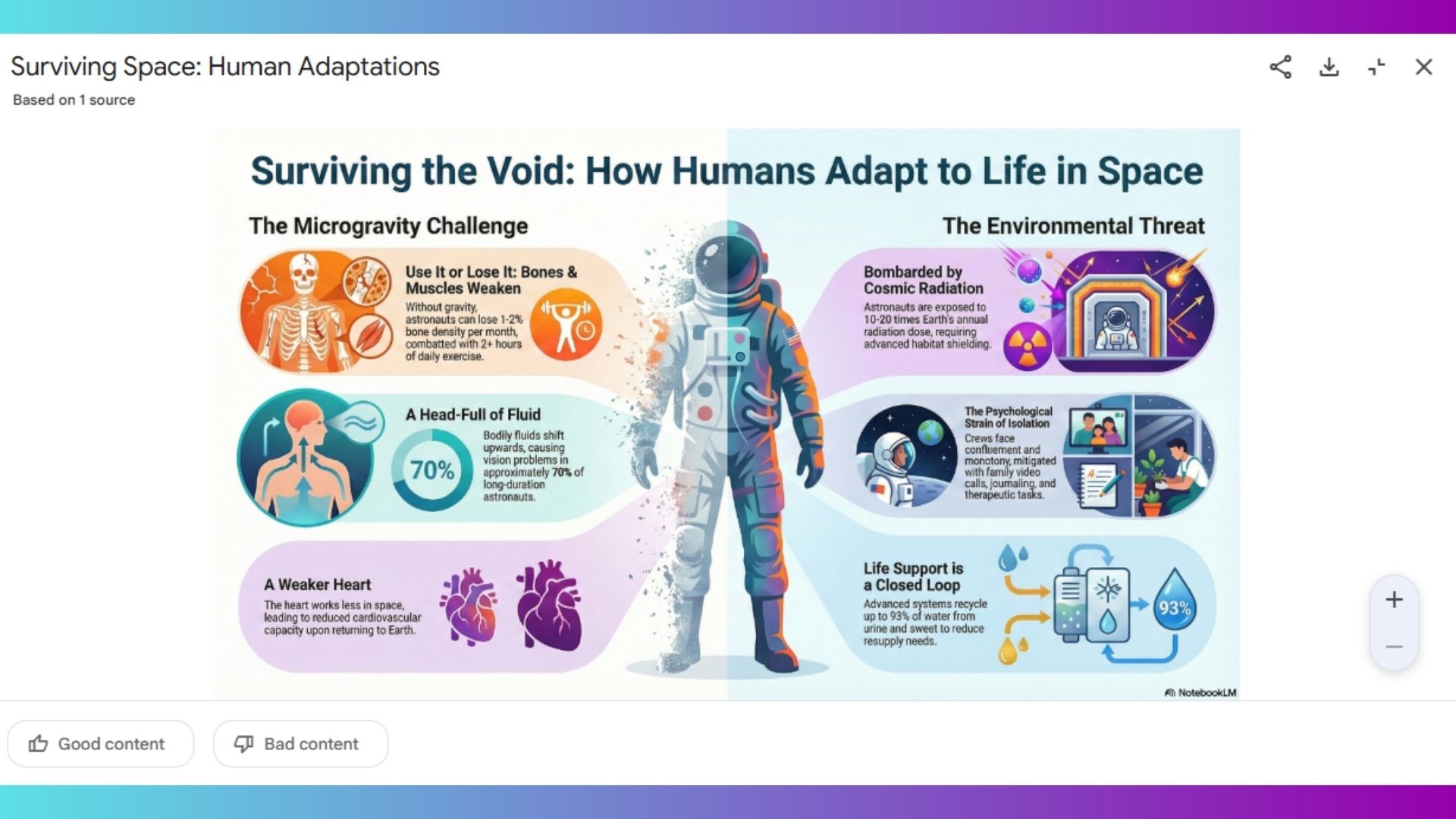
This is where Nano Banana Pro really shines.
Using Gemini-powered visuals, NotebookLM can create illustrations based on whatever you’ve uploaded. I’m talking even my messiest notes! It turned my dense and abstract ideas into something immediately understandable and useable.
Users might want to try this for:
- Explaining technical concepts
- Teaching or onboarding materials
- Anything that normally takes paragraphs to explain
6. Convert long documents into digestible decks
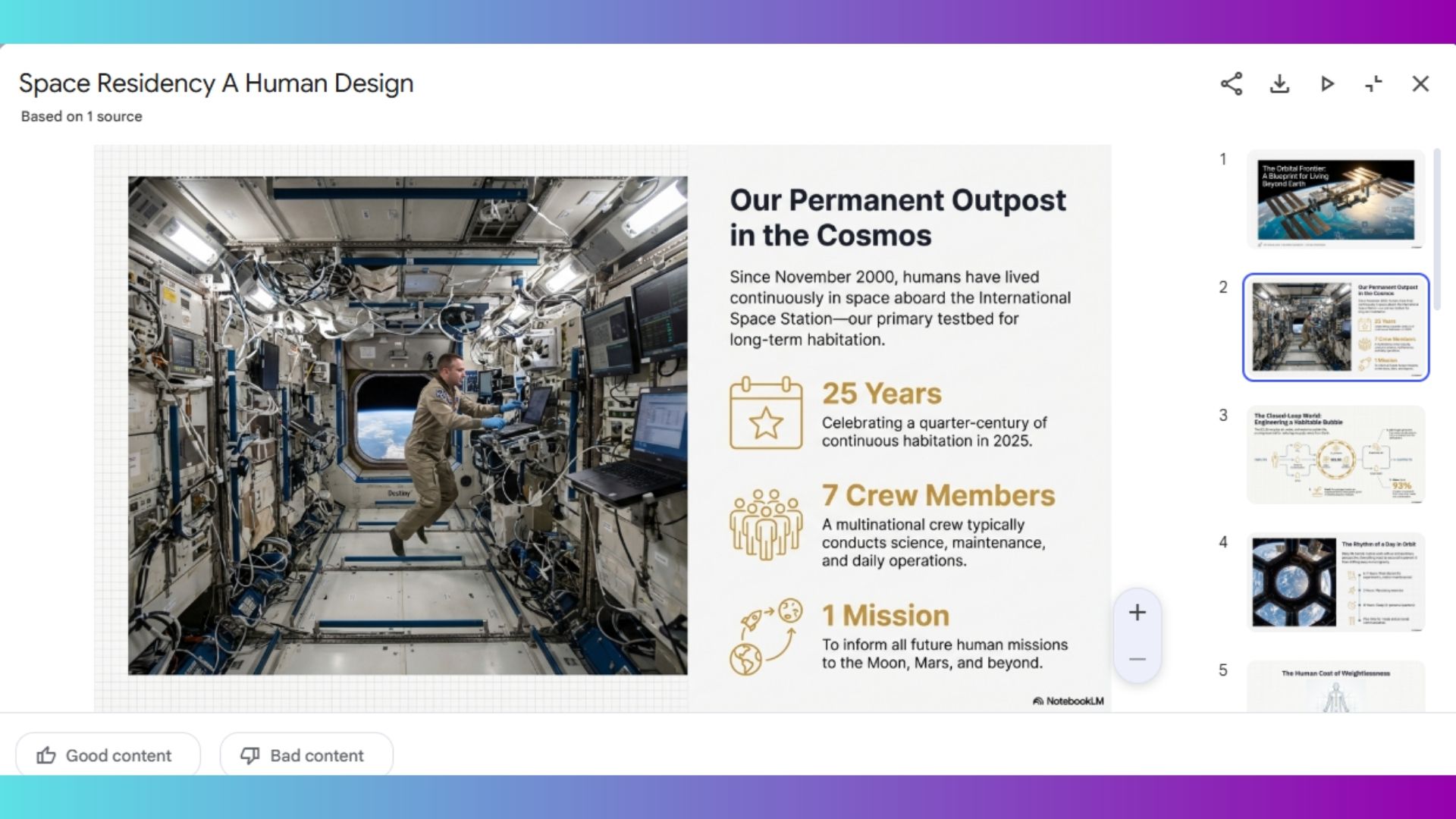
NotebookLM handles large documents — even book-length content — without breaking a sweat. I kept uploading notes and scripts and images waiting for an error notification, but it let me keep going.
So instead of skimming or manually outlining, I dropped in a long file and asked for a visual breakdown. The result was a slide deck that made the content far easier to navigate and discuss. This alone could save hours for students, researchers and anyone who works with long-form material.
7. Turn photos into infographics
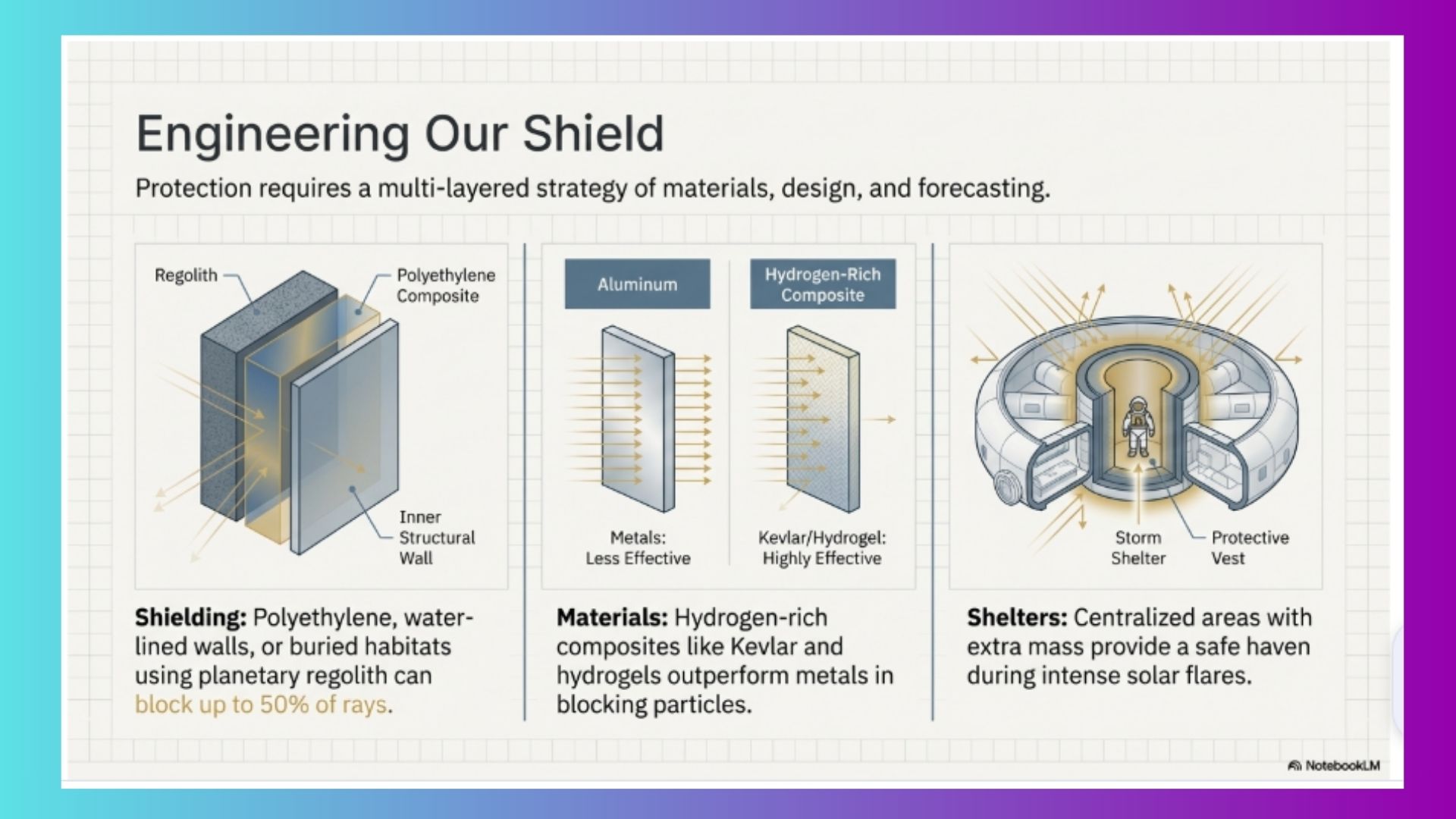
This feature seriously blew my mind. If you ask me, infographics make or break a presentation. Images are nice, but let’s face it, are easy to find or generate. Infographics are much harder to find and generating them with AI is usually hit or miss. But I didn’t upload a single visual for this presentation and NotebookLM created infographics that summarized experiences visually — timelines, highlights and key moments pulled directly from images.
You can certainly upload images, but you don’t have to. Beyond professional presentations, I could see this useful for things like:
- Travel summaries
- Personal projects
- Creative storytelling
The takeaway
NotebookLM with Nano Banana Pro will be my go-to presentation designer from now on. And let me be clear, it doesn’t replace designers, it gives hope to those of us who can barely draw a straight line. It removes the friction between thinking and visualizing.
If you’ve ever had great ideas stall because the visuals felt overwhelming, this update finally removes that roadblock. After testing it across research notes, scripts, images and long documents, that shift felt immediate.

Follow Tom's Guide on Google News and add us as a preferred source to get our up-to-date news, analysis, and reviews in your feeds.