

Remember the days of DVR, when all of your shows and movies appeared in one comprehensive list on your TV? When you only had to go to one screen to see your unwatched episodes? An abundance of streaming services has made that all but impossible now, and trying to remember which of my favorite shows air on which nights on which streamer really became way too much for me — until I found the TV Time app.
My family, like an increasing number of households, cut the cord on our satellite service about five years ago when we moved. A YouTube TV subscription supplemented our need for local networks (I’m not doing that next-day waiting thing) and live sports, and we were already spending lots for assorted streaming services anyway. However, I felt completely lost without a one-stop shop that showed me which episodes of my favorite shows I had yet to watch. “There’s gotta be an app for this,” I thought. Enter TV Time.
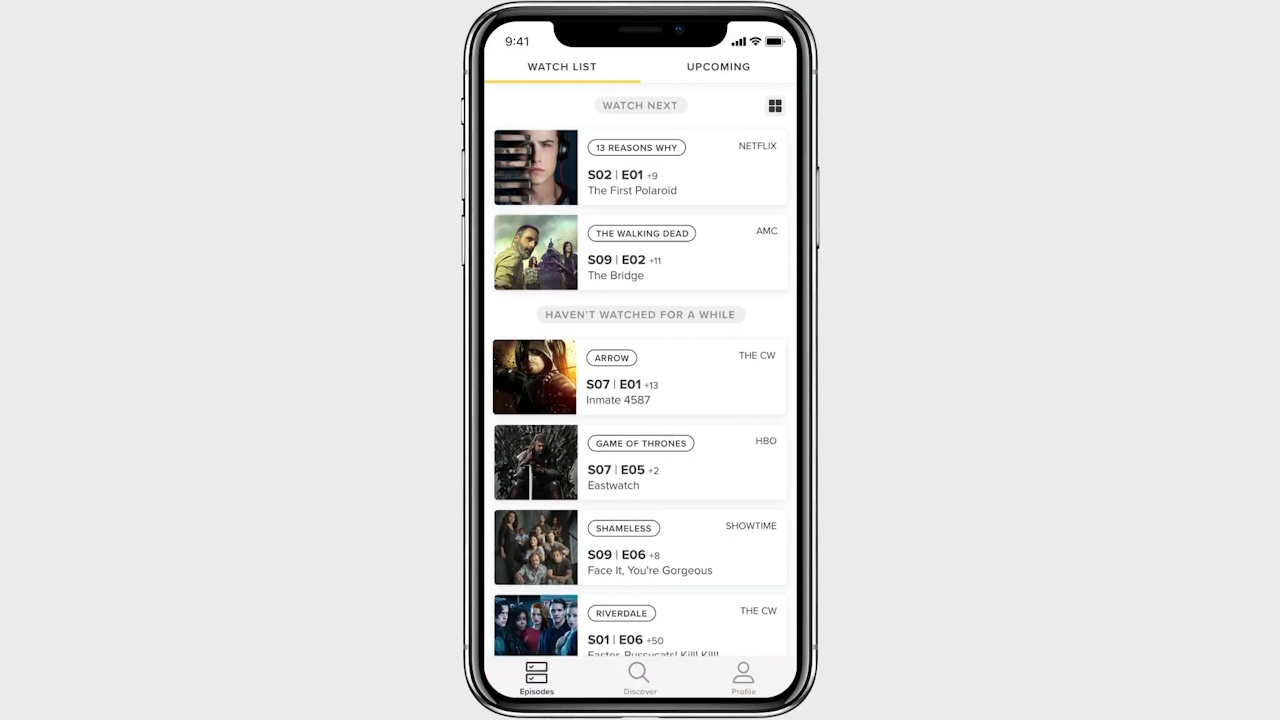
TV Time Updates My Watchlist As New Episodes Drop
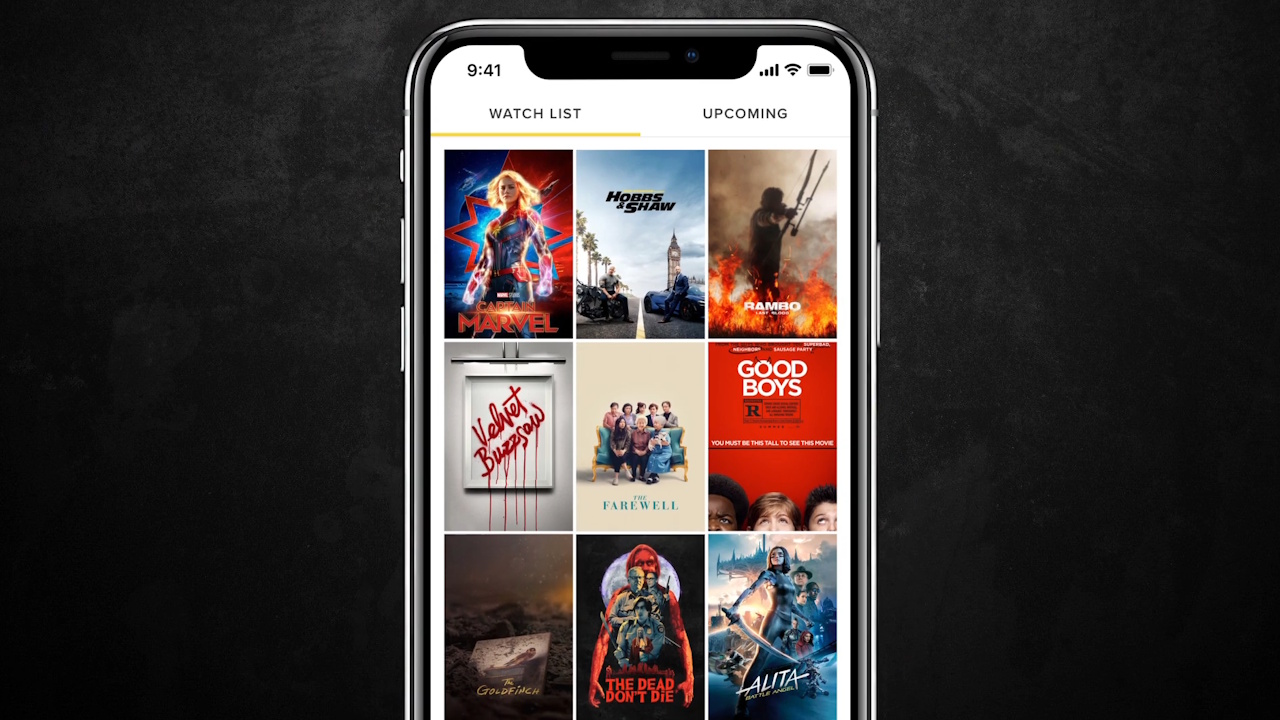
TV Time was a real life-saver. It’s free to sign up (a non-negotiable in my book), and you simply search for a show or movie and click the plus sign to add it to your list. The app lets you view your shows and movies either as a list or as icons, and after you watch something, just check it off!
It did take some time to add in all my shows and mark off the episodes I’d seen already (thankfully, if you click on your most recent episode, you have the option to backfill the rest of the series), but I honestly don’t know how anyone operates without it.
Basically, when new episodes of a show drop, the title pops up on your list under “Watch Next.” If you don’t watch a show for a while, that title drops down to “Haven’t Watched For A While,” which I love because it really keeps things streamlined. You can also move series to “Watch Later,” if you don’t want to watch something now but don’t want to forget about it either, and see upcoming shows as well as what you’ve just watched.
The same goes for movies, and when you check off something you’ve seen, you have the ability to rate it out of 5 stars and add a comment to discuss the movie or show with other people!
Look, TV Time is not a perfect app. Sometimes titles get frozen in my “Watch Next” list for a few days, no matter how many times I check them off. I also find no value in its social features, though I’m sure there are people interested in joining groups based on their interests.
On the Explore Feed, they really want you to vote whether or not you want a canceled series to come back, which just seems futile to me, and under the Discover tab, its “Top Shows for You” are clearly not curated from my interests.
Those, however, are insignificant quibbles, because I am not exaggerating when I say I use this app not just daily, but multiple times a day, adding items from the 2026 movie calendar that I want to remember and seeing what shows are available to me at the end of the day.
I’m certain I can’t be the only one who flailed after cutting the cord. In fact, some of my colleagues here at CinemaBlend have voiced their own issues about not being able to remember when and where their shows drop — and we do this for a living. Hopefully, my experience with the TV Time app can help others in the same boat.