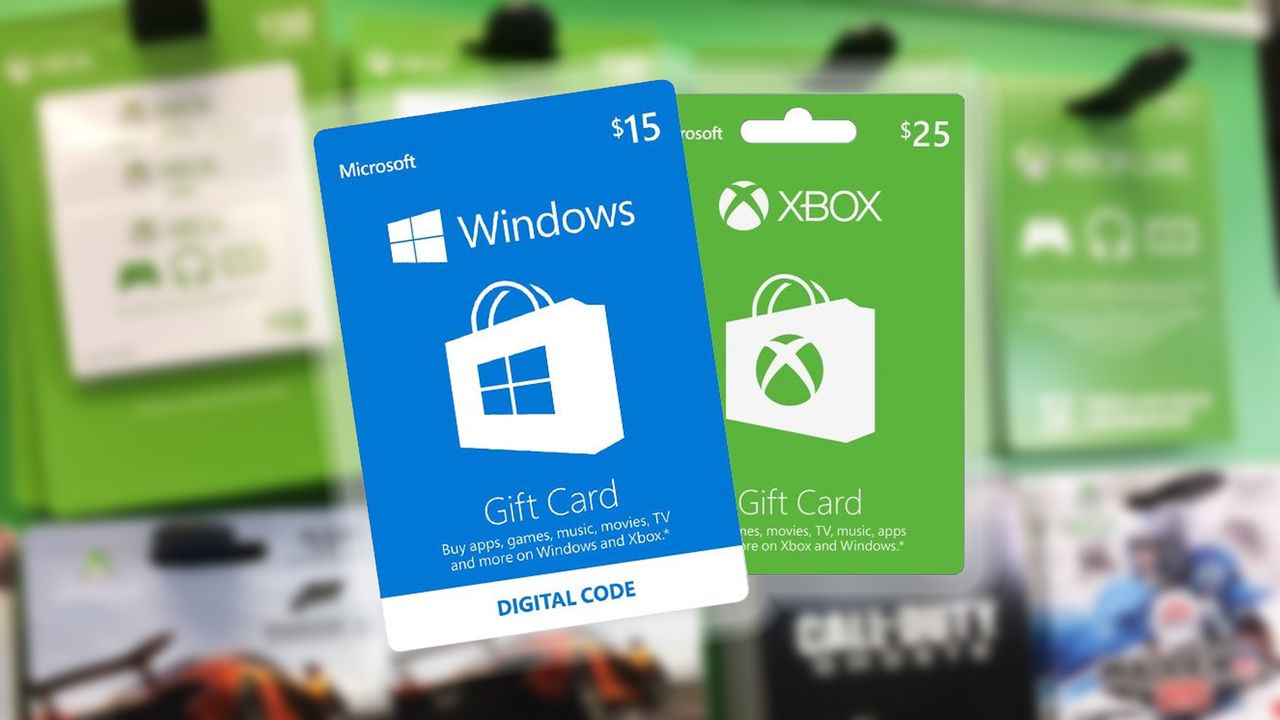
Just received a redeemable code for Xbox or the Microsoft Store on PC?
Codes are Microsoft's method of sharing subscriptions, store credit and games outside of Xbox, with 25-character keys for redemption online. And no matter what your code provides, Microsoft offers a seamless method of applying them to an account. Here's how to redeem Xbox and Microsoft Store codes and access its contents on your console.
How to redeem a code on Xbox One
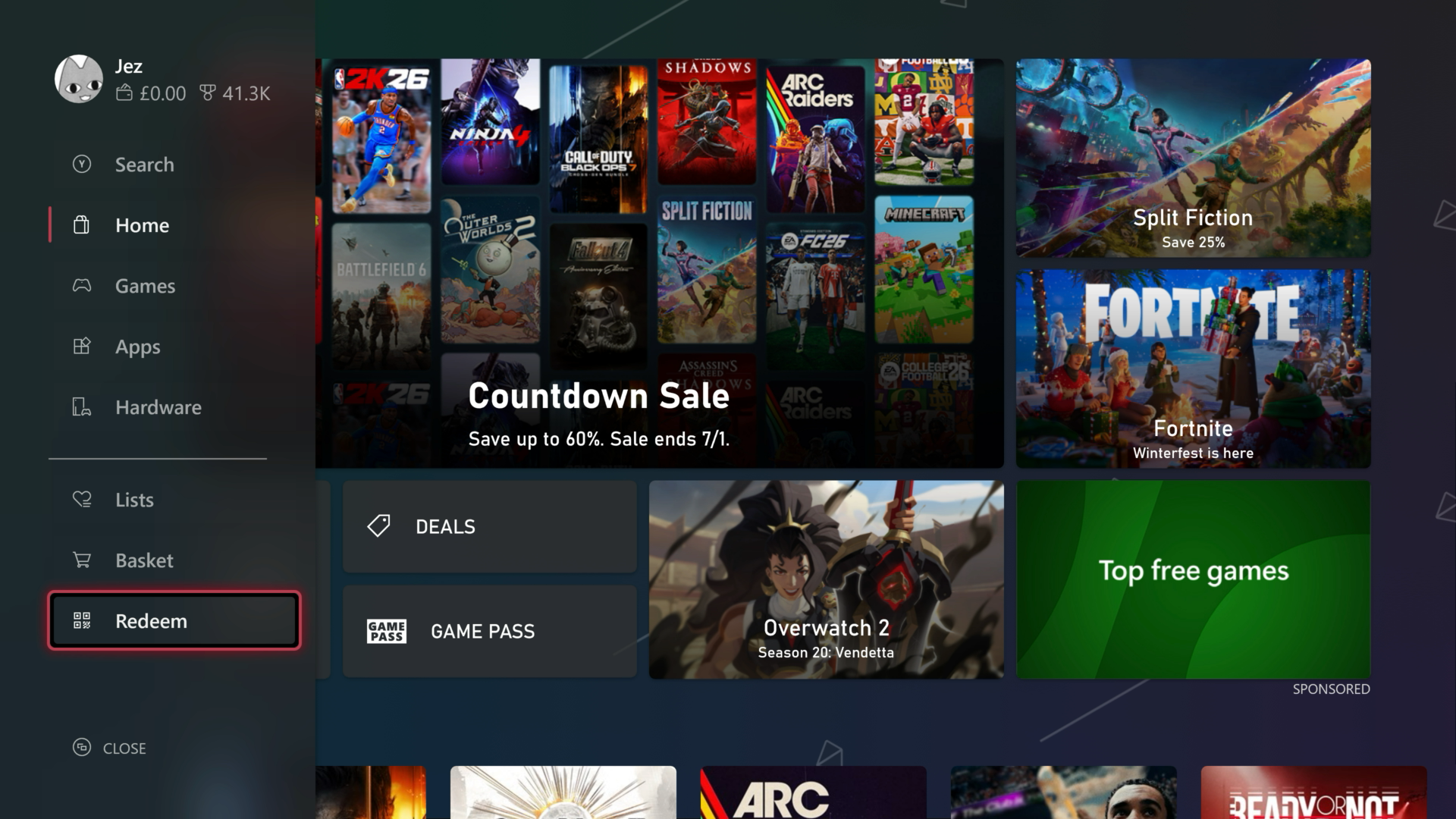
If you're on Xbox One or Xbox Series X|S, the easiest way to redeem a code is via the Microsoft Store on the console itself. There are multiple ways to open the store front. The redemption option is found in the side bar.
- Navigate to the top menu icons using the joystick or the direction-pad.
- Select the Microsoft Store icon, it looks like a shopping bag with the Microsoft logo.
- Navigate left to open the sidebar menu on the Microsoft Store.
- Select "Redeem" at the bottom.
- Enter your 25-character code using the on-screen keyboard.
- Select Confirm to add the product to your account.
Note: If you're redeeming a game, the store page for that game should now open up, allowing you to select install.
For subscriptions and store credit, the benefits will now be applied to your account automatically. For downloadable content, installation progress can be viewed under the "Queue" tab of "My games & apps."
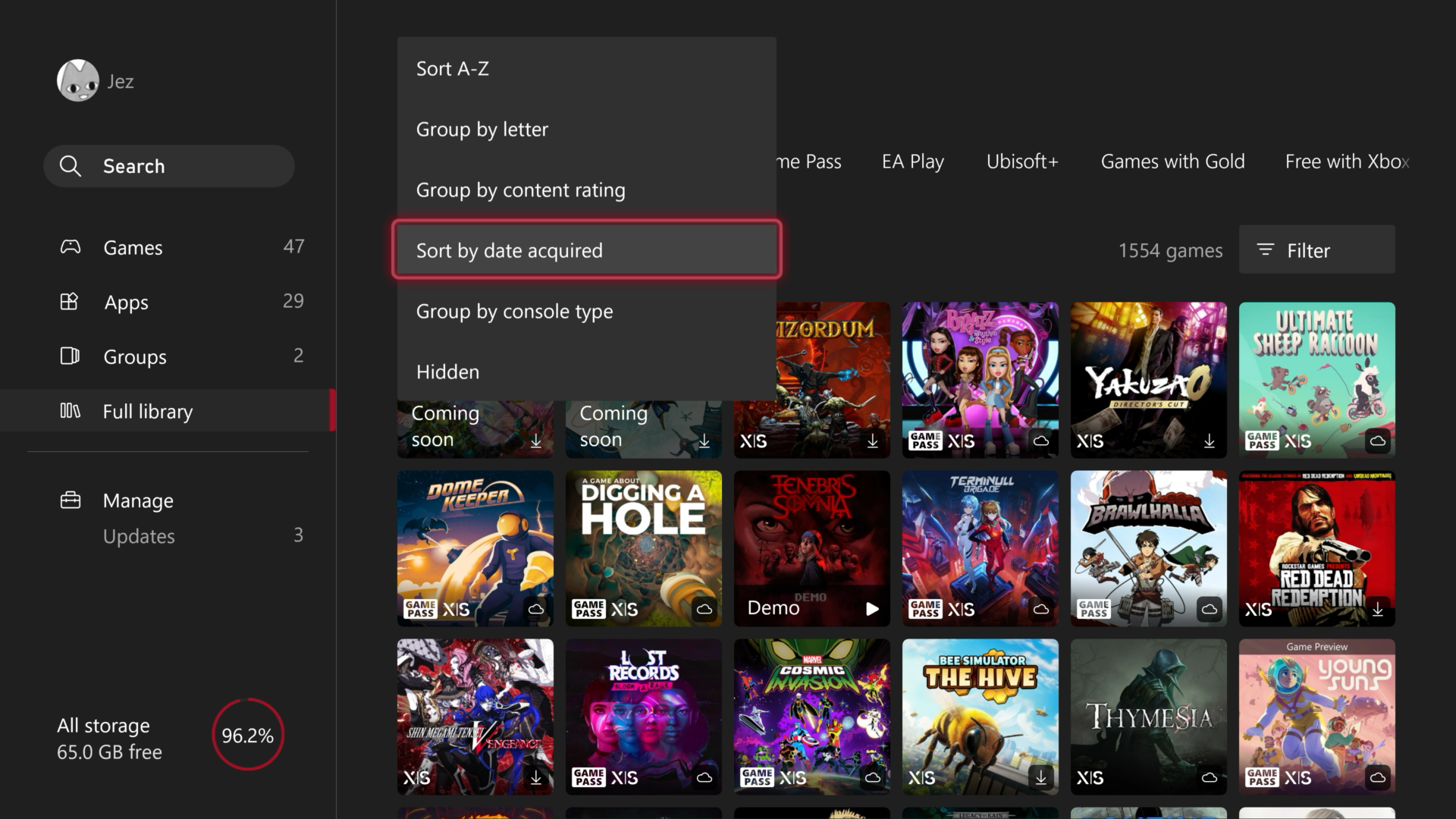
If for some reason you can't find your game, navigate to "My Games & Apps" from the dashboard, select "Full Library" then sort your library by "Date Acquired" to find your most recently acquired games.
How to redeem a code on PC or mobile
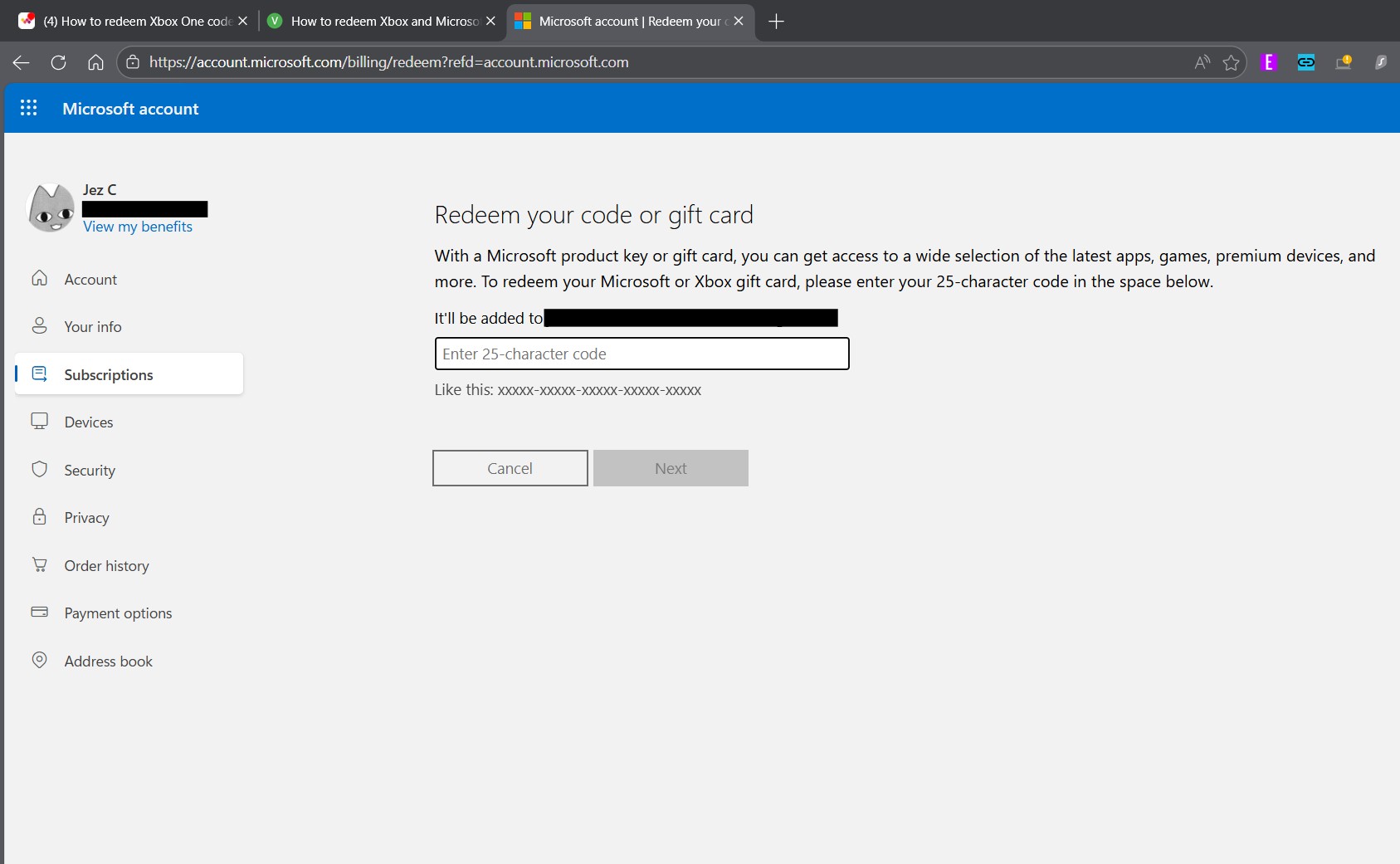
Microsoft also allows for code redemption when away from the console, via an online code redemption page. This method is especially useful when for copying and pasting codes received digitally, or simply typing with the convenience of a keyboard.
- Go to microsoft.com/redeem.
- Enter your Microsoft account credentials when prompted, unless already signed in.
- Enter your 25-character code.
- Click Next.
- Click Confirm to add the product to your account.
When codes are redeemed through this method, subscriptions and store credit will be automatically applied to your account. Downloadable content will be handed off to your Xbox. In some cases, you can install it from the web as well, provided "Instant-on" mode is enabled, and your console has enough storage space. If the download doesn't start, navigate to the "Ready to install" tab of "My games & apps" to initiate it.
If you're redeeming a code for use on the PC Xbox Store or Microsoft Store, the content will appear in your libraries there.
Tips on where to buy Xbox or Microsoft Store codes
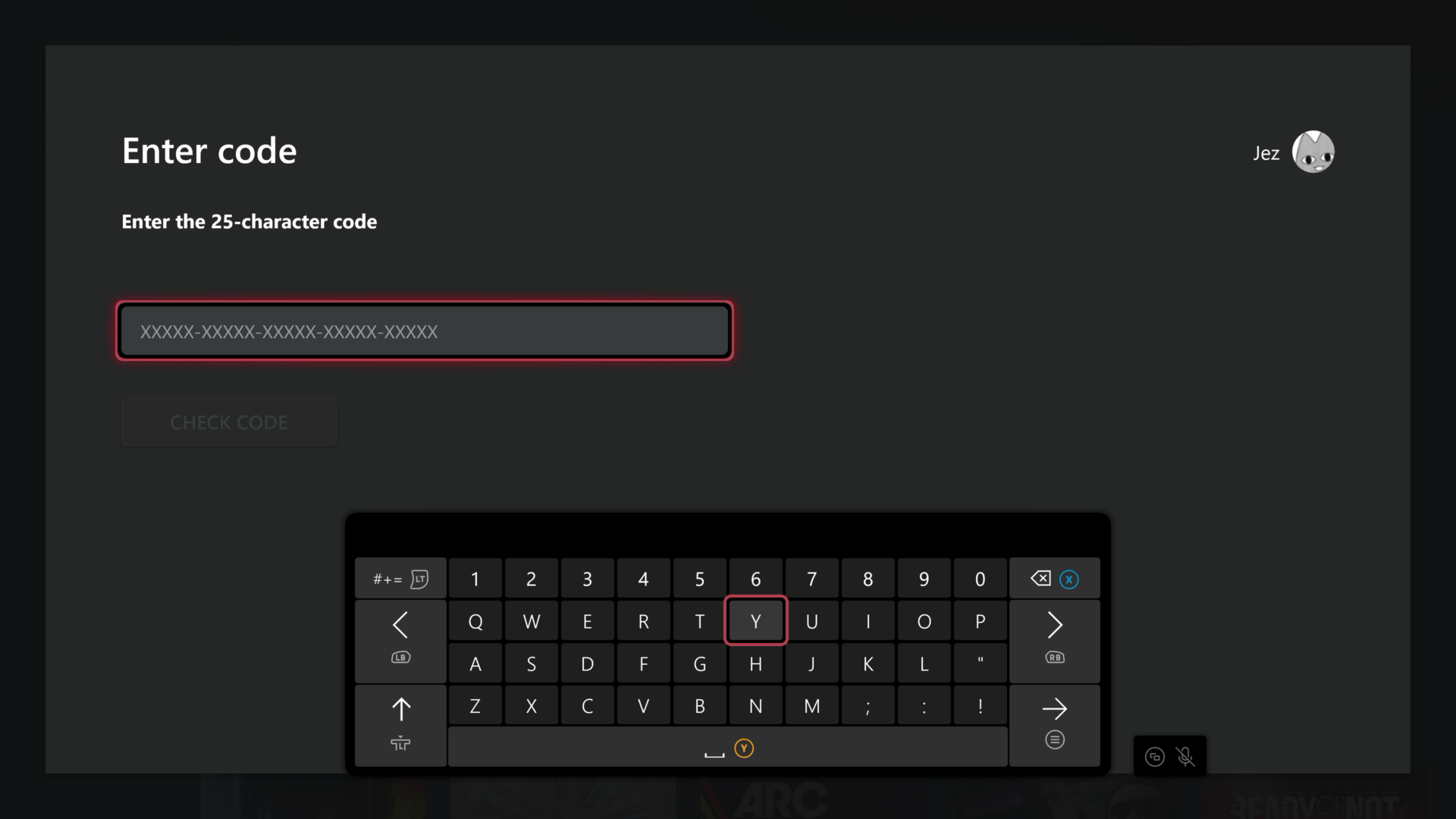
Microsoft Store codes are always comprised of 25 characters in a XXXXX-XXXXX-XXXXX-XXXXX-XXXXX format. They almost always end in "Z" as well, for some reason.
Major retailers sell both physical and digital access to Microsoft Store codes, whether it's simple store credit, subscriptions to Office or Xbox Game Pass, or full titles and games. Websites like Amazon, Walmart, BestBuy, and others stock Microsoft Store codes, but there are ways to get them free as well.
- Get Microsoft Credit for free with Microsoft Rewards.
Microsoft Rewards is a service you can opt-in to in some territories with a free Microsoft Account. Playing games on Xbox, using Microsoft Edge, or searching with Bing can net you points you can redeem online at https://rewards.bing.com. I typically spend mine on Overwatch battle passes.
Microsoft hiked the price of Xbox Game Pass Ultimate a few weeks ago, but Amazon is still selling the monthly cards at $19.99, instead of the new $29.99 price. You can stack the cards for up to two years as well, netting you a tidy saving overall. Amazon will email you the code once you've purchased it.
- CDKeys (now called Loaded for some reason) is a great source of Xbox and Microsoft Store codes.
Loaded.com (formerly CDKeys) has a variety of Xbox codes on offer at its storefront, including everything from Xbox Game Pass to actual games and in-game currency. Some deals include Battlefield 6 for Xbox, at 40% off as of writing, and Arc Raiders Deluxe Edition for 32% off.

Follow Windows Central on Google News to keep our latest news, insights, and features at the top of your feeds!