The intense matches at Apex Legends Global Series (ALGS) Year 5 Champs are now raging on. Fans aren’t just tuning in for the high-stakes games, as they’re also looking to grab the ALGS Year 5 Champs Twitch drops.
The 40 best Apex Legends teams across the world are clashing at the ALGS 2026 Championship in Sapporo, Japan. If you want to snag some exclusive in-game rewards while watching the best Apex players battle it out, here’s a detailed guide for you.
Table of contents
All ALGS Year 5 Champs Twitch Drops and how to earn them
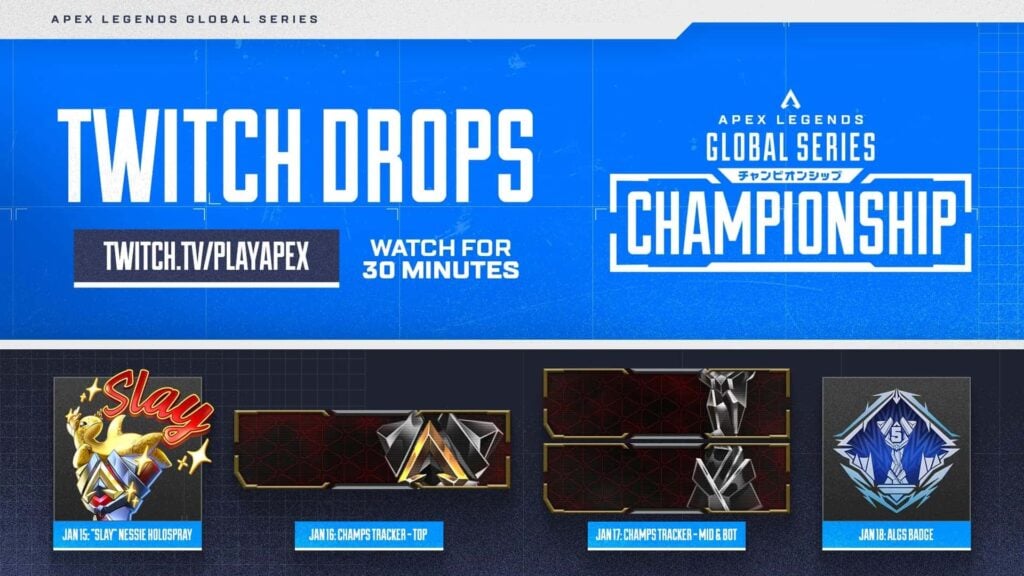
The ALGS Year 5 Championship offers some sweet drops, including a holospray, trackers, and badge. You can earn these items just by watching through the official ALGS channel on Twitch or through one of their partnered streams (/nicewigg, /greek, /restiafps, and /yukiofps14).
Here are the free goodies you can earn each day, watch time required, and when to tune in:
| Reward | Watch Time | Date & Stage |
|---|---|---|
| “Slay” Nessie HoloSpray | 30 minutes | Jan. 15, Group Stage Day 1, starts at 1pm JST |
| Champs Tracker – Top | 30 minutes | Jan. 16, Group Stage Day 2, starts at 1pm JST |
| Champs Tracker – Mid & Bot | 30 minutes | Jan. 17, Bracket Stage, starts at 10am JST |
| ALGS Badge | 30 minutes | Jan. 18, Match Point Finals, starts at 12pm JST |
If you’re also eyeing to place bets while catching the biggest Apex Legends tournament, take a look at the best esports betting sites for the best odds and options.
How to claim ALGS Year 5 Champs Twitch drops
Claiming your ALGS Twitch drops is easy. Twitch will notify you when a reward is ready, and you’ll find it in your Drops & Rewards inventory. Once claimed, the item automatically appears in your Apex Legends inventory, as long as your Twitch and EA accounts are linked.
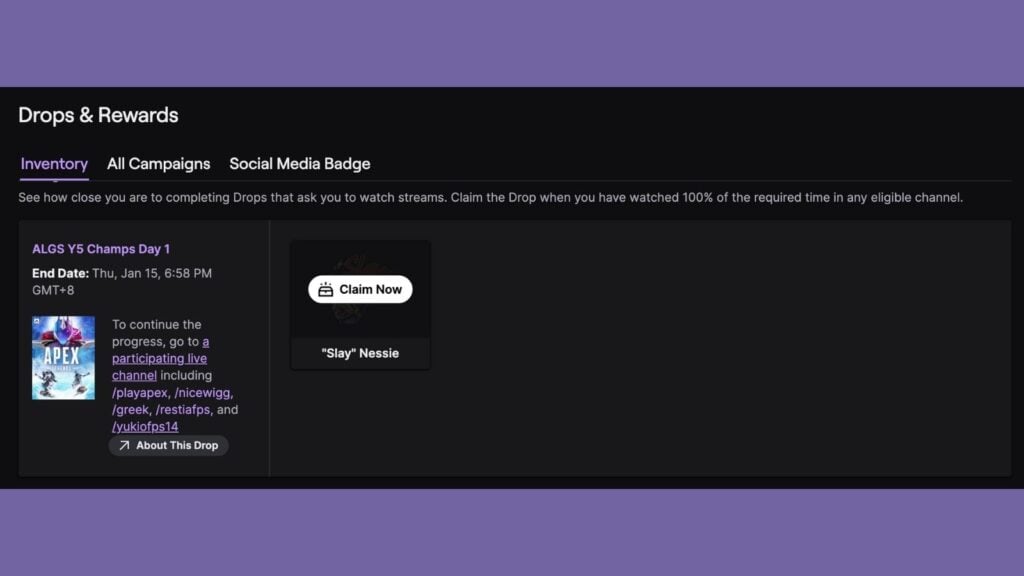
If you haven’t done already, follow these steps to link your accounts and start earning ALGS Year 5 Champs Twitch drops:
- Sign in to your EA account on the official website.
- Go to your profile’s Connected Accounts section, select Twitch, and you’ll be redirected to the Twitch login page.
- Log in to the Twitch account you’ll use to watch ALGS streams and approve the linking request.
Once linked, Twitch will appear in your EA profile as a connected account. Now you’re all set to earn ALGS Year 5 Champs drops. Just watch the official streams, rack up your viewing time, and unlock your exclusive rewards.