
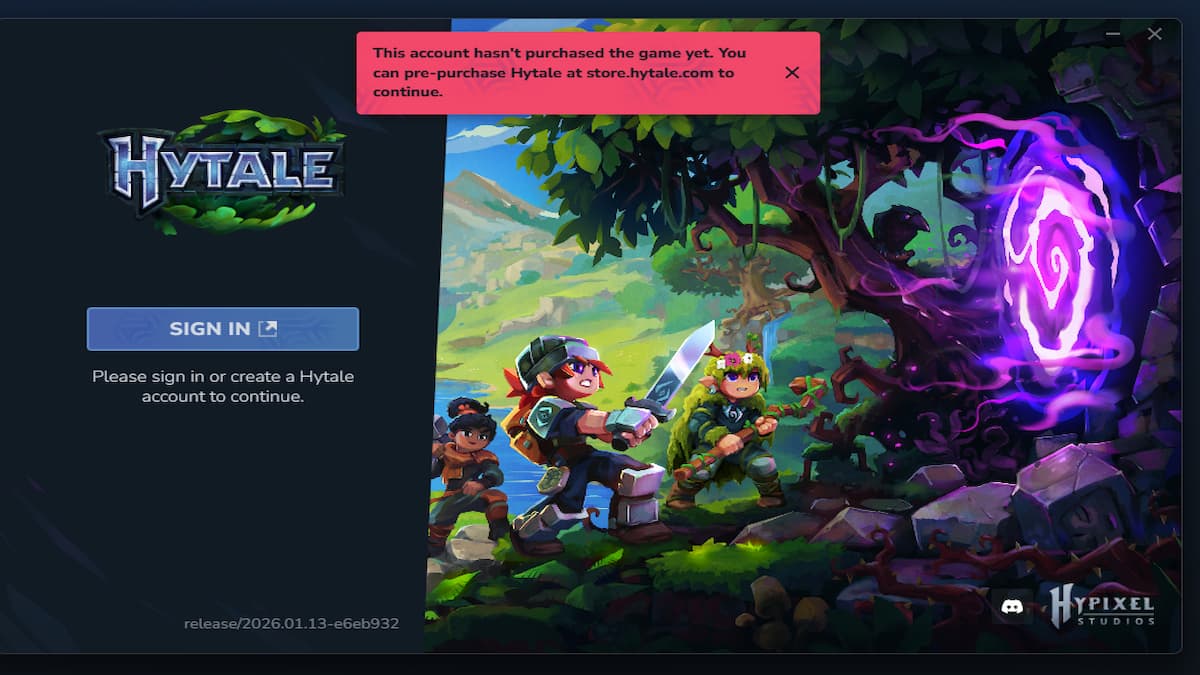
The most common error players encounter when launching Hytale for the first time is the "Account hasn't purchased the game yet" bug. If you are experiencing this issue and are unsure how to resolve it, here is a list of solutions to try and implement.
Best solutions for This Account Hasn't Purchased the Game Yet Hytale Error.
Below is a list of workable solutions players can use to resolve the issue at hand.
Pre-Order and Purchase Hytale
The main reason why this error occurs is that the account holder has not yet purchased a copy of Hytale from the official Hytale website. Click the given link and navigate to the store section. Now, buy any edition of Hytale according to your requirement. If you are confused about which Hytale Edition you must get, I highly recommend reading our Hytale Pre-Order Guide to get a better understanding of each variant. Once you have received a copy, restart the launcher and log in again to start playing the game.
VPN Issues
Another common reason this issue occurs is a mismatch between accounts and the purchase region. If you purchased the game using a VPN in a different country, also try playing from that region rather than connecting from your home country. For example, if you are in France and purchased a copy from the USA using a VPN, try playing the game with the VPN connected to the USA to avoid conflicts.
Wrong Connection Login
The Hytale developers have provided multiple Account Connection methods, including Epic Games, Google, Twitch, Microsoft, and Discord. If you purchased the game via a Discord connection, it will not appear when you try to log in with your Google or Microsoft account. Because they are different accounts, the system treats them as separate entries. So, log in to the Hytale Launcher with the same connection account that you used to purchase the game in the first place.
Hytale FAQs
There are three Hytale Editions for players to purchase from the store.
Standard Edition: $11.34
Supporter Edition: $19.86
Cursebreaker Edition: $39.71
Every player must purchase Hytale from the official Hytale Store after creating a Hytale account using one of the connection logins.
Yes, you can use a VPN to purchase Hytale if it is not available in your country. If you bought it using a VPN, also play the game from the same country as your purchase.
For more on Hytale, check out Hytale Download Failing - All Possible Fixes or Hytale Failed to Connect to the Server Fix