You have arrived at the right place if you were wondering how to change your Prestige Title and Color in Call of Duty: Black Ops 7.
Once you initiate the Prestige system and climb up the ranks, for example, Master and beyond, a suite of customization features unlocks, including selecting a custom Prestige Title and changing the color in which your level is displayed in lobbies and leaderboards.
These changes serve as a status badge, as gaining access to these titles and level colors requires dedication. Here’s everything you need to know about changing your Prestige Title and Color in Black Ops 7.
Table of contents
How to change your Prestige Title in Black Ops 7
First of all, you have to reach Prestige Master by climbing through all ten Prestige ranks, which means you have to surpass Level 55 10 times.
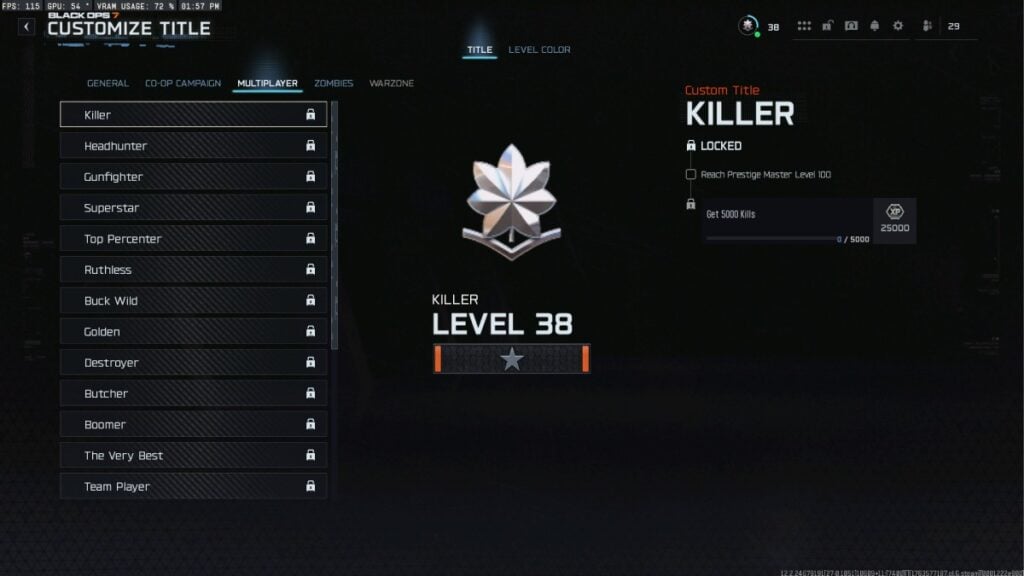
Once you reach Prestige Master in BO7, complete special Prestige Master title challenges, which become available after reaching Level 100. After unlocking a new title, all you need to do is:
- Go to the Career tab from the lobby.
- Select Customize.
- Go to Profile.
- Click on Level Color & Titles.
In the Prestige Master menu, you will find a ton of titles unlocked (or else they will be locked if you haven’t reached Prestige Master). You can then select and equip any title you want. Each new title challenge offers significant XP rewards.
How to change your Prestige Level Color in Black Ops 7
Once you reach Prestige Master, your level color automatically changes to orange to mark your accomplishment. To change the colors, follow the steps below:
- Go to the Career tab from the lobby.
- Select Customize.
- Head to Profile.
- Click on Level Color & Titles.
From there, head to the Level Color tab, and you can see a bunch of color options available. At Prestige Master Level 100, you unlock the ability to swap your level color to navy blue.
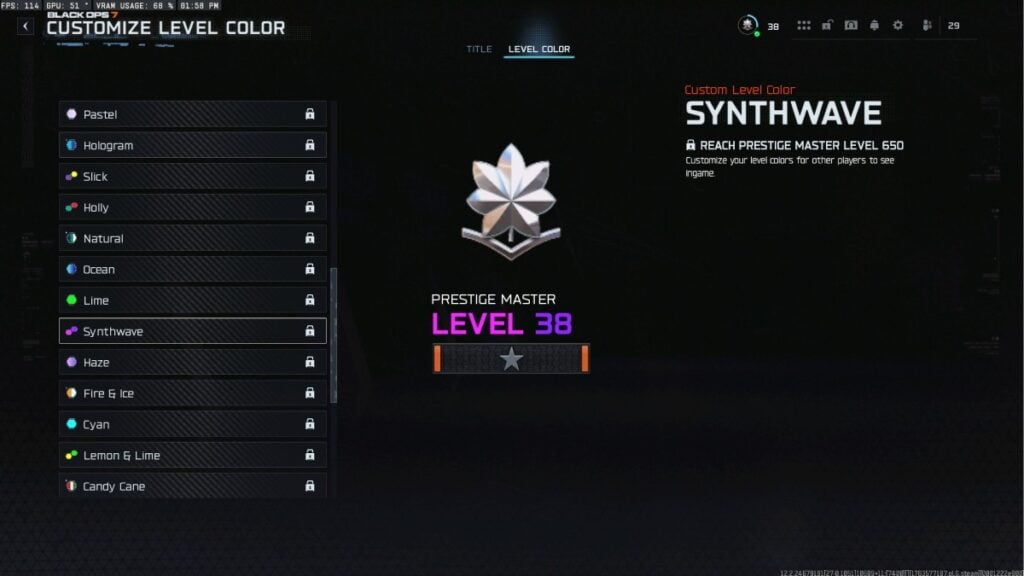
Beyond this point, every additional 25 levels (up to Level 1,000) unlocks a new Level Color option, including animated and multi-color effects.
To equip a new color, go to the same Prestige Master customization menu mentioned above. Look for the Level Color settings, and select your preferred color from the unlocked options. These color changes are visible in lobbies, in-match intros, and on leaderboards.
You can complete title challenges by engaging in all main game modes, as some tasks require Zombies, Campaign, or Multiplayer-specific actions. Play consistently and use the right techniques to get XP fast, especially during double XP events, and you’ll reach new color milestones faster.
With that said, make sure you have these settings sorted before jumping into BO7 Multiplayer:
- Best movement settings
- Best aim assist settings
- Best PC graphics settings
- Best controller settings
- Best mouse and keyboard settings
- Best audio settings