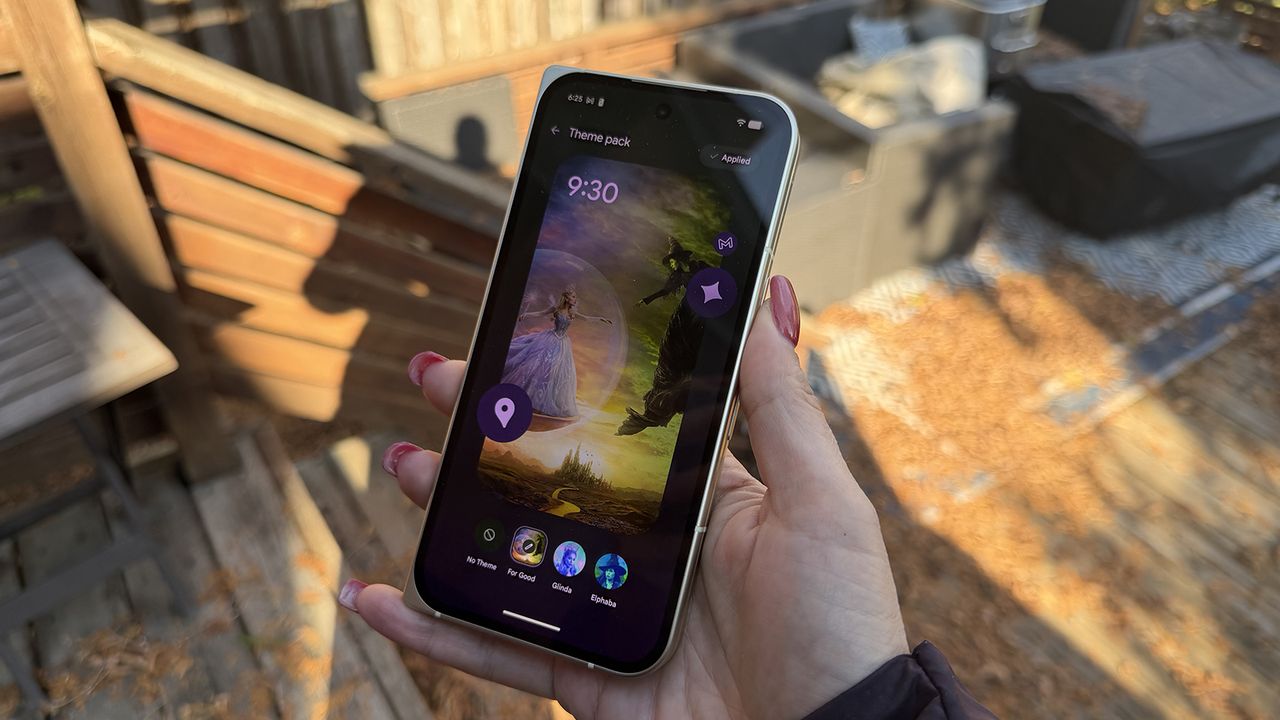
Google's Pixel phones support some of the strongest customization features available in the Android ecosystem. You can select a branded theme pack to overhaul your device's appearance with a single tap, or make customization changes individually. Google's Pixel Launcher is one of the few Android variants that can force all of your home screen app icons to align with your chosen system theme.
There are so many options available for Google Pixel phones that it can appear daunting. Luckily, this guide will go over all the ways to change your app icon and theme on a Pixel.
All the ways to customize a Google Pixel home screen

Google Pixel phones now support various color and theming options, including the newest introduction, Pixel theme packs. For now, these a branded system themes that can change your wallpaper, system theme, and app icons with a single press. The current theme packs available are based on the "Wicked: For Good" movie. We have a complete guide to using Pixel theme packs here.
Pixels also support selecting a color palette that changes system elements, from the color of your Settings app to the shade of your Quick settings menu. These can be selected based on your wallpaper or picked individually. There's a beta feature that forces all app icons to match your chosen color palette theme, too.
Notably, app icons will remain as standard in the app drawer, but will match your color palette on your home screen when app icon theming is enabled. All of these features must be manually configured, and are off by default.
How to change your app icon and theme on a Google Pixel phone
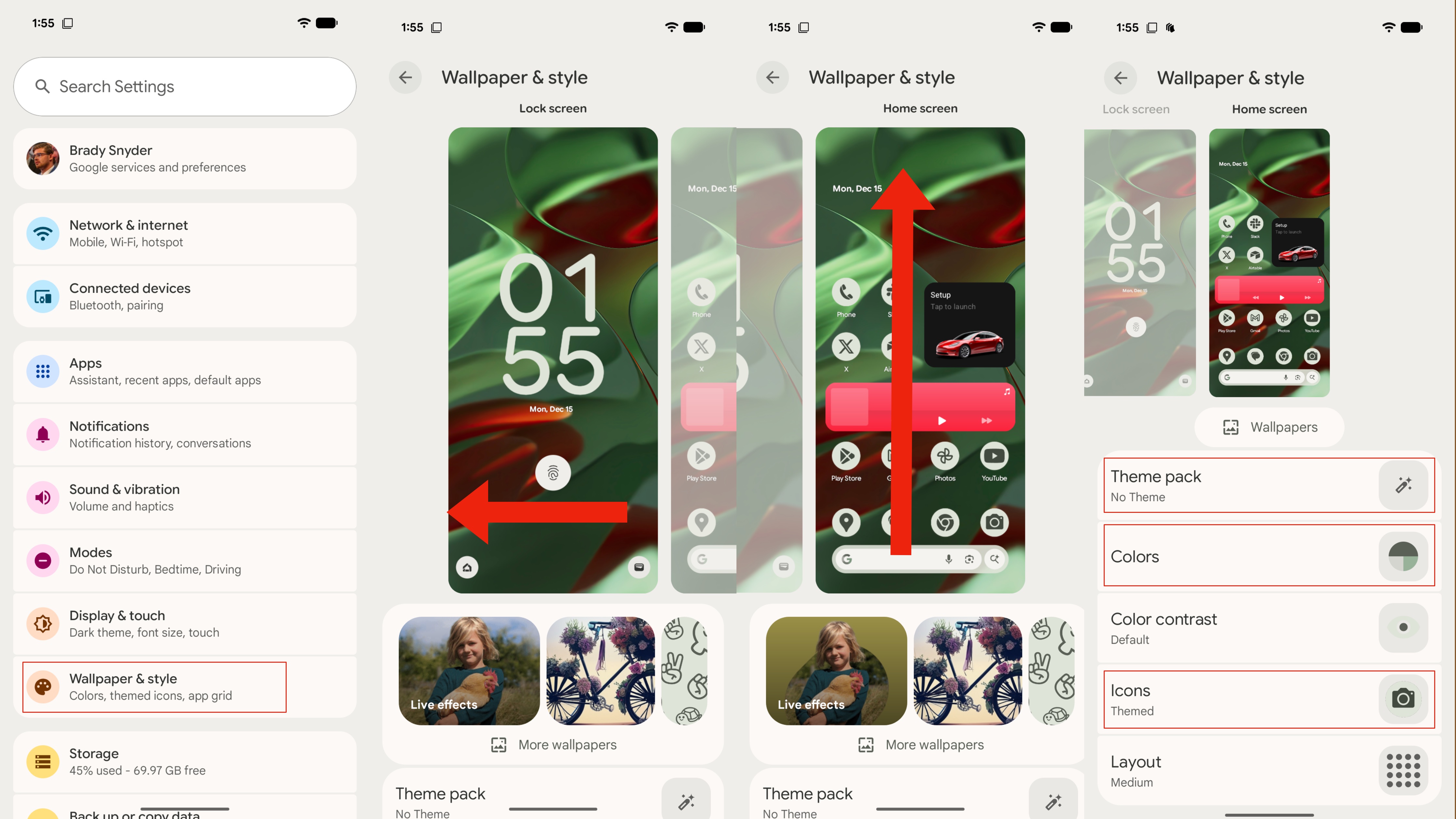
Google offers a handful of customization options for Google Pixel phones in the Wallpaper & style page of the Settings app. Here are all the ways you can use it to change your system theme and app icon theme:
1. Open the Settings app.
2. Tap the Wallpaper & style tab.
3. Swipe left to move over to the Home screen settings.
4. Tap one of the following tabs: Theme pack, Colors, or Icons.
5. Within the Theme pack page, choose one of three Wicked-themed packs (For Good, Glinda, or Elphaba) to apply sweeping changes to your system. A theme pack will change your home screen, lock screen, color palette, and app icon theme with one press.
6. Within the Colors page, choose a color palette suggestion based on your wallpaper to use for your system theme.
7. Alternatively, tap Other colors within the Colors page to pick a standalone color to use as your theme.
8. In the Icons page, flip the toggle beside Themed icons to apply this color theme to your app icons.
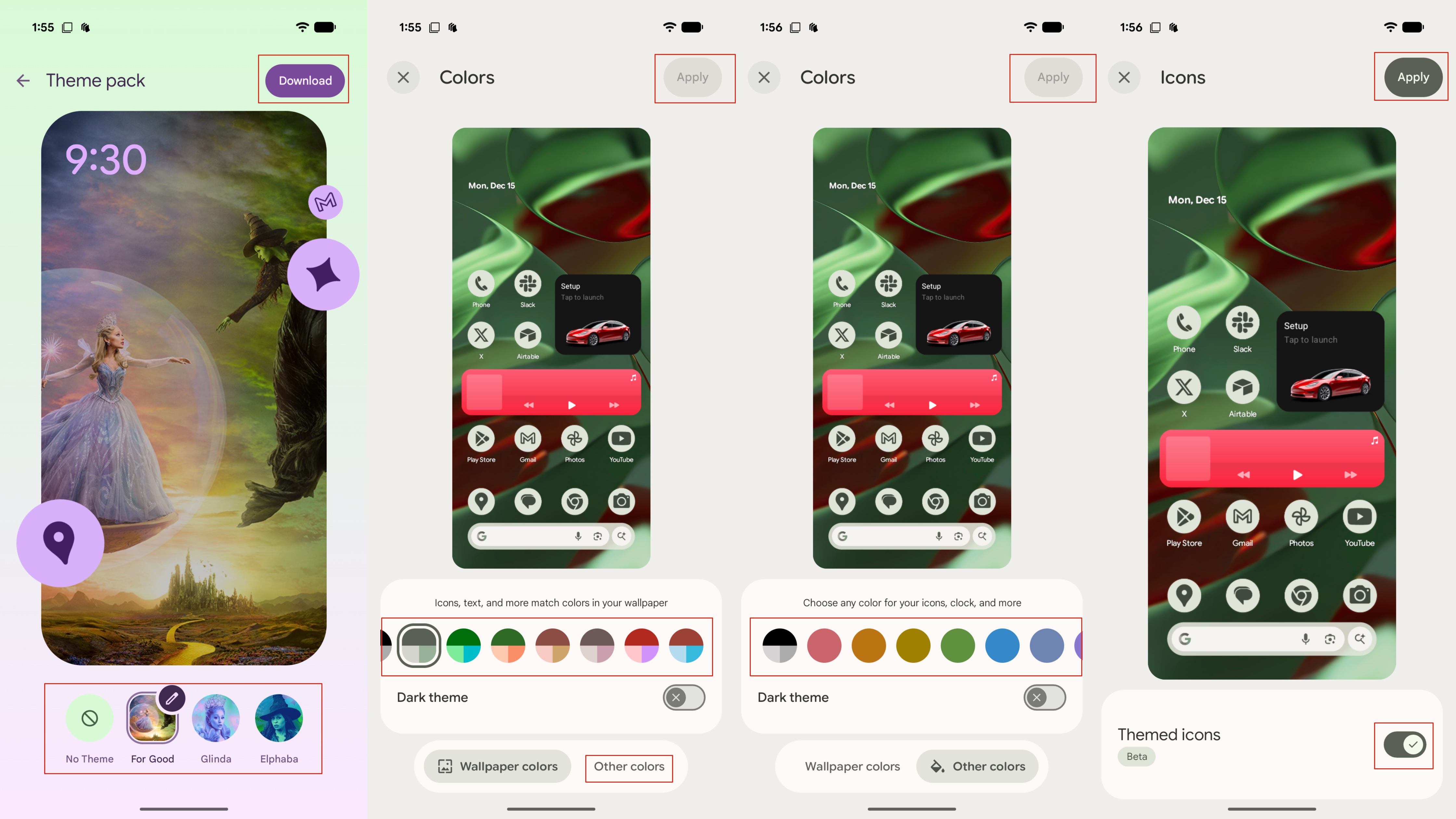
9. Tap Apply to confirm your changes when finished.
After that, your Google Pixel phone will sport a new-look system theme and app icons. Though the app icon feature is technically still in beta, it often applies your chosen color palette to your home screens without issue.
Should you change your icons and themes on a Google Pixel?
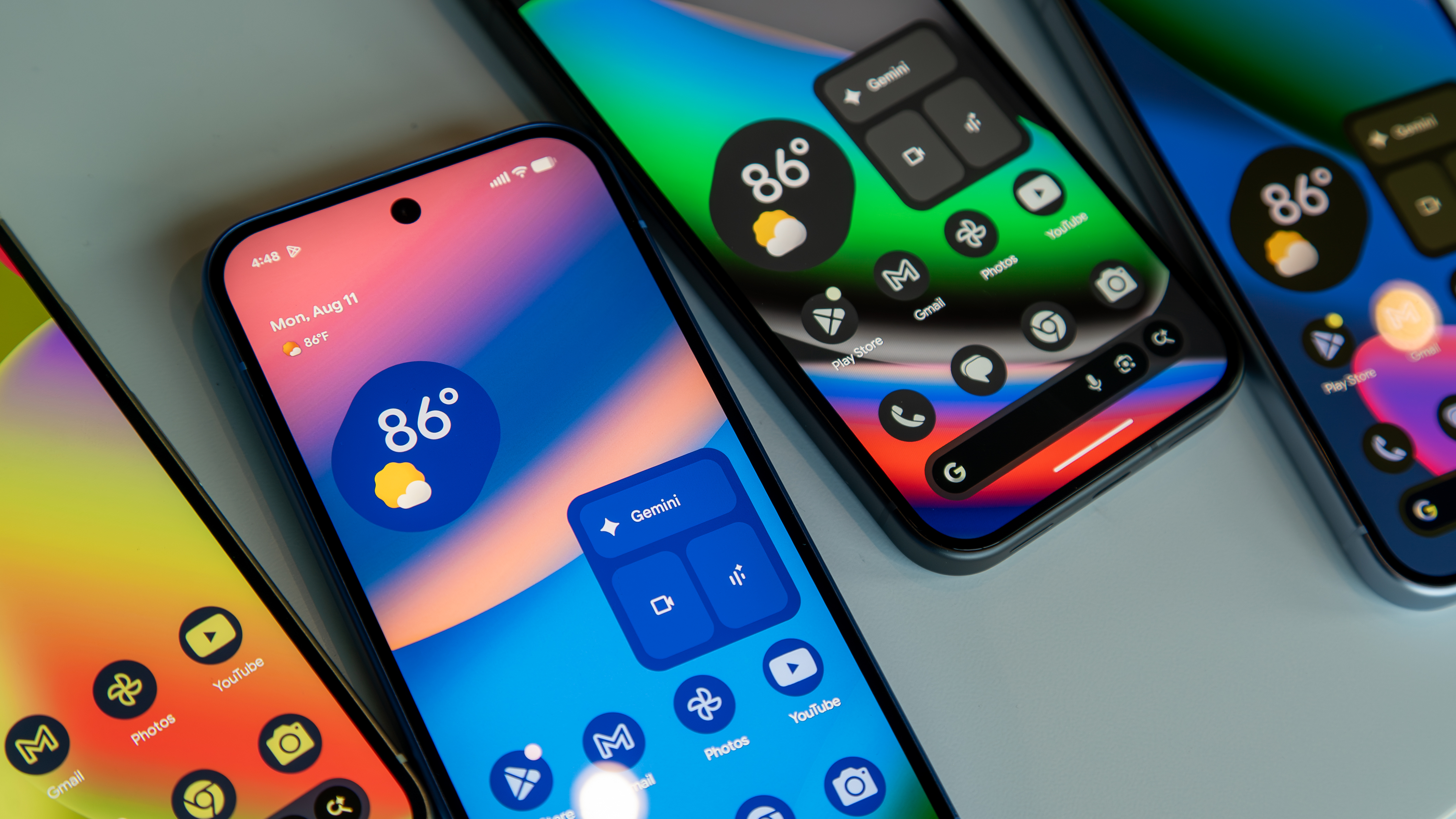
App icons typically follow random design styles that might not fit in with your Google Pixel home screen vibe. By picking a custom color theme and enabling themed app icons, you can force all of your home screen apps to match your chosen palette. These colors can be any of your choice or suggestions based on your wallpaper, giving you maximum flexibility.
If you're wanting to add a bit of consistency to your home screen, it's worth trying out custom color themes and app icons on your Google Pixel phone. However, others find that a unified theme makes it harder to tell individual apps apart, so take that into consideration when choosing whether to enable themed app icons.
Pixel perfect
The Google Pixel 10 comes in four fun colorways, and is powered by Material 3 Expressive software. It creates a bright and bold user interface that can be further customized with Pixel theme packs and themed app icons.