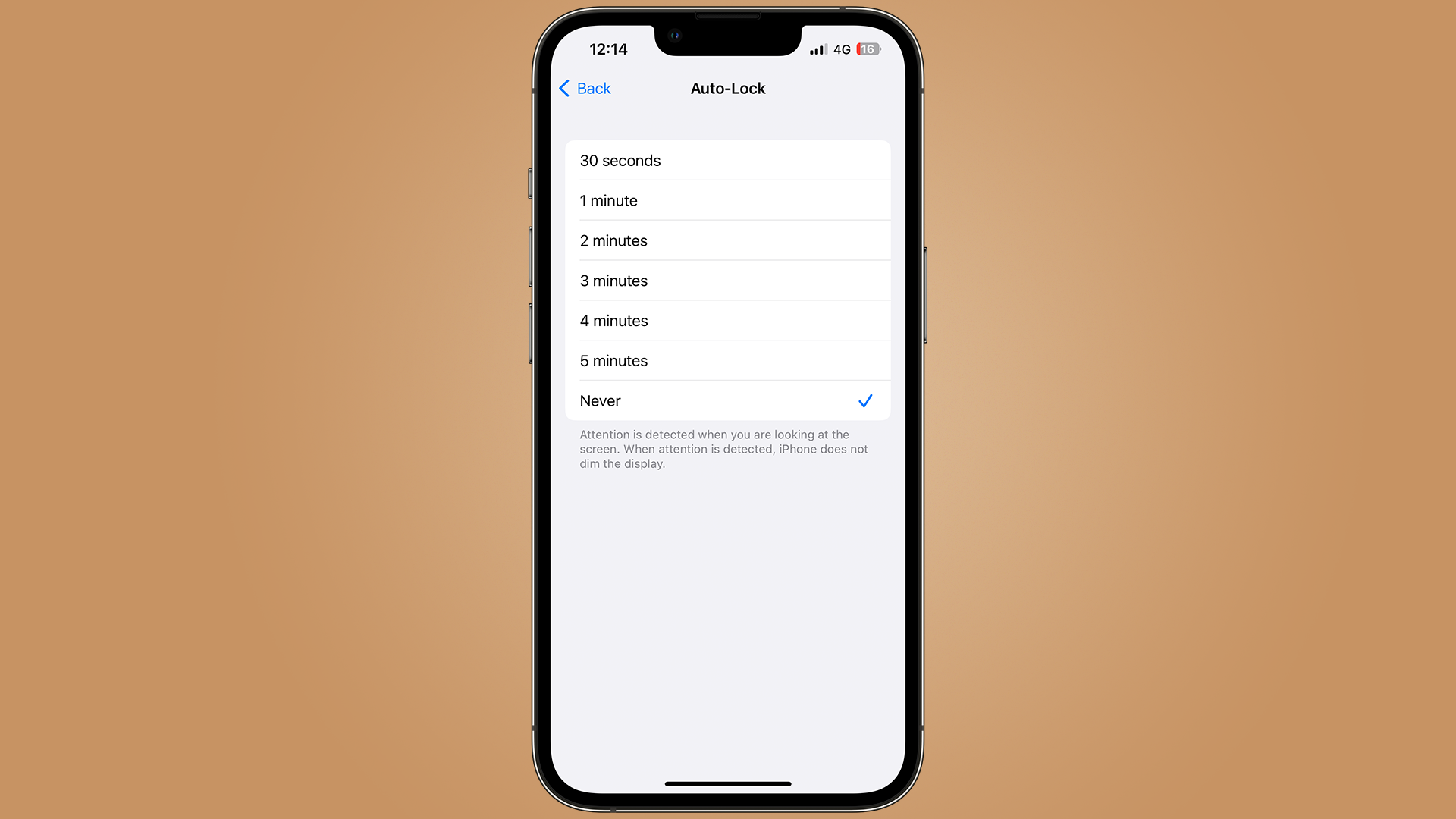
Having the screen on your iPhone and iPad switch off as you leave it for a few minutes to tend to the dog can be an irritating time. But thankfully, there's an option to make sure this never happens.
By default, your Apple device will auto-lock after two minutes of sitting idle. But by using the following settings, you can easily change the amount of time it takes, or even turn it off completely!
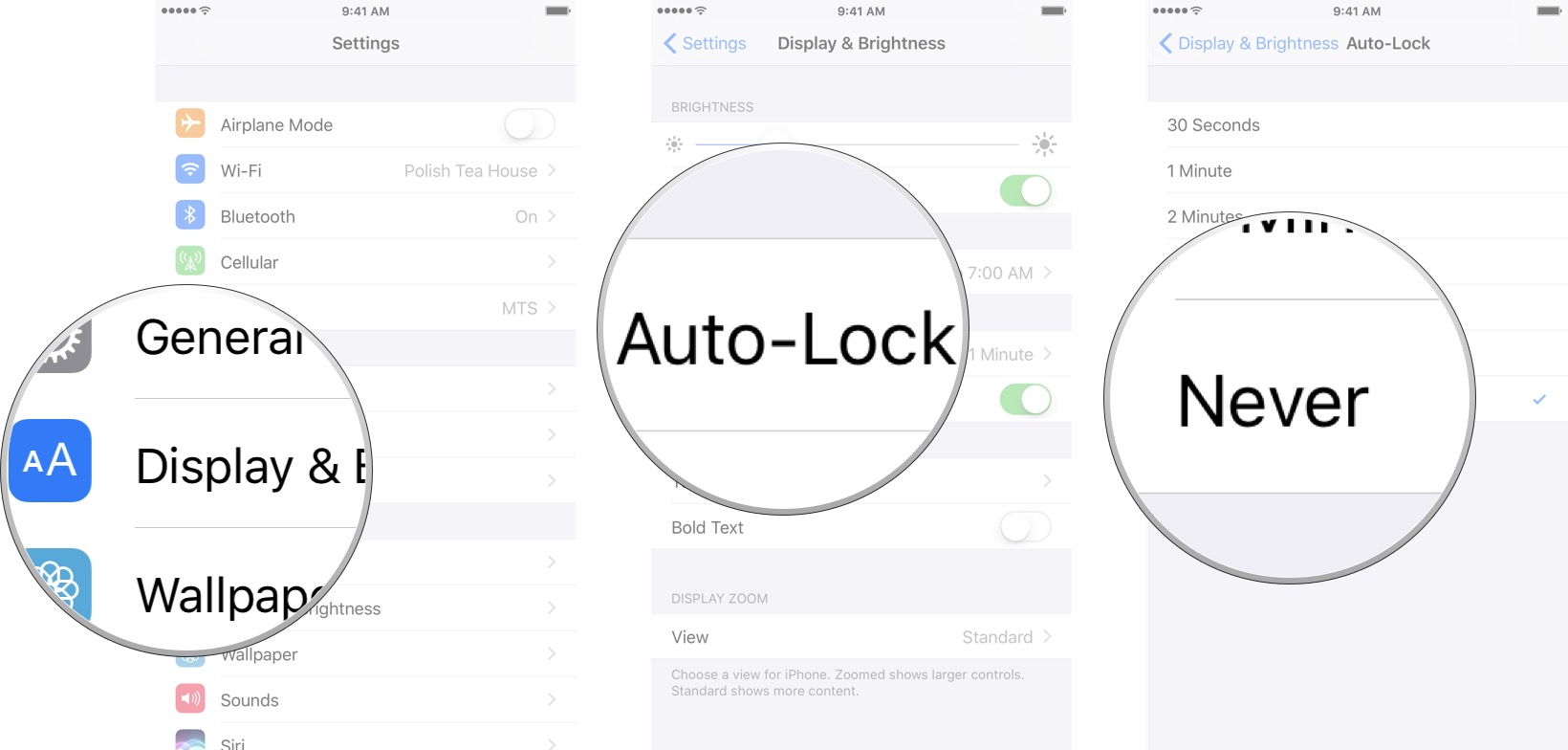
How to turn off Auto-Lock on your iPhone and iPad
If you prefer to have complete control over when your iPhone or iPad locks, you can always turn off Auto-Lock.
- Launch Settings from the Home screen.
- Tap on Display & Brightness.
- Tap on Auto Lock.
- Tap on the Never option.
How to change the Auto-Lock time on your iPhone and iPad
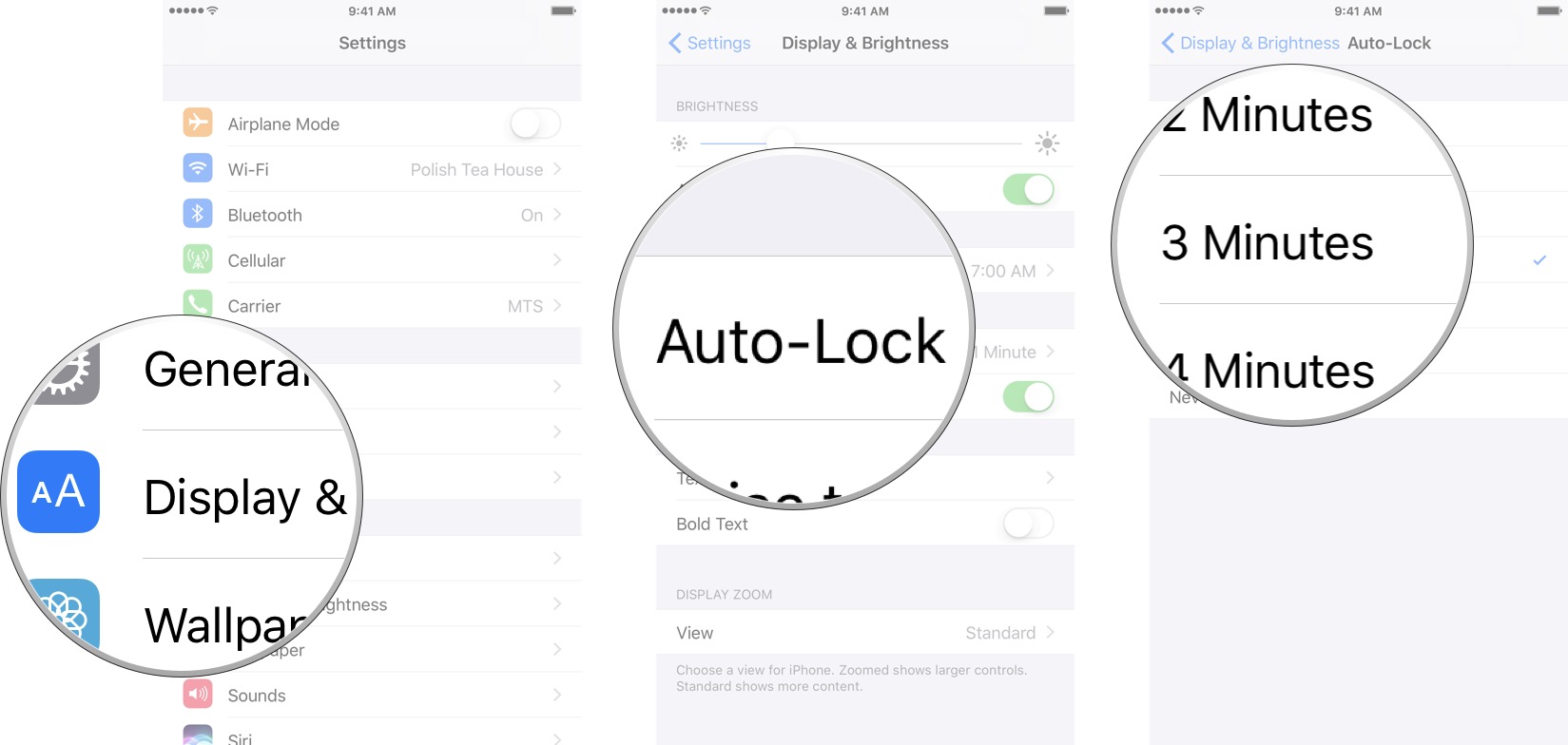
You can turn the screen off on your iPhone or iPad at any time, but by default it will turn off automatically after 2 minutes to save on power. If that time limit doesn't suit you, it's easy to change.
Note: You can't change Auto-Lock time when in Power Saver Mode.
- Launch Settings from the Home screen.
- Tap on Display & Brightness.
- Tap on Auto Lock.
- Tap on the timing you prefer:
- 30 Seconds
- 1 Minute
- 2 Minutes
- 3 Minutes
- 4 Minutes
- 5 Minutes
- Never
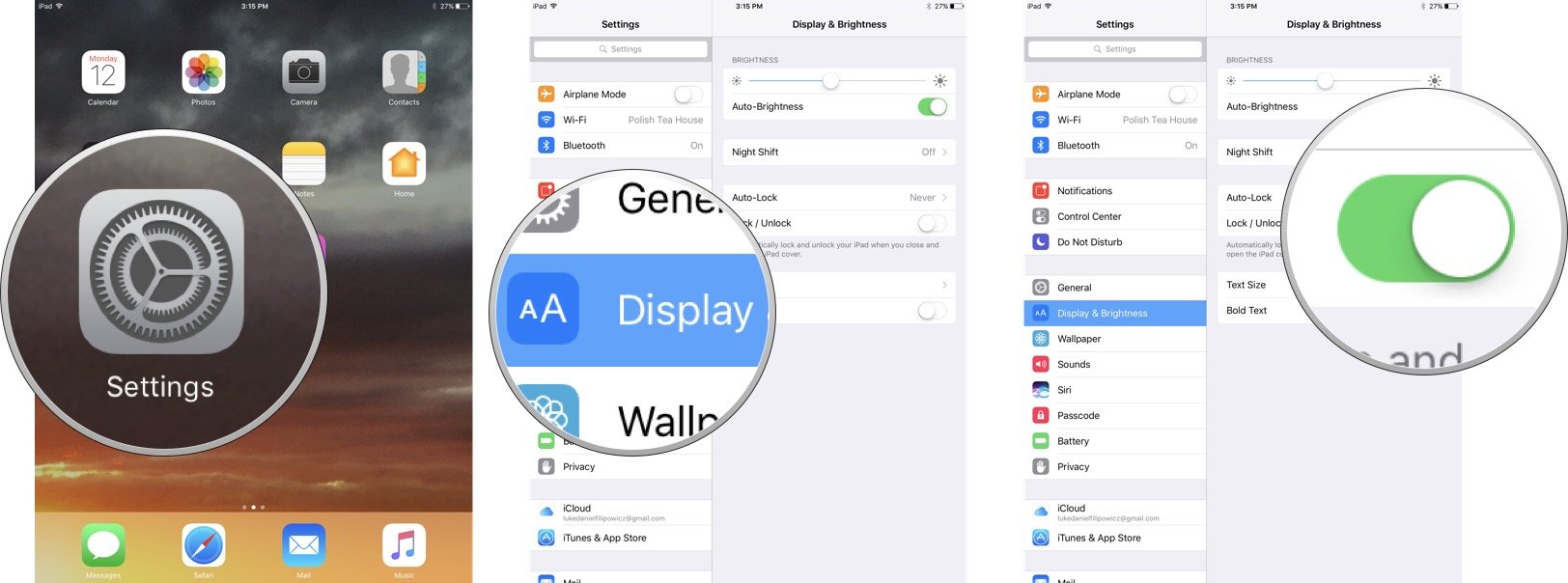
How to turn Lock/Unlock on and off on your iPad
If you have a cover for your iPad, you will probably notice that every time you close it your iPad will lock. Plus, every time you lift the cover off your iPad will unlock itself. If you don't like this feature you can easily turn it off.
- Launch Settings from the Home screen.
- Tap on Display & Brightness.
- Tap on the Lock/Unlock switch. Green means the feature is enabled and grey means it's disabled.