Using the best 3D modelling software can feel like being a god creating creatures in fantastic landscapes, but it can also feel like a tedious grind when getting into the details of a model.
Thankfully, simple 2D images can be used to drastically speed up the modelling process. Different image types can be used to control not just colour, but also which parts of the model are visible, which parts are raised or recessed, and even how shiny a model is. These images can (mostly) be created in any 2D image-editing software and then wrapped onto the model using various wrapping methods, with UV maps being the most popular.
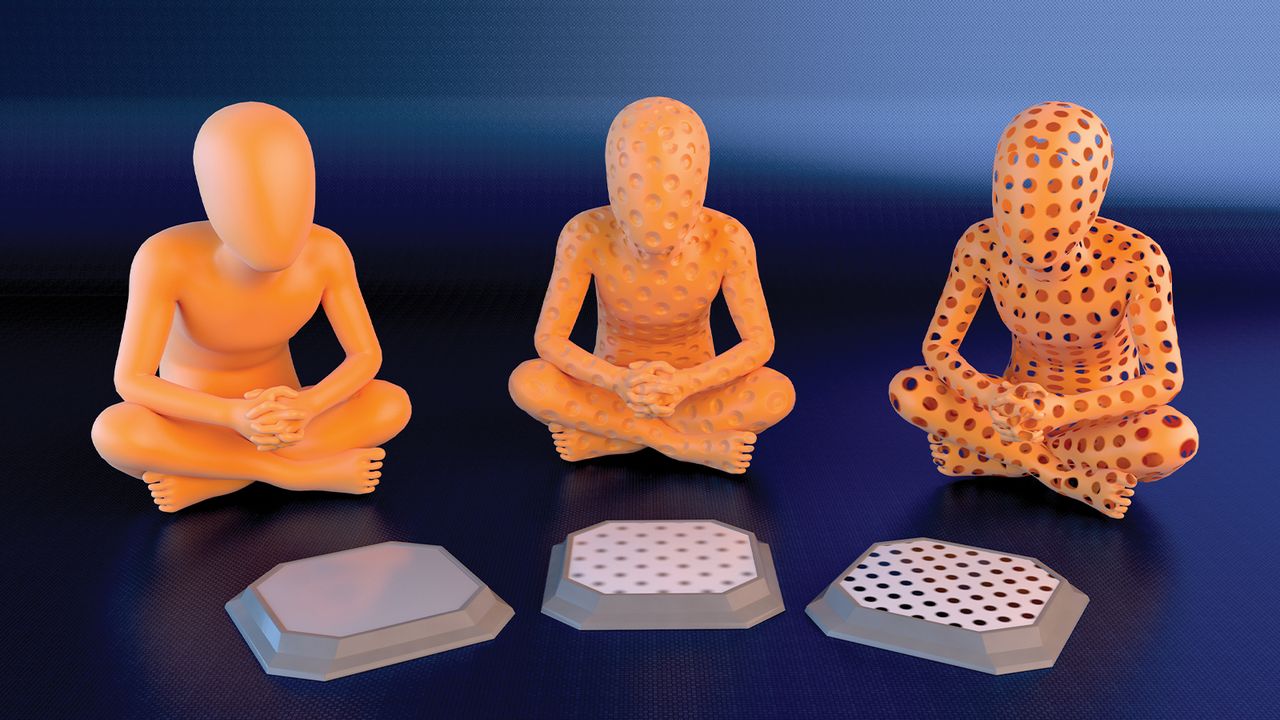
In our main image, each of the three figures has a pedestal in front of them, showing how a simple black-and-white dot pattern can affect a model – from creating indents to making actual holes – all of which would require considerable modelling know-how. Applications like Adobe Substance Painter can help you apply image maps or create them for use in other 3D applications. It can make you feel like a 3D modelling god again, with the superpower of simple images.
01. How do images manage to control materials?
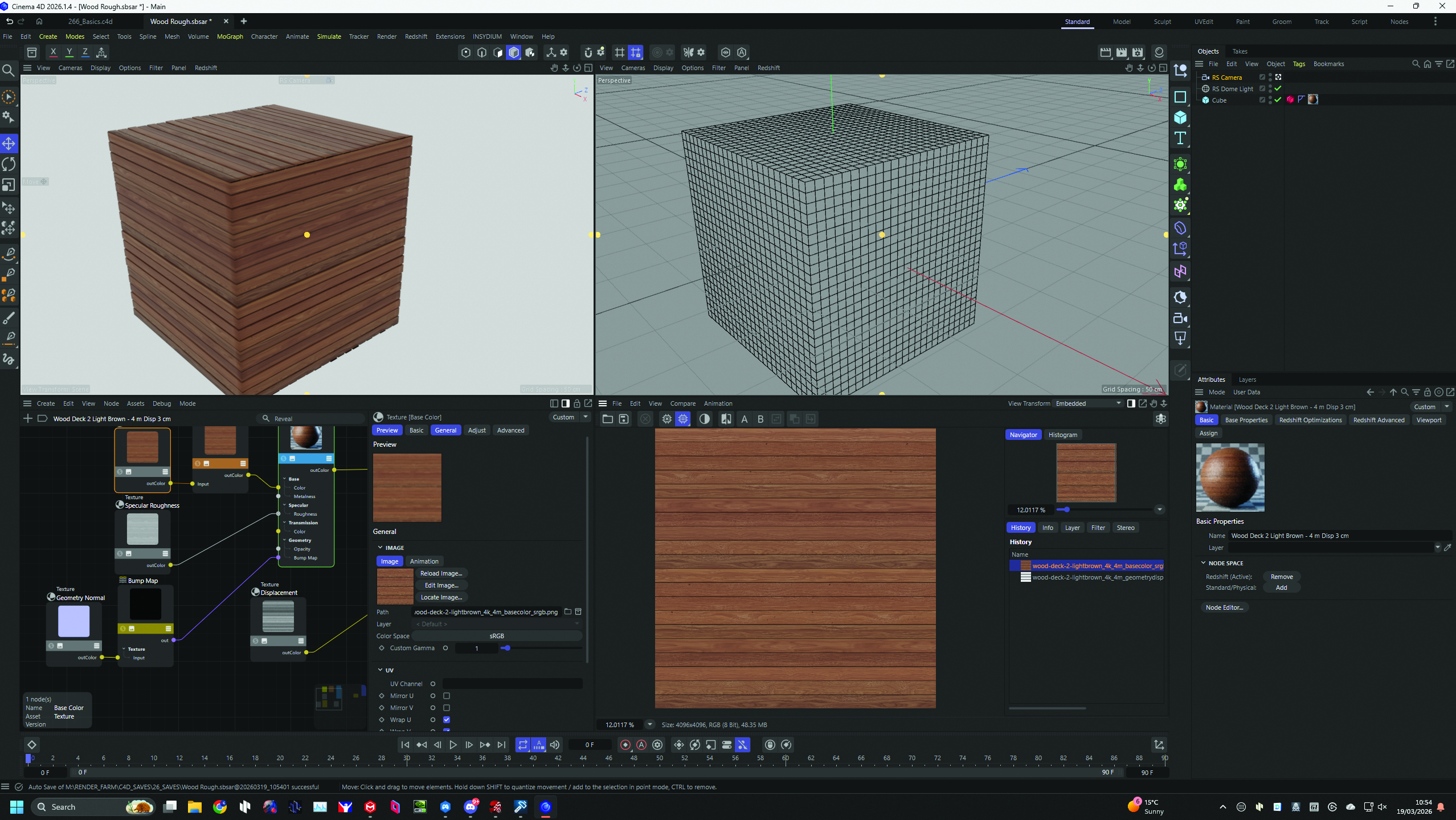
In a 3D application, a material is a combination of layers. Each is grouped by function, such as reflection, opacity, and colour (aka diffuse). A texture can be used as the input for each of these. It can be the same texture or a different one. Here, the look of the box is determined by the image in the bottom-right corner.
02. Model detail with images
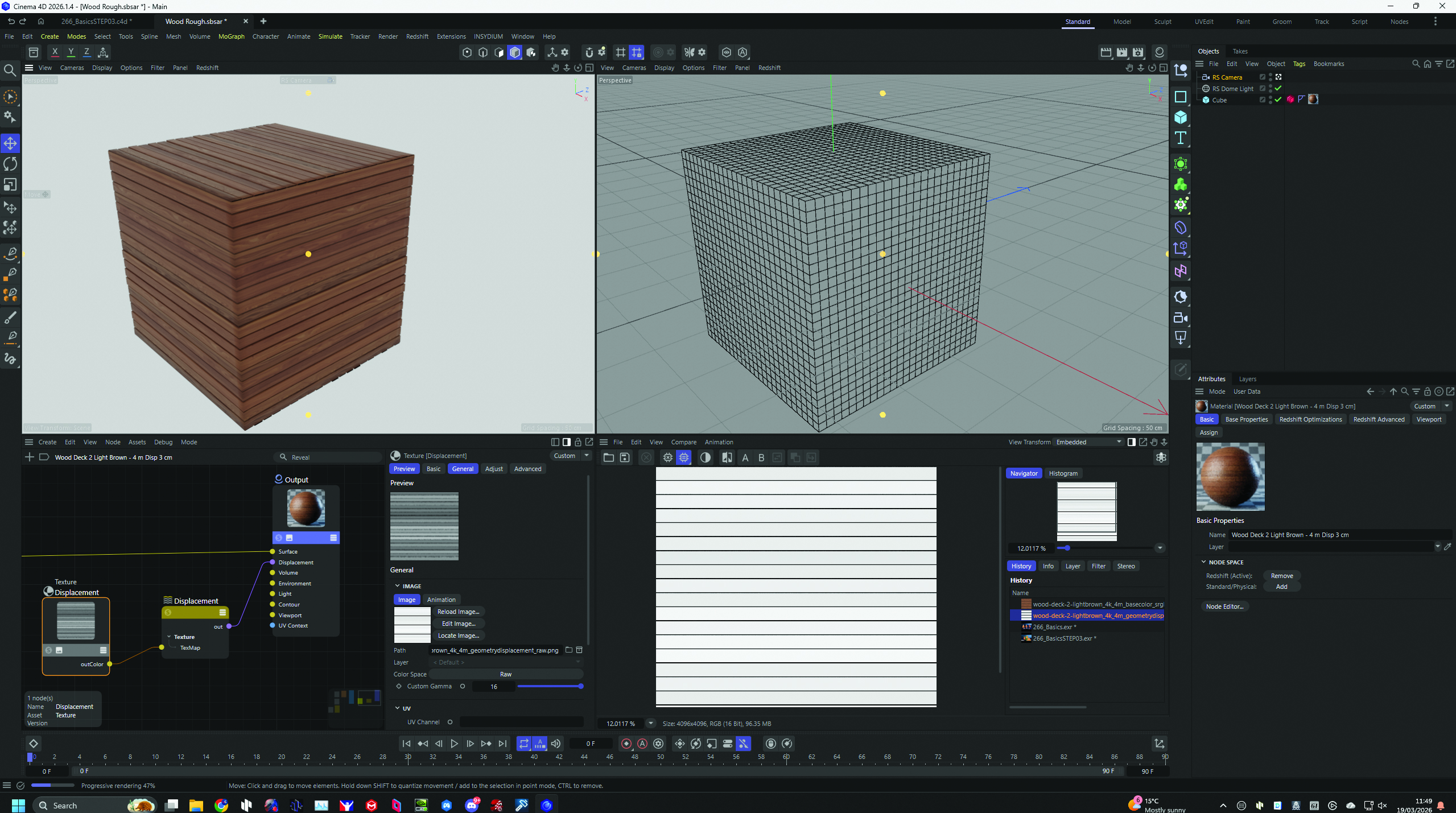
The black-and-white image shown controls how the box's planks appear three-dimensional. It shows where to indent the model: darker areas push in, lighter areas stay out. This is placed into the displacement group of the wood material. Bump and normal maps offer a similar effect, and can be created in applications like Adobe Substance Painter.
03. Cut holes with textures
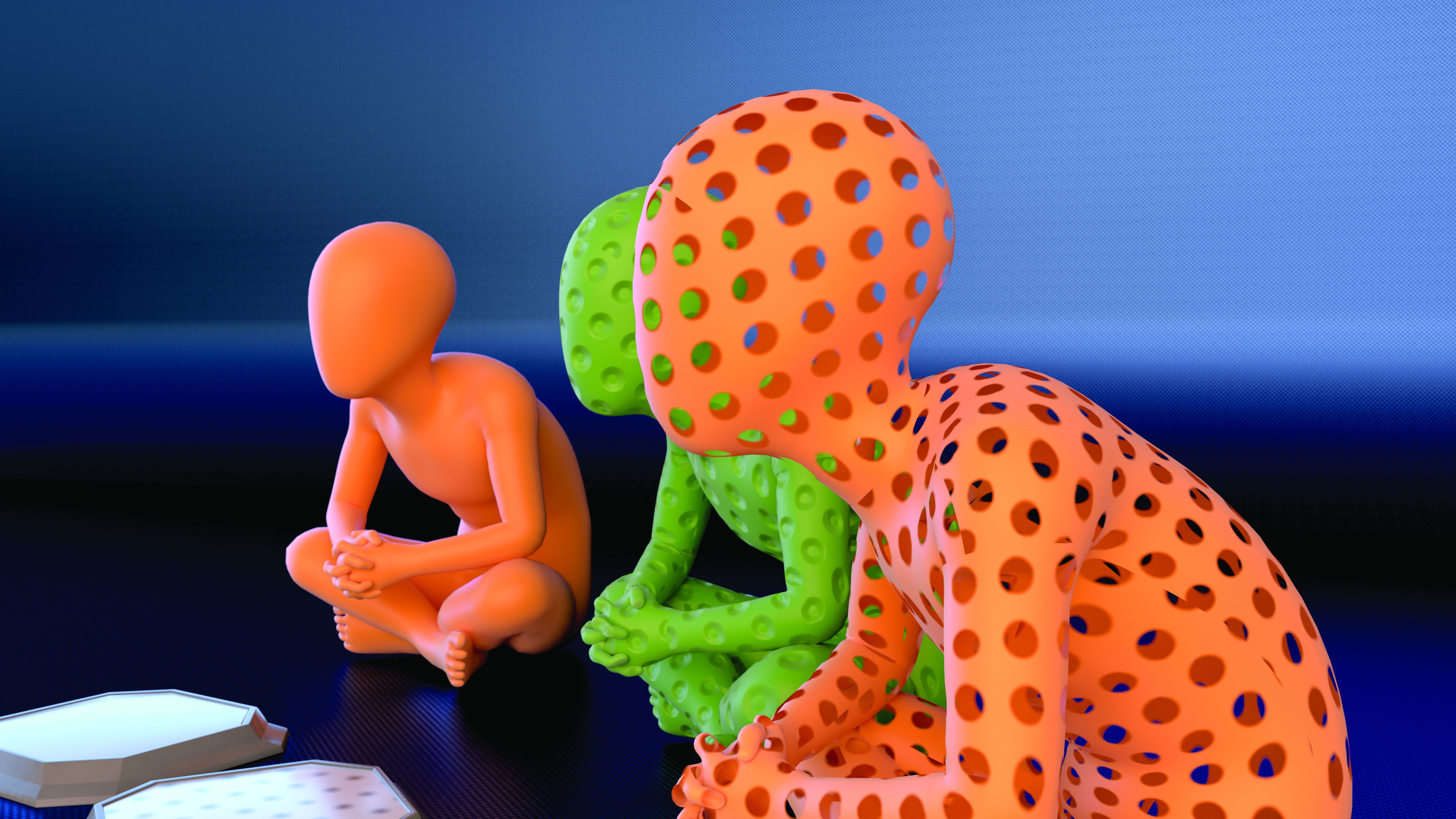
Textures can even be used to create holes in models. However, be mindful that even when using displacement, images only affect the model's surface. If you require close-up detail, modelling is still the best approach. Learning to use transparency in an image is a great way to place 2D-created text or icons onto your model.