What you need to know
- Google is testing a new plus (+) button in the Search bar that pushes users into AI-powered searches.
- Tapping the plus button lets you upload an image or a file, then instantly drops you into AI Mode for summaries, explanations, or answers.
- The rollout is desktop-first, including Incognito mode, while mobile isn't supported yet.
Enjoy our content? Make sure to set Android Central as a preferred source in Google Search, and find out why you should so that you can stay up-to-date on the latest news, reviews, features, and more.
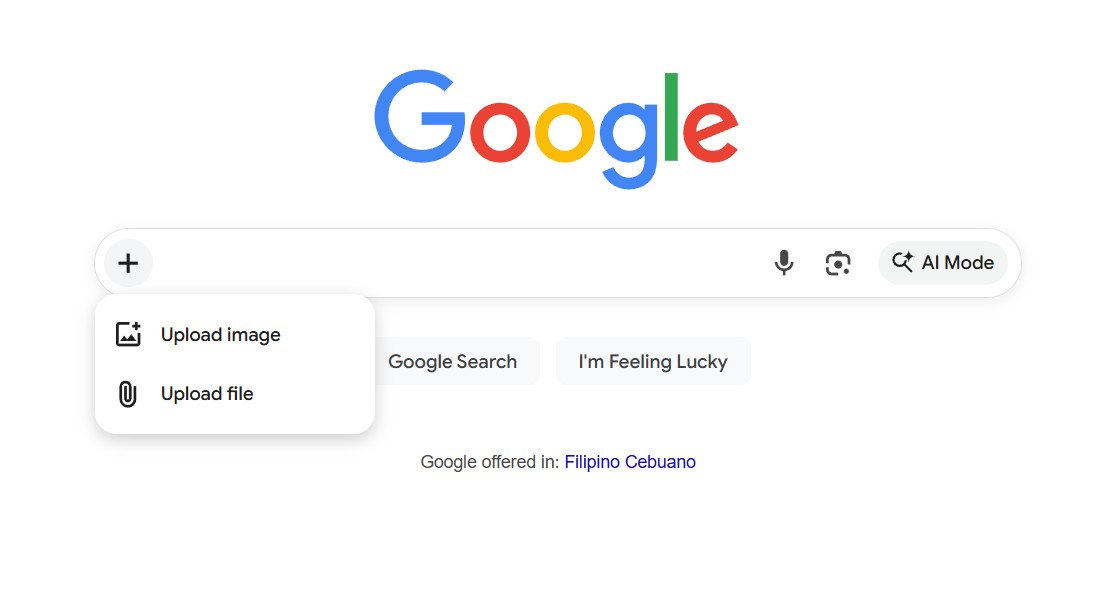
Google is trying out a small but important update to how we begin our online searches. There’s now a new plus (+) button in the Search bar that does more than just handle keywords and nudges you into using generative AI.
If you’ve ever wanted Google to look at your document or photo and explain what’s inside, this update moves things closer to that. When you click the plus sign, a dropdown menu appears with two options: "Upload image" and "Upload file” (via 9to5Google).
After you choose one of these options, you go straight into AI Mode. Here, Google’s generative models review your upload and give you summaries, explanations, or answers based on what’s in the file.
It’s a direct shortcut to AI Mode
This feature isn’t completely new. Google already allows file uploads in AI Mode. The main change is that it’s now easier to find. Google obviously wants people to see that Search is more than just typing questions.
For a long time, Google Search has focused on keywords. You type a question, Google searches the web, and you get links. That approach is still there, but now there’s more to it.
Over the past year, Google has been reshaping Search to feel more like a conversation than a list of links. Features like AI Overviews and a standalone AI Mode are part of that shift, and recent experiments show Google is focused on cutting down the steps it takes to get there.
The new plus button fits right into that goal, pulling file uploads out of hidden menus and placing them front and center in the Search bar, where AI-powered analysis feels like a natural starting point instead of an extra option.
While the interface doesn't scream artificial intelligence right off the bat, uploading a file via this new menu immediately initiates a conversation with Google’s multimodal chatbot.
Desktop first for now
Currently, the new plus menu is showing up for many desktop web users, even in Incognito mode, but it’s not on mobile browsers yet. This is probably on purpose. Desktop users often upload PDFs, documents, or screenshots, so it’s a safer way for Google to see how people use this feature.
Here’s hoping this feature also comes to mobile next, where searching with your camera or images already feels normal.