What you need to know
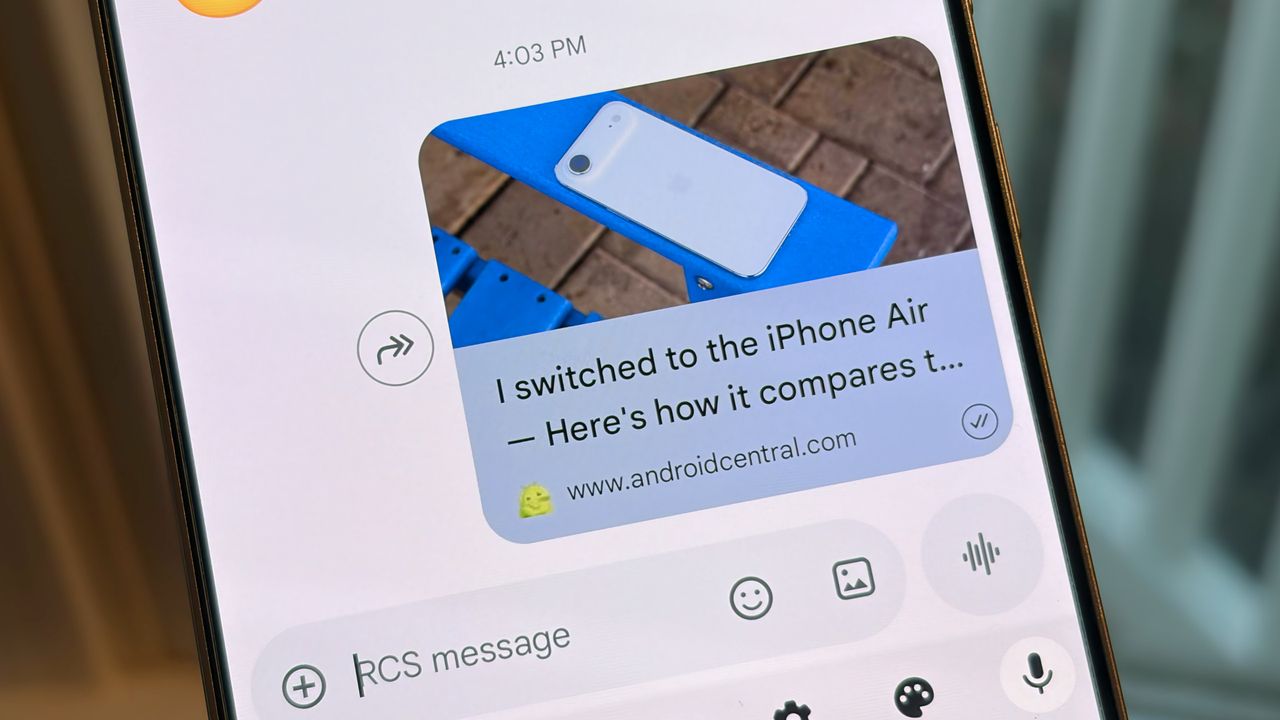
- Google Messages is rolling out a new link preview card design that enlarges site titles and thumbnails.
- The link previews for sites and YouTube videos omit the full link URLs and descriptions.
- The only way to see the full URL with the new design is to copy it or disable link previews in Messages settings.
Enjoy our content? Make sure to set Android Central as a preferred source in Google Search, and find out why you should so that you can stay up-to-date on the latest news, reviews, features, and more.
Google is updating the Messages app with new link previews for websites and YouTube videos, as spotted by 9to5Google. The new-look link previews emphasize website titles and thumbnails, while obscuring the specific URL. Google Messages' updated link previews also hide the site description, making the entire preview card appear larger and cleaner.
Previously, link previews included color-themed shading for the site URL, which appeared as a text bubble above the thumbnail. Below the thumbnail, you could find the title, description, and general site URL (for example, androidcentral.com). Essentially, the previews displayed a stretched version of the article or video thumbnail sandwiched by the link URL and text preview.
Google Messages now cuts out most of the previously-displayed information, instead choosing to show a larger thumbnail and title, hiding the exact link URL. You'll still be able to see the general site URL below the title. The image thumbnail appears below the text bubble, which is still color-shaded to match your Material 3 or Material 3 Expressive device theme.
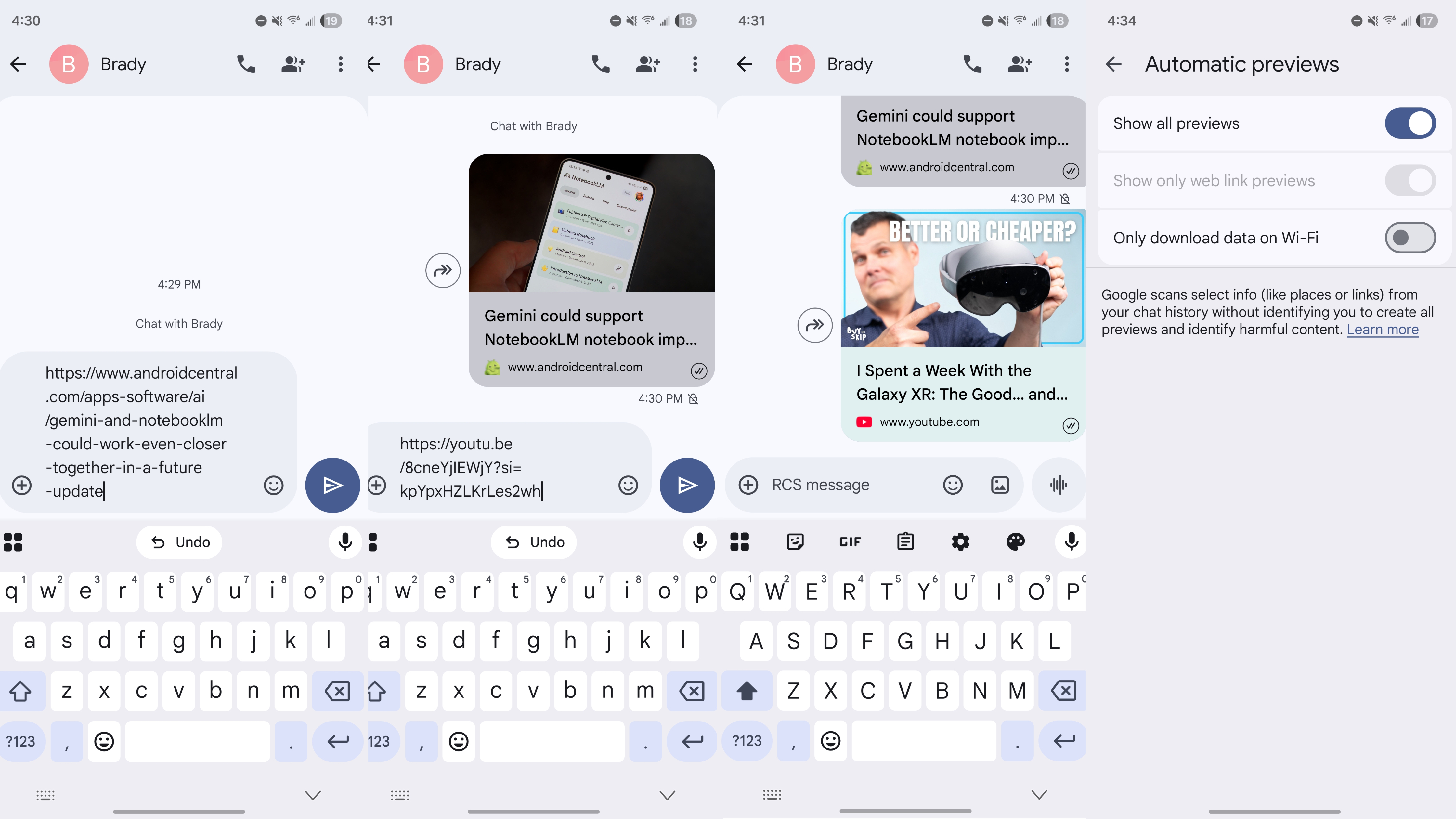
YouTube video link previews behave in a slightly different fashion, with the text bubble color shading matching the main color of the video's thumbnail.
By omitting the specific link URL and site description, Google Messages' link preview cards now appear like Google Discover cards. The result is a much cleaner conversation thread, but fewer details available about a link before you click. To see the full link, you can long-press the preview card to copy the precise URL.
Alternatively, you can turn off the Show all previews or Show only web link previews toggles in Google Messages' settings. After flipping these toggles off, you'll only see the full link URL in your conversations without titles, images, or descriptions.
Android Central confirmed the updated Google Messages link previews are rolling out on version 20251121_00_RC01 on the beta channel, with wider availability expected to follow.