Google Maps has a new parking tool that automatically detects where you parked your vehicle and saves that location, plus you can highlight your parking spot with a custom icon.
The feature was recently announced by Rio Akasaka, Senior Product Manager for Google Maps, on LinkedIn (spotted by 9to5Google). According to Akasaka, the new tool lets the navigation app know when you’ve parked, automatically saves that location, and then removes it when you start driving again.
Unfortunately, for Google Maps fans, this feature is only available on the best iPhones, and it’s not clear when or if an Android version will launch.
Saving your parking spot in Maps isn’t a new feature. You could already do so manually by tapping your location on the map and then hitting Saved Parking. The icon marking the spot stays for 48 hours or goes away when you start driving.
Android has a similar feature, but the icon will only go away if you remove it. This is the first time the tool has been automatic.
“To help you find where you left your car, Maps automatically saves your parking location. It stays saved for 48 hours unless you remove it or start driving,” a Google support page says.
You do need to be in your car and connected via USB, Bluetooth or CarPlay for the feature to work. “Once you're done driving, there's a little pin waiting for you when you open Google Maps next-- a personal parking Maps valet, just for you,” Akasaka says.
Once you're done driving, there's a little pin waiting for you when you open Google Maps next-- a personal parking Maps valet, just for you,
Rio Akasaka, Google Maps product manager
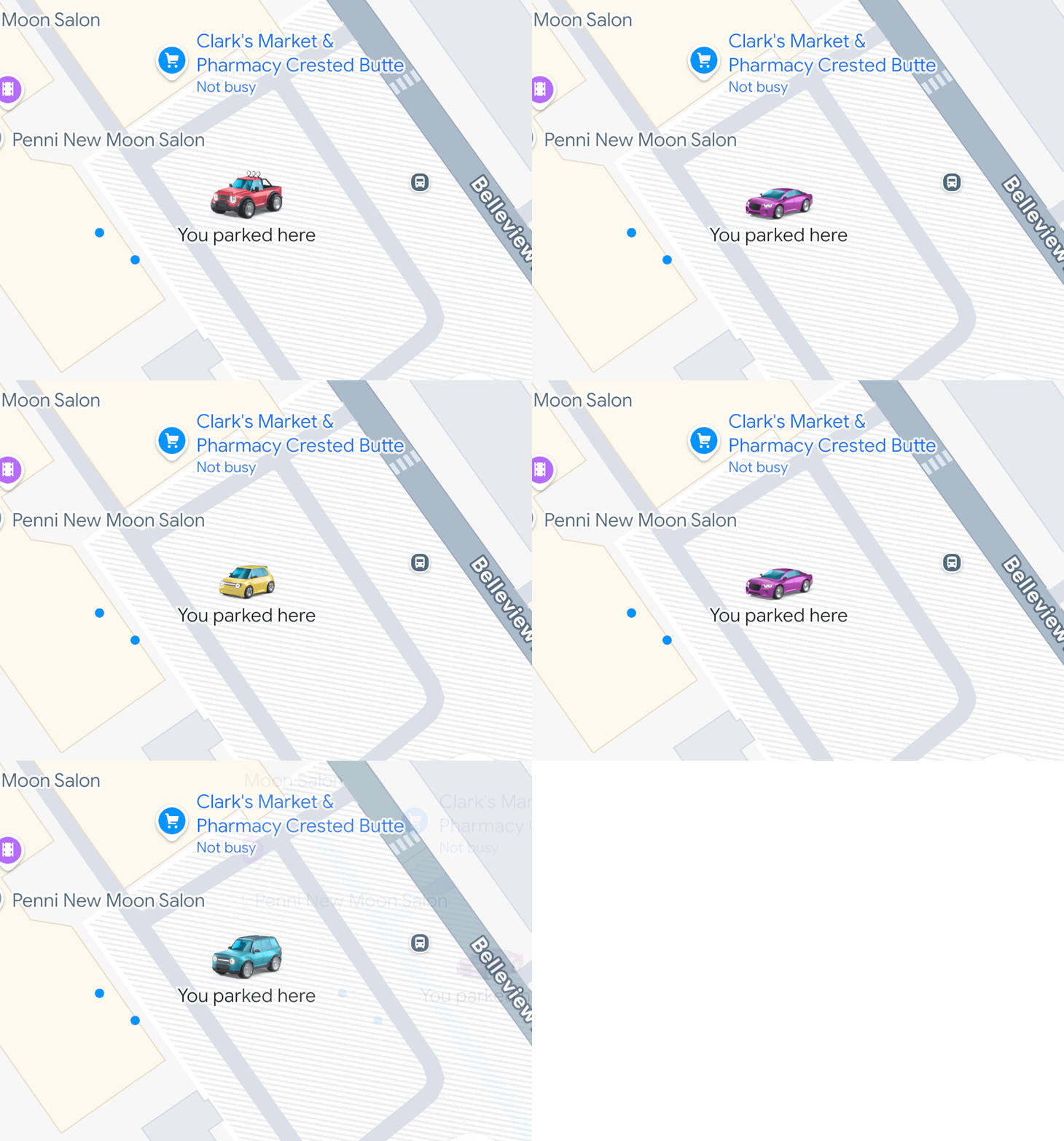
According to Aksaka, the automatic parking spot saving started rolling out a month ago. The new feature, coupled with the tool, are Google’s new custom car icons, which can be used to customize how you mark your parking spot. Previously, the icon was just a “P”.
Some of the options at launch include a colorful array of vehicles from a purple sedan to a red 4x4 truck. Google has had custom car icons in Maps since at least 2020, and earlier this year, eight new car shapes and colorways were added. That update also extended the feature to Android Auto and CarPlay.

Follow Tom's Guide on Google News and add us as a preferred source to get our up-to-date news, analysis, and reviews in your feeds.