What you need to know
- Google is rebuilding Chrome from a static tool into a proactive AI assistant powered by Gemini 3.
- A new, persistent side panel allows you to research, summarize reviews, and compare products without ever leaving your active tab.
- With "Nano Banana," you can now edit and transform images directly within the browser using simple text prompts.
- Through Connected Apps, Gemini pulls data from Gmail, Drive, and Maps to handle complex workflows in a single conversation.
The days of the basic browser are over. Google Chrome has long been a window to the internet, a reliable but fairly static tool for moving between tabs. Now, Google is rebuilding Chrome around Gemini and turning it from a simple gateway into a proactive assistant that works inside your browsing sessions.
With Gemini coming to Chrome, Google believes AI should no longer be limited to separate apps. Instead, the search giant wants it to sit next to your open tabs and help you think, decide, and act more quickly. Google says these updates are based on Gemini 3 and are rolling out to Windows, macOS, and Chromebook Plus users in the U.S.
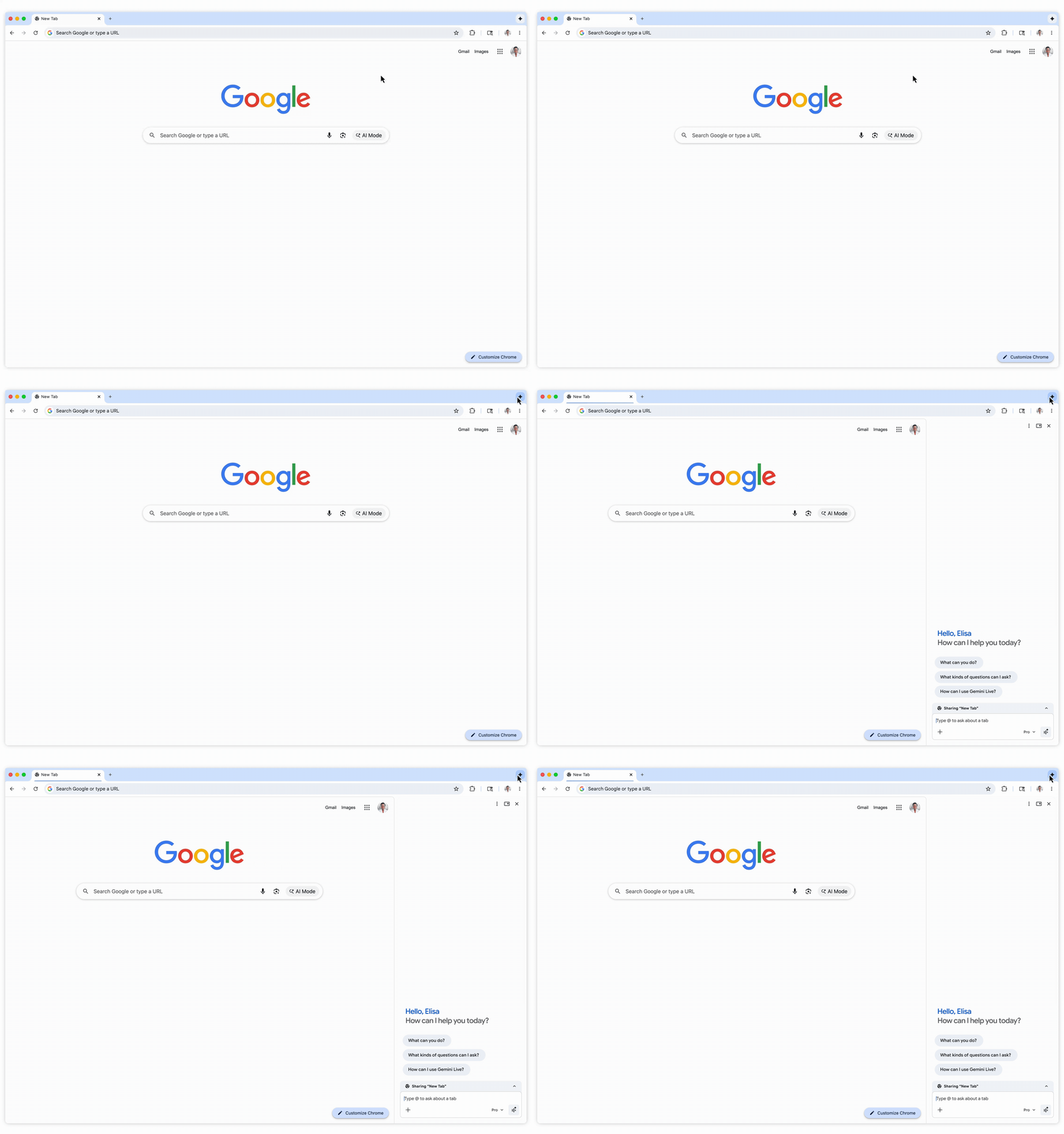
A redesigned side panel is at the heart of this change. This means you no longer have to switch between tabs or opening new windows, as Gemini now stays on the side of your screen. You can keep working on a report, comparing products, or checking emails in one tab, while asking Gemini to summarize reviews, compare prices, or organize your schedule in another.
Google says testers have used Gemini to manage busy calendars, browse several shopping sites, and organize information scattered across many open pages.
Native creative tools
The company is also focusing on creativity with Nano Banana. Instead of downloading images, editing them in another app, and uploading them again, you can now change visuals inside Chrome. Just type your request in the side panel, and Gemini takes care of it.
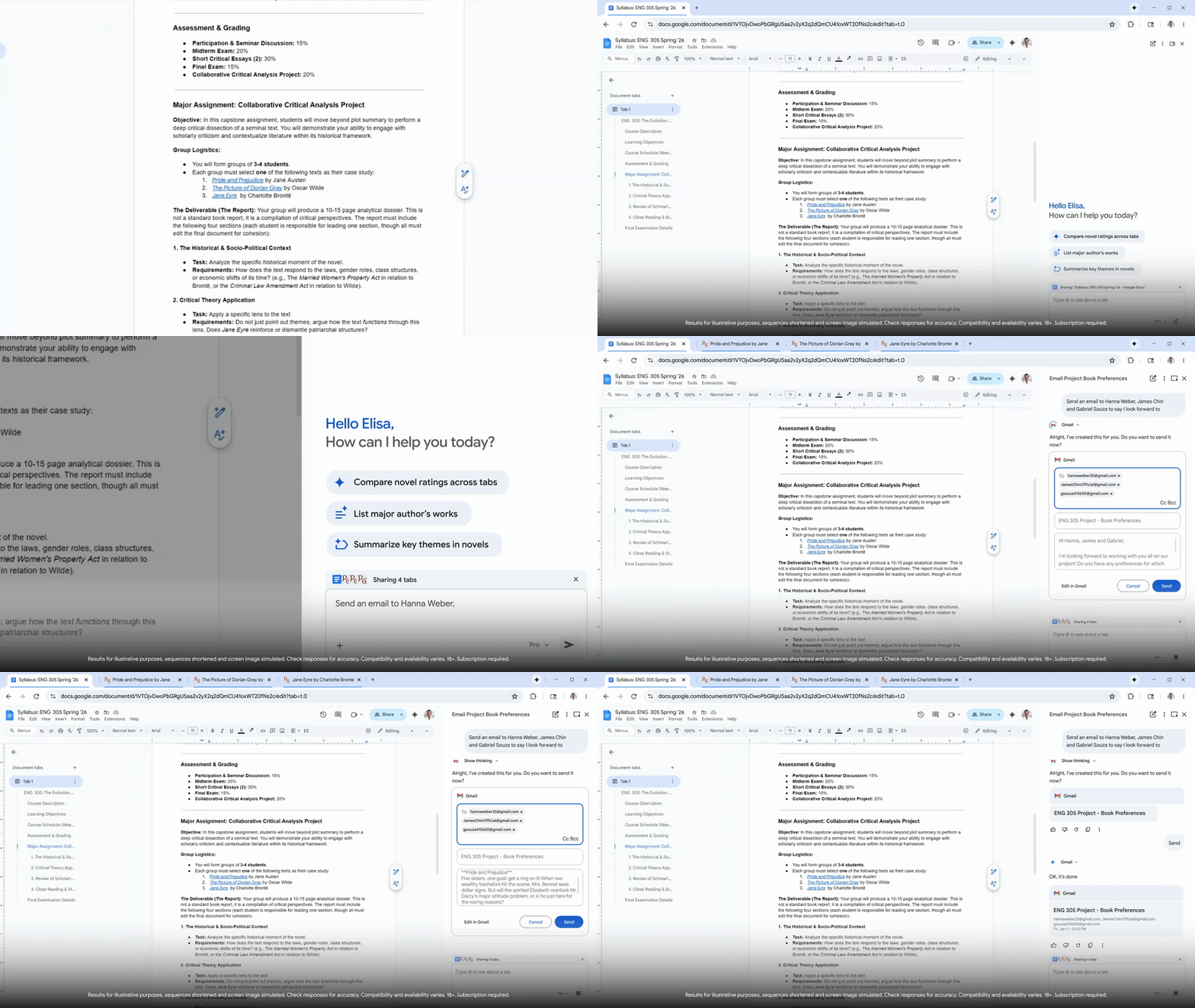
Connected Apps make things more useful. Gemini in Chrome connects with services like Gmail, Calendar, YouTube, Maps, Google Shopping, and Google Flights. This lets it pull details from your inbox, check travel options, and draft messages all in one place. For example, planning a conference trip can become a single conversation: Gemini finds your event email, checks flights, suggests options, and helps you notify coworkers. These integrations are found in Gemini’s settings, and users need to opt in to use them.
Soon, Google plans to add Personal Intelligence to Chrome. This feature will let Gemini remember context from past conversations and follow custom instructions, so its responses become more personalized over time. Google describes this as changing Chrome from a “general-purpose tool” to a personalized assistant that understands your habits and preferences. Google also says users stay in control, with the option to connect or disconnect apps at any time.
Android Central's Take
In my view, Gemini in Chrome is the kind of upgrade that power users have been waiting for. Having an AI assistant in the side panel, pulling context from my apps, and helping me manage too many tabs makes Chrome feel more mature. It saves time, reduces mental clutter, and makes browsing feel more focused instead of chaotic.
That said, I’m not pretending this is all sunshine and productivity boosts. Google now learns even more about how I work, what I search for, and how I plan my life, and that feels a bit uncomfortable, no matter how many “you’re in control” buttons they add. So, while Gemini in Chrome is genuinely useful and could change how we get things done online, it comes with the usual Google trade-off: great convenience in exchange for trusting a massive company with even more of your digital footprint.