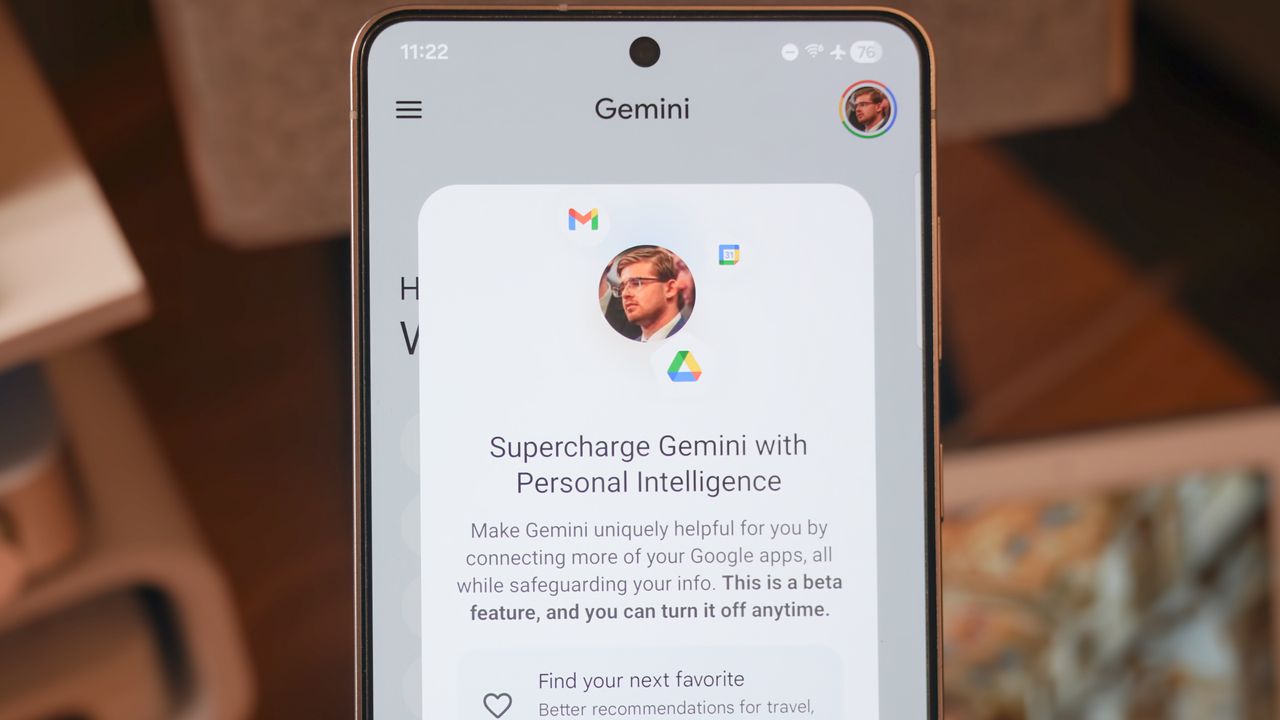
This month, Gemini unveiled a new feature called Personal Intelligence that aims to save you time by leveraging almost everything Google knows about you. It's opt-in, and users can tailor exactly which information Gemini can access from connections like Gmail and Google Photos. If you're a Google AI Pro or Ultra subscriber like me, you've probably been greeted with a "Supercharge Gemini with Personal Intelligence" pop-up over the last few weeks.
Personal Intelligence launched Jan. 14, and I've been asked to try Personal Intelligence a few times since then, with pop-ups appearing in the Gemini app on different devices. If you get a similar one, you'll need to make a choice: hit Not now to save Personal Intelligence for later, or press Get Started to dive in. You can always change your choice at any time, but should the average user try out Personal Intelligence or steer clear of it?
For now, I've made my choice — I'm keeping Personal Intelligence turned off. Or, at least, I thought I was. It turns out that Personal Intelligence is the evolution of Gemini's earlier Personal Context feature, and part of it is enabled by default. Here's everything you need to know about it, from the convenience benefits to the privacy situation.
Personal Intelligence is an expanded version of Personal Context
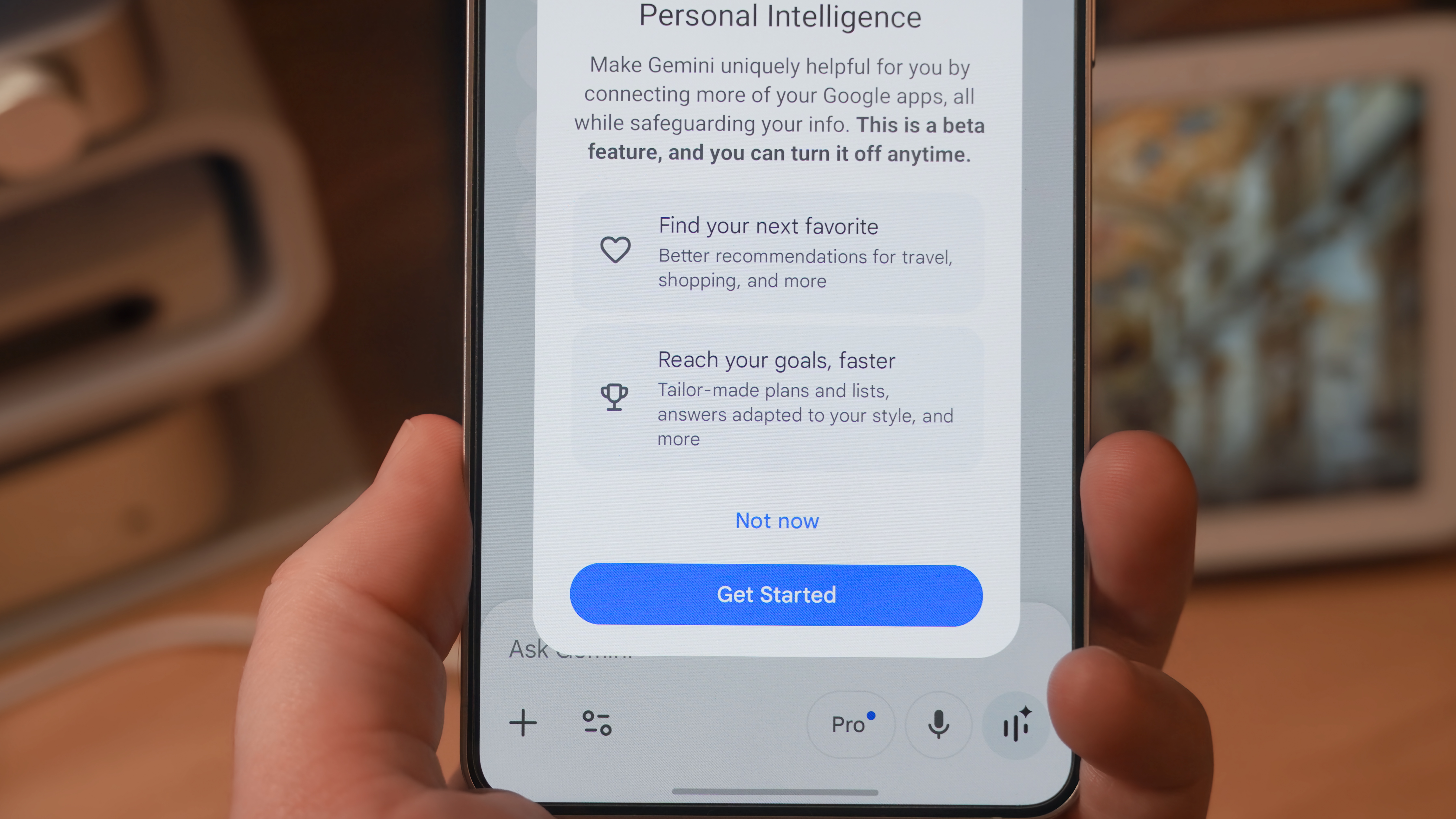
Personal Intelligence is a supercharged version of Personal Context, a similar Gemini feature added about six months ago. Unlike the former, the latter is enabled by default, but users can opt out. Personal Context uses past Gemini chats to create a personalized experience for future ones. It can learn things about you based on what you've chatted about in the past, including your likes, dislikes, and preferences. This is based on your Gemini Apps Activity, which can be managed and deleted manually.
Personal Intelligence is now the catch-all brand for Gemini's personalization features, replacing Personal Context. The functionality and memory-based features formerly known as Personal Context are now identified as Past Gemini chats. This setting has its own toggle on the Personal Intelligence page, but it's enabled by default (like Personal Context) — even if you hit Not now for Personal Intelligence.
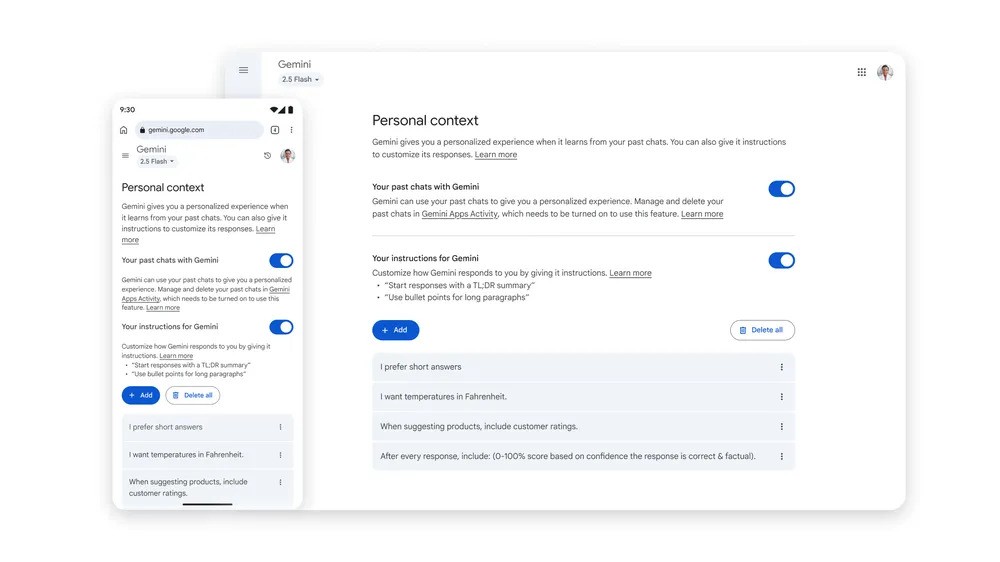
In the past, you could let Gemini learn from your prior chats and provide specific instructions for how it should respond in certain situation. Users could even add key facts for Gemini to remember in the Personal Context page; this functionality remains as Instructions for Gemini under Personal Intelligence today. The difference between the old and new Personal Intelligence features is that the latest ones personalize your experience without you needing to teach Gemini the information.
The new features are found under Connected Apps in the Personal Intelligence tab. By connecting Google apps to Gemini, "you can choose to have Gemini use insights about you from some Connected Apps to personalize your experience and help you get more done." For example, if you connect Gemini to Google Photos and ask for your license plate, it can scan your photo library to find the answer.
This works across Google Workspace apps, including Gmail and Drive, and others like Photos, Home, Search, and YouTube. There are toggles for each one, so you can choose exactly which data sources feed into Personal Intelligence. Google notes that only your prompts — not your personal info found in connected apps — are used for training AI models.
I'm leaving Gemini Personal Context on, but keeping Personal Intelligence off
Although it's easy to be wary of giving AI more of your information, Google makes a compelling case in its Personal Intelligence blog post for turning it on:
We built Personal Intelligence with privacy at the center. Connecting your apps is off by default: you choose to turn it on, decide exactly which apps to connect, and can turn it off anytime. When enabled, Gemini accesses your data to answer your specific requests and to do things for you. And because this data already lives at Google securely, you don't have to send sensitive data elsewhere to start personalizing your experience.
I'll paraphrase Google's explanation liberally here: it's essentially saying that you already trust the company to store your personal information, so letting Gemini tap into your connected apps adds no further privacy risks. It's not a bad argument, because companies like Google already know almost everything about you and me. Most of us surrender our precious data to tech companies willingly, so we might as well make it actually work for us, right?
I can see the logic there. When you're trusting a company like Apple, Google, or Meta with almost all of your personal info, disabling a certain feature can feel like an arbitrary line to draw. Personally, I'm drawing my arbitrary line here, by declining to connect Google apps to Gemini with Personal Intelligence.
The reason why I won't use Personal Intelligence isn't because I don't trust Google; in fact, I trust Google services with my most sensitive data. Instead, I'd rather keep using Personal Context and Instructions for Gemini as I have been for months. With these tools, I can selectively provide information to Gemini when it's relevant, and avoid unnecessary data sharing when it isn't.
In other words, I don't find the idea of Personal Intelligence all that useful. I already told Gemini key facts about my life, like my girlfriend's name and phone number, using Personal Context. When I need to ask questions about a document, I'll upload it to Gemini, or better yet, use the Gemini sidebar in Google Drive. If I need to know my license plate number, I'll simply use the Ask Photos tool in the Google Photos app.
The minor benefit of having all these features under one umbrella in the Gemini app or AI Mode in Search isn't enough for me to give the chatbot access to everything. At the end of the day, it's a call for each and every one of us to make ourselves. Only you can decide whether the convenience outweighs potential privacy concerns.
For me, I'm (mostly) keeping Personal Intelligence off, continuing to only use the features that have been around for months.