For decades, higher education moved to the rhythm of chalk dust and crowded lecture halls. It worked, sort of. But then the world changed pace, attention shifted, and students started asking for something that actually fits their lifestyles. Not shortcuts, not gimmicks, just clarity and access. Video stepped in, first as a helper, now as a central stage. The shift isn’t cosmetic, it’s structural.
If you’re wondering who’s doing this well, look at how universities partner for quality. Educational video production by Slate and Mortar is a useful benchmark for institutions that want consistent, student‑focused results rather than one‑off content experiments. The difference between “we recorded a lecture” and “we built a learning experience” is night and day.
Why video finally clicked in higher ed
This isn’t about replacing professors with screens. It’s about expanding the reach of a good educator, making expertise visible and usable beyond four walls and a Tuesday at 9:00. Video hits the sweet spot: repeatable, scalable, and flexible. Students can pause, rewind, annotate. Faculty can iterate and update. Accessibility features turn a complex concept into something navigable for more people.
And timing matters. Attention is scarce, not because students don’t care, but because life stacks responsibilities. Video respects that. Short segments, tight explanations, layered references, optional deep dives. It’s the difference between telling someone to sit through ninety minutes and giving them the five minutes they need to unlock the problem that stalled their progress.
From recording to producing: the mindset shift
Anyone can point a camera at a podium. That’s not production, it’s surveillance of a talk. Real educational production starts with learning outcomes, maps content to moments of confusion, and intentionally designs how students will grapple with ideas. It’s closer to curriculum design than event capture.
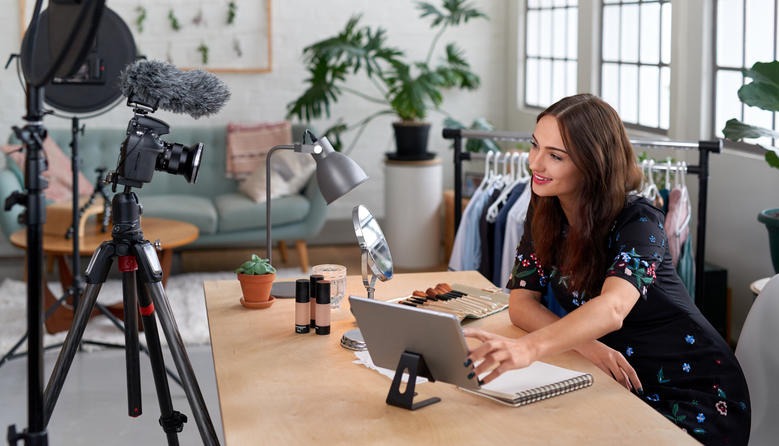
Think scripts that speak, not read. Think structure that anticipates questions. Think visuals that aren’t decorations but cognitive supports. Motion graphics can bring a process to life in ways that words alone rarely manage. A well‑planned studio setup keeps the spotlight on the idea itself, not on distractions in the background. And when the pacing of a video matches the rhythm of how people actually learn, comprehension flows more easily. The small details matter more than most realize: crisp audio that doesn’t force you to strain, lighting that supports rather than competes with the visuals, framing that draws attention to the problem being solved instead of the lecturer’s outfit.
The formats that work now
Mini‑lectures. Concept explainers. Lab simulations. Case studies. Discussion excerpts. Student‑led reflections. Each has a job to do. The smartest universities build a library of formats and deploy them where they shine.
- Concept explainers deconstruct hard ideas into digestible sequences, usually under eight minutes. They pair narration with diagrams, examples, and moments to pause.
- Lab simulations let students see technique and decision making in a controlled, repeatable way. Not a replacement for hands‑on work, rather an accelerator.
- Case study narratives place theory inside context. Business, health, public policy, engineering, they all benefit from seeing decisions unfold.
- Discussion excerpts capture key exchanges and model critical thinking. Students observe how ideas evolve, get challenged, and become clearer.
When the format matches the goal, retention improves. When it doesn’t, you get passive viewing and little else. The trick is choosing the right tool and resisting the urge to make every video a Swiss Army knife.
Faculty in front of the camera: the human factor
Some professors worry they need to perform. They don’t. They need to be present. Students respond to clarity, sincerity, and a sense that the instructor cares about the learning journey. A simple setup with clean audio and an articulated path through a problem can outperform flashy production that forgets the point.
Coaching helps. Small tweaks go a long way: speak to a person, not a crowd; chunk ideas; externalize the thinking process; avoid reading; ask questions, then answer them; leave space for reflection. Faculty who try this often realize video isn’t a trap, it’s a second voice they can carry wherever their students are.
What students keep telling us
They want to feel less lost. They want scaffolding without condescension. They want examples that match reality, not fantasy. They want to be able to revisit the tricky parts before an exam or a project. And they appreciate transparency: show the assumptions, show the edge cases, show the mistakes and the fix.
When educational video honors those preferences, engagement rises organically. Students click because there’s substance, not because someone added a soundtrack. The best metric isn’t views, it’s how often a video becomes the go‑to reference in a study group or a lab session.
Production quality is not a luxury, it’s a learning support
Bad audio derails comprehension. Busy slides compete with the instructor’s voice. Poor pacing blocks understanding. Those aren’t aesthetic complaints, they’re cognitive obstacles. Quality isn’t about making content glamorous, it’s about removing barriers.
This is where partnership with a seasoned team matters. Universities have brilliant subject matter experts, but they don’t always have the bandwidth or infrastructure to produce systematically. Outside partners often play a crucial role in turning teaching ideas into video that actually works for students. They help universities build reliable production routines, set clear standards, and make sure the content is easy to access. When courses across different departments follow the same approach, students benefit from the predictability — they know what kind of materials await them and where to find them without confusion.
Building a sustainable pipeline of educational content
Ad hoc videos are fine in a pinch. Sustainable programs need a pipeline. Pre‑production with learning outcomes and scripts, production that respects faculty time, post‑production with review cycles and accessibility checks, and a distribution plan integrated with the LMS. The pipeline should be light enough to use again and again, heavy enough to maintain quality.
Cataloging is underrated. Without metadata and tagging, your library turns into a digital attic. Label by topic, difficulty, prerequisite, assessment alignment. Make it findable, and students will use it. Make it invisible, and they won’t.
Accessibility, inclusion, and the broader mission
Captions, transcripts, contrast, pacing, signposting. These are not optional extras. They’re essential design features that widen the door. A video that meets accessibility standards helps not just those with documented needs, but anyone studying on a bus, between shifts, late at night, or in a second language.
Inclusion goes further: representation in examples, care with language, awareness of diverse contexts. Educational video has reach, so it carries responsibility. When done well, it invites more students into the conversation and makes them feel like the material is for them, not about someone else.
Measuring what matters
Views tell you almost nothing on their own. Watch time tells you a bit more. Useful metrics reflect learning: performance on linked assessments, question patterns in discussion boards, self‑reported clarity, reduction in repeated office hours on the same topic. Iteration based on those signals makes each new video sharper.
Faculty dashboards help. They surface where students rewind, where they drop off, where confusion clusters. Tweak the section, add an overlay, refine the graphic, record a two‑minute addendum. The loop is fast and pragmatic, not a production slog.
Cost, time, and the “Is it worth it?” question
Yes, there’s a cost. Time, planning, coordination. But think of it as infrastructure, like building a lab or upgrading a library. Once the system is in place, the marginal cost of each new asset drops. Cross‑course reuse multiplies the return. Students get better prepared, faculty spend fewer hours repeating the same explanations, and the institution signals that it takes learning design seriously.
Is it worth it? For universities that care about outcomes, retention, and reputation, absolutely. The alternative is relying on chance and charisma. That works occasionally. It doesn’t scale.
What the next five years might look like
Expect more modular courses, clearer pathways, and media‑rich assessments. Expect collaboration across departments to build shared libraries of foundational concepts. Expect students to arrive with higher expectations for clarity and flexibility. Expect faculty to value the voice they gain beyond class time.
What to remember
Educational video is no longer a side project, it’s the connective tissue that makes learning accessible and repeatable. Quality equals clarity, not glamour. Students want structure and sincerity. Faculty don’t need to perform, they need to guide. A sustainable pipeline, accessible design, and thoughtful measurement turn video from a recording into a true learning asset. If your university is ready to move from captured lectures to crafted learning experiences, start with outcomes, pick the right formats, partner where it counts, and keep iterating.