Producing high-quality images used to take long hours of manual work. Photographers and editors often spend full days adjusting skin tones, lighting, and correcting imperfections. These time-consuming tasks could delay projects or limit how many clients a studio could serve.
Now, with smarter editing applications, the same results take only minutes. Features such as facial recognition, automatic lighting correction, and batch editing help reduce editing time without lowering output quality.
In this article, we’ll explain how AI tools help photographers, introduce Evoto as a practical tool, and compare it to other editing software.
The Shift in Studio Editing Practices
Traditional photo editing often involves several steps: layer management, manual masking, tone correction, and detailed retouching.
This process required experience, attention to detail, and a lot of time, especially when working with a large number of photos. It wasn’t ideal for busy professionals.
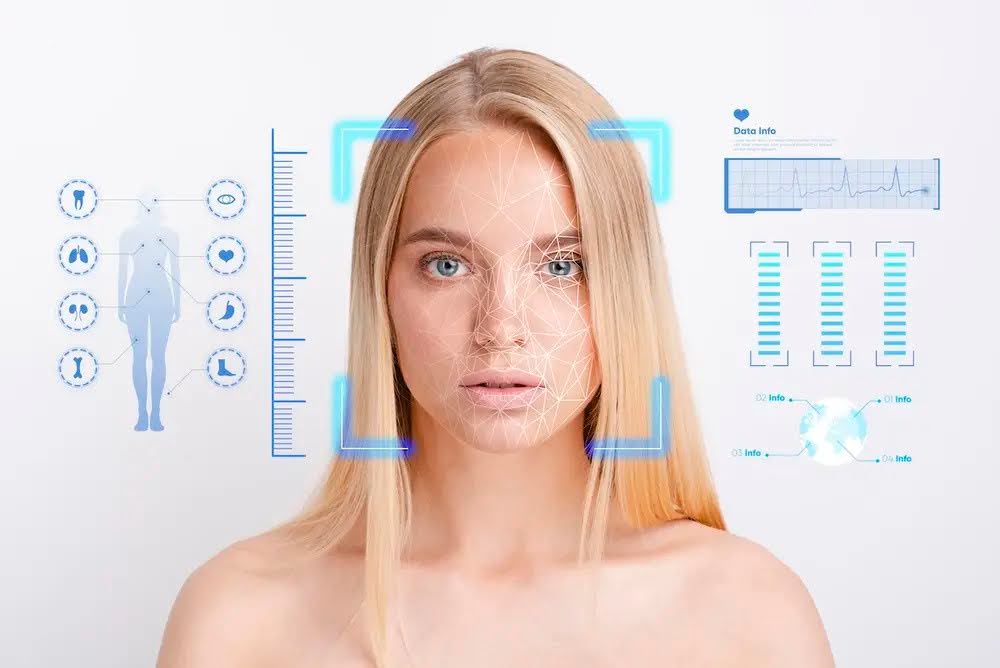
AI photo editing tools are now changing this. They detect faces and lighting, apply preset corrections, and allow batch processing. That means less time editing and more time shooting or working with clients. For beginners, this opens the door to polished results without needing years of experience.
Why AI Editing Tools Save Time
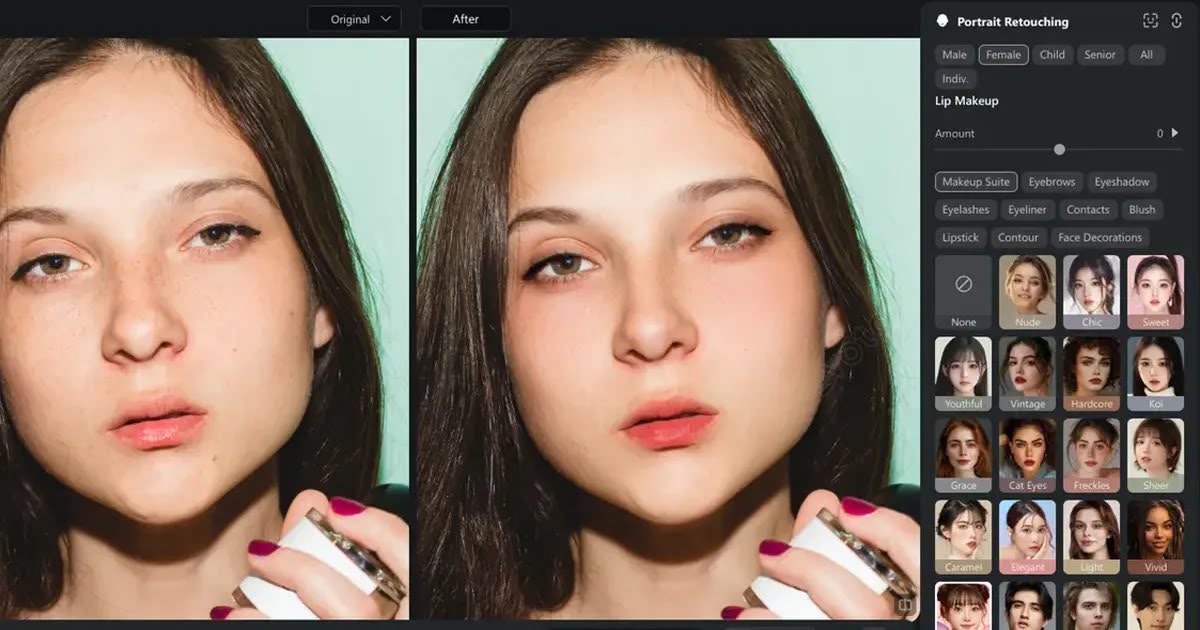
Using automated editing software can help photographers work more efficiently. AI tools can:
- Recognize facial features, eyes, and backgrounds, and apply changes accordingly
- Use pre-made settings across an entire folder of images
- Provide real-time previews so users can make faster decisions
- Keep editing consistent across all client photos
For Example, if you’re editing headshots from an event, batch processing lets you apply the same brightness and tone settings to every image with one click. This method is helpful in weddings, corporate sessions, or school portraits.
What Is Evoto and Why Does It Matter
Evoto is a photo editing software designed for photographers who need fast, high-quality retouching.
The software is known for being easy to learn while offering advanced options. There’s no need to create layers or build complex masks. Instead, Evoto offers smart sliders and features for fast adjustments with professional results.
Key Features of Evoto
Evoto covers the essential needs of photographers:
- Facial Corrections: Smooth skin, remove blemishes, brighten eyes, and reshape features
- Lighting Tools: Correct shadows or overexposed areas using intelligent controls
- Batch Editor: Apply the same edits to many photos in one step
- Background Options: Replace or blur backgrounds to highlight the subject
- Hair and Eye Tools: Fix flyaway hair and sharpen eye details
All adjustments are made using sliders in a simple layout. Users don’t need to know how to build layer masks or edit manually.
How to Use Evoto for AI Editing
Even beginners can use Evoto with confidence. Here is a simple procedure:
- Download and install: Available for both Windows and macOS. Set up your account.
- Upload Photos: Import your RAW or JPEG files.
- Apply Presets: Use default presets or build custom ones.
- Edit via Sliders: Control skin texture, eye brightness, lighting, and more.
- Batch Process: Apply settings to multiple images in one go.
- Export: Save files in the format and size you need.
The interface is clean and user-friendly, with clear labels for each function.
Comparison with Photoshop and Other Editing Tools
Evoto works well for photographers focused on time-saving and quality. But how does it compare to popular alternatives?
|
Tool |
Ease of Use |
Portrait Retouching |
AI Features |
Batch Editing |
Learning Curve |
Ideal For |
|
Evoto |
Easy |
Advanced |
Full |
Yes |
Short |
Studio, portrait, event workflow |
|
Photoshop |
Hard |
Manual |
Partial |
Via actions |
Long |
Creative professionals, graphic work |
|
Lightroom |
Moderate |
Basic |
Some automation |
Yes |
Moderate |
Cataloging, light retouching |
|
Luminar Neo |
Easy |
Strong |
High |
Yes |
Short |
AI-based creative editing |
|
Fotor |
Very Easy |
Limited |
Partial |
Basic |
Short |
Quick edits, online use |
Evoto Pricing Table
Evoto charges based on how many images you export, but they also frequently offer discounts and promotional deals for new users and seasonal campaigns. It's worth checking their website for the latest pricing promotions before purchasing.
|
Plan |
Price |
Included Exports |
|
Starter Plan |
$89/year |
800 images/year |
|
Basic Plan |
$149/year |
2,400 images/year |
|
Basic Plus Plan |
$269/year |
3600 images/year |
|
Standard Plan |
$579/year |
9000 images/year |
|
Standard Plus Plan |
$1339/year |
24000 images/year |
This approach makes it flexible for small studios that don’t need constant monthly use.
Why Evoto Works for Busy Studios
Studios benefit from shorter editing times and more reliable results. With automated tools, editors can maintain consistency across hundreds of shots.
Less time behind the screen means more time for shooting, client communication, or building new business.
Many professionals using Evoto report:
- Faster delivery times
- Reduced editing backlog
- Fewer retouching errors
- Smoother client workflow
Advanced Controls for Professionals
For those who want more than presets, Evoto includes advanced tools:
- Mask Refinement: Fine-tune which parts of a photo receive edits
- Color Control: Adjust tone curves and saturation per channel
- Custom Presets: Build personalized templates
- RAW Support: Edit high-quality files without losing detail
These tools give seasoned photographers enough control without cluttering the interface.
The Value of Saving Time
Speed matters in any business. Evoto gives you hours back each week, helping you meet deadlines without compromising on quality. That’s why many professionals are now choosing an AI photo editing tool that reduces workload, even if it doesn’t include every feature under the sun.
If you want to move faster, reduce errors, and still impress clients, tools like Evoto make a big difference.
Final Thoughts
Evoto simplifies editing without requiring the user to spend weeks learning complex tools. It offers all the essential controls professional editors need for portraits.
Compared to other tools, it balances speed and performance with easy operation. For anyone handling large volumes or looking to reduce editing hours, this software provides a more direct and time-saving option.
Frequently Asked Questions (FAQs)
1. Is Evoto good for beginners?
Yes, Evoto is designed with a simple interface and slider controls that make editing easy, even for users with no previous experience.
2. Can Evoto replace Photoshop for studio work?
For portrait retouching and batch processing, yes. But Photoshop is still preferred for layered design projects or graphic compositions.
3. Are there any free trials or discounts for Evoto?
Evoto occasionally offers promotions and discounted pricing. It’s recommended to visit their website for the latest deals.
4. What image formats does Evoto support?
Evoto supports RAW, JPEG, and PNG formats for import and export.
5. Can I use Evoto on more than one device?
Licensing terms may vary, but most plans allow installation on multiple devices under the same user account.