1. Coffee
If you’re a coffee lover, you’ve probably found yourself yearning for a fancy espresso machine at some point in your life, whether that’s a £1,400 Rocket Espresso, a somewhat simpler £150 Delonghi, or even just a cheap-n-cheerful Nespresso pod-based system. But here’s the secret: you can get coffee that is just as good from a £20 coffee gadget called an AeroPress.
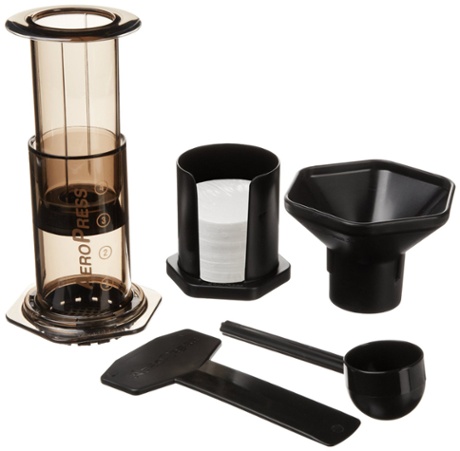
Sure, if you dedicate months of practice and the price of a second-hand family car, you could pull a better espresso from the pro-level machines. But who wants that fuss? The AeroPress, which produces coffee somewhere between a cafetiere and espresso machine, lets me use whatever coffee I want and make a damned good cup with just the addition of boiling water. I keep one on my desk. It doesn’t even need electricity, provided you have some other way of boiling the water.
2. Cameras
Digital cameras are the latest devices to fall prey to feature-creep. With the bottom end of the market being consistently eaten away by smartphones, manufacturers are under increasing pressure to offer us some reason to buy an expensive, bulky, standalone device rather than just use the camera we have on us 24/7. But too often, those reasons are yet more complicated features, from GPS chips which tag photos with your location, through facial recognition which lets the camera zoom focus on people, all the way to HD video.
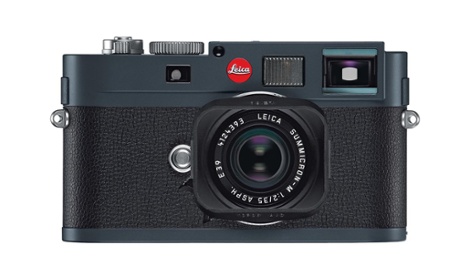
None of those will help you take better photos. Instead, go simple – but good. The Leica M-E is the stripped-down version of the classic Leica M, perhaps the most loved individual camera ever. It’s not cheap (£4,200 for the entry-level model), and you emphatically don’t get any features for your money, but take the time to learn how to use it and maybe you will be the next Henri Cartier-Bresson.
3. Laptops
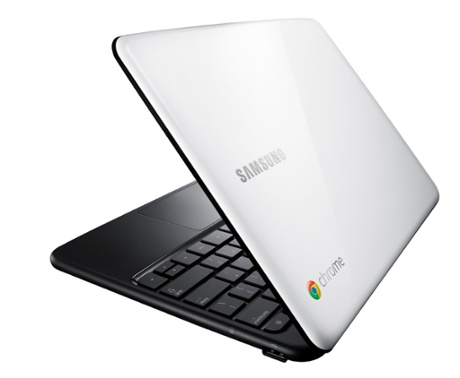
The top end of laptops is a world of brushed aluminium and fancy features. The bottom end is a world of crappy plastic and shovelware, with computers shipped full of borderline spyware in order to pad out the minuscule margins earned by their manufacturers. And all of that for a device which is, for most people, vastly overpowered. If you surf the web, answer emails, and write documents, you don’t need a £400 graphics card. You barely need a screen.
Google set out to fix that, with the Chromebook. It got off to a rocky start, but the latest generations of the laptops largely deliver on that promise. In essence, it’s a laptop stripped of everything but the web browser. You can use Gmail for emails, Google Docs as a word processor, and Picasa for your photos, as well as Google Play Music for your tunes and Google Calendar for your diary.
Just try not to be somewhere you don’t have internet access.
4. Books
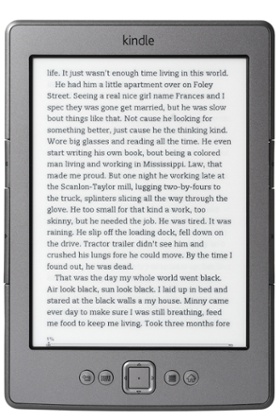
I’ve seen it happen. You think: “I’d quite like to read ebooks”, because they’re great: they don’t take up space on shelves, you can shove them in a bag, and read them in the dark. But then the creep begins. First you worry about the lack of colour, because once you read a book with some nice pictures. Then you think that if you’re going to get a colour ereader, you may as well get a full-blown tablet, because some of those apps look good, and it would be nice to share photos. And then you go for a good screen, and before you know it, you’ve talked your way into a full-size iPad.
Stop. You were right the first time. If you want to read books, get a Kindle. They’re simple, they work, they’re light, they’re cheap, and they’re pretty hardy.
5. Watches
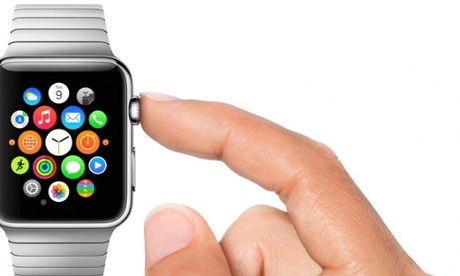
Did you know advertisers are salivating at the launch of the Apple Watch? Mobile ad exchange TapSense has already announced the launch of the first ad platform for the device, months before it even arrives. “Hyper-local advertising” is coming to your wrist.
That’s terrible. Don’t do that. Get a Casio like me. My F91W (named back in the days when incomprehensible product designations were all the rage) has an alarm and a stopwatch, just like the Apple Watch does. Unlike the Apple Watch, it’s also waterproof, has a battery life measured in years not hours and only costs £20 rather than £250. In fact it’s so simple that terrorists have disassembled it to use as a bomb timer – Guantanamo analysts have described it as “the sign of al-Qaida”.
6. Text editors
When feature-creep is mentioned, though, there’s only ever one winner: the venerable Microsoft Word, which began as a simple text editor and grew into something used to lay out entire books by professionals who should know better.
If all you want to do is write, don’t open Word. Just use Text Edit, or, failing that, a prettier version of the same idea like IA Writer, TextMate or BBEdit. Words are words, and you want to get them out of you and into the computer as quickly as possible.
That way, you won’t find yourself worrying over which font to use, whether to bold the headline or simply italicise it, and how to use links (should you put them in brackets or simply embed them?). Those things come after you start writing, not before. And the easiest way to do that is not even open the program that asks.