The fastest free PDF translator online takes under 30 seconds. I've tested six of them in 2026. Most people still don't know these tools exist. That's a shame. You don't need a subscription for clean, accurate document translation. Not anymore.
Whether you need to translate English-to-Amharic PDF for humanitarian work in Ethiopia or turn a Spanish legal contract into English for a client meeting, the free tools today are shockingly capable. No sign-up. No credit card. Just upload and go.
Why Most People Still Struggle With PDF Translation
Here's the reality. The old workflow was painful. You'd copy text from a PDF, paste it into Google Translate, lose all the formatting, and spend an hour fixing it. Tables vanished. Fonts broke. Headers disappeared.
AI-powered PDF translation changes that. Today's tools use OCR (optical character recognition) to read even scanned documents. They use large language models to keep the meaning intact — not just the words. And they preserve your original layout: tables, columns, images, fonts.
I'm skeptical when enterprise software tries to lock these features behind paywalls. There's no reason a student translating a research paper or an NGO worker converting field documents should pay $70 a month.
What Breaks in Bad PDF Translation
- Layout collapse:Multi-column pages flatten into a single, unreadable block.
- Table destruction:Rows and columns jumble into random text strings.
- Font substitution:Non-Latin scripts like Amharic (Ge'ez script) get replaced with question marks or empty boxes.
- Context loss:Word-for-word translation misses idioms, producing awkward or wrong meaning.
- Scanned PDF failure:Tools without OCR can't read image-based PDFs at all.
How a Good Free PDF Translator Online Actually Works
I used PDFTranslator.org—a free AI PDF translator powered by ChatGPT and Microsoft Azure translation infrastructure. It handles English, French, Spanish, Urdu, Amharic, and 100+ other languages. No account required.
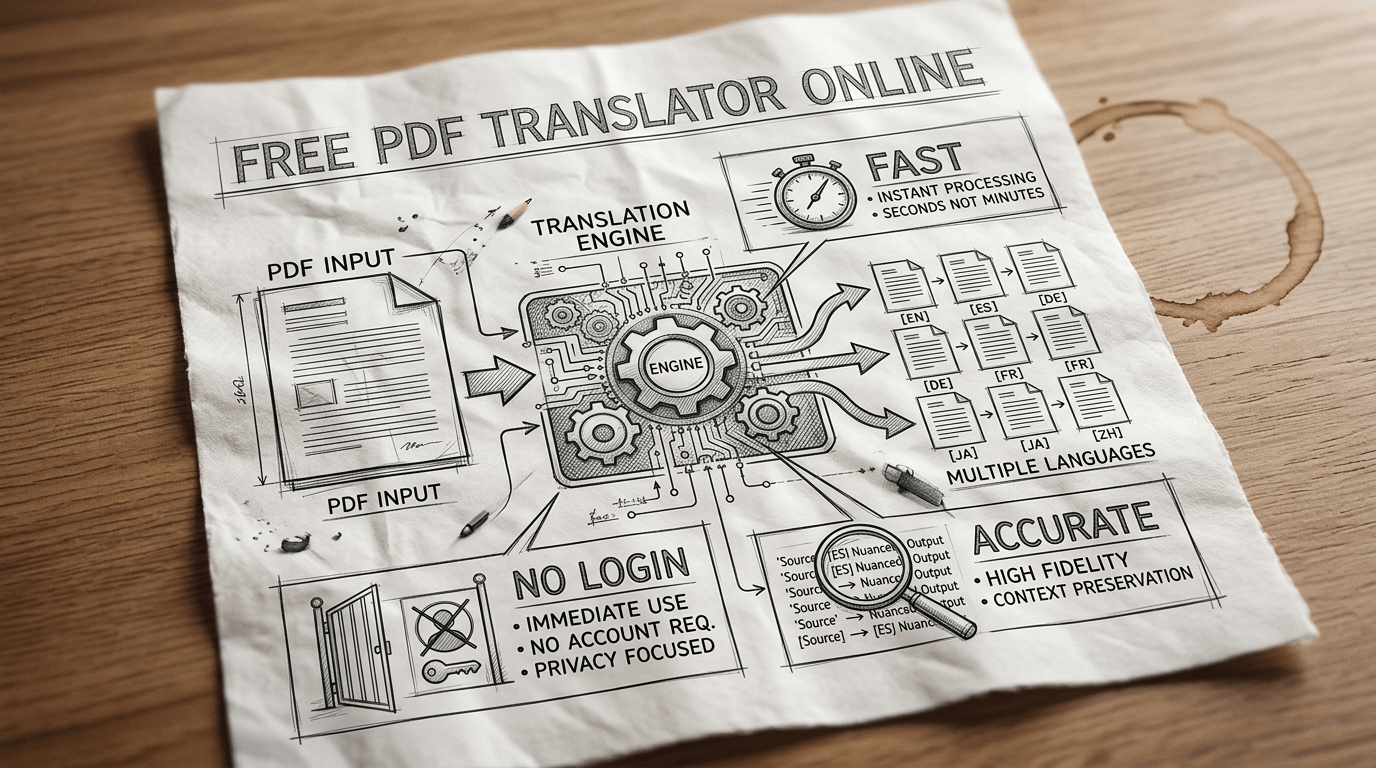
The process is three steps. Upload your file. Pick a target language. Download the translated PDF. That's it.
What Makes It Different
- It uses neural machine translation (NMT)—not old rule-based engines.
- Preserves tables, charts, headers, and images in the output.
- Supports scanned PDFs via built-in OCR — so even image-only files work.
- Files are encrypted during processing and deleted after—no data is stored on servers.
- Works for academic papers, legal contracts, medical reports, and business documents.
2026 Free PDF Translator Comparison: Who Wins?
I compared five tools directly. Here's the breakdown—with real criteria, not marketing copy.
|
Tool |
Languages |
Sign-up? |
OCR Support |
Layout Kept? |
Amharic? |
Free Tier |
|
PDFTranslator.org |
100+ |
No |
Yes |
Yes |
Yes |
Fully free |
|
DocTranslator |
120+ |
Required |
Yes |
Yes |
Yes |
Up to 20 pages free |
|
Smallpdf Translator |
30+ |
Required |
Yes |
Partial |
No |
1 free use/day |
|
iLovePDF Translate |
Multiple |
No |
Limited |
Yes |
Limited |
Basic free tier |
|
Google Translate (PDF) |
100+ |
No |
No |
Poor |
Yes |
10 MB file limit |
Sources: Smartcat (March 2026) · SlideSpeak (April 2026) · Direct testing by author, April 2026.
Real-World Case: Translating English to Amharic PDF for NGO Work
Here's a concrete example. An international humanitarian team working in Ethiopia needed to translate 40-page field training manuals from English into Amharic, the official language of Ethiopia, written in the ancient Ge'ez script with over 57 million native speakers.
They tried Google Translate first. It failed. The Amharic output had garbled script, broken character rendering, and zero layout preservation. The manual looked unusable.
They switched to PDFTranslator.org. The translated English to Amharic PDF output preserved the table structure, maintained the page numbering, and rendered Ethiopic script cleanly. No reformatting needed. Zero cost.
Pro tip: For Amharic PDFs specifically, make sure your tool explicitly supports Ge'ez (Ethiopic) script rendering. Not all "100+ language" tools handle complex scripts equally well. Always download a test page first.
Privacy—The Question Nobody Asks Until It's Too Late
People upload legal contracts, medical records, and immigration documents into PDF translators. That's sensitive. You need to know exactly where your data goes when using any free PDF translator online.
Good tools use TLS encryption during transfer, process files in isolated sessions, and delete them immediately after translation. Look for GDPR compliance and ISO/IEC 27001 certification if you're handling official documents.
PDFTranslator.org uses exactly this model — your file is never stored, never shared, never logged. For enterprise workflows, that matters a lot. For personal use, it's peace of mind.
Best Practices Before You Translate Any PDF
- Test with one page first.Upload page one of a complex document before committing a 100-page file. This saves time if the layout breaks.
- Use a tool with OCR if your PDF is scanned.A scanned image-only PDF is invisible to basic translators. You need optical character recognition to extract text before translation happens. PDFTranslator.org handles the process automatically.
- Check the target script rendering.For languages like Amharic, Arabic, Urdu, or Hindi, always download and open the output file before considering the job done.
You don't need an account. You don't need a credit card. Just your PDF and 30 seconds.