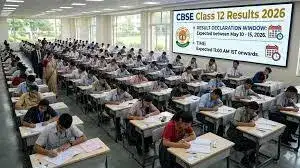
As lakhs of students across India eagerly wait for the Central Board of Secondary Education Class 12 Results 2026, the board is likely to offer several easy options for checking scorecards. In case the results are declared today, official websites such as cbseresults.nic.in, cbse.gov.in and results.cbse.nic.in may witness heavy traffic due to high demand. Apart from the websites, students are also expected to access their marksheets through DigiLocker, UMANG and SMS services.
CBSE Class 12 Results 2026: Steps to check from the official website cbseresults.nic.in
Step 1: Go to the official CBSE results portal.
Step 2: On the homepage, click on the “CBSE Class 12 Result 2026” link.
Step 3: Enter the required credentials such as roll number, school number and admit card ID.
Step 4: Submit the details to access the result online.
Step 5: Download the marksheet or take a printout for future use.
Alternative ways to check your result
CBSE Class 12 Results 2026: Steps to download from DigiLocker
Step 1: Visit the DigiLocker website or launch the DigiLocker mobile application.
Step 2: Sign in using your registered mobile number or Aadhaar-linked credentials. New users must complete the signup process before accessing documents.
Step 3: Once logged in, navigate to the “Education” or “Issued Documents” section on the dashboard.
Step 4: Choose Central Board of Secondary Education from the list of available education boards.
Step 5: Click on the “Class XII Marksheet” or the corresponding result option.
Step 6: Enter the required details, including roll number, school number and admit card ID, exactly as provided on the admit card.
Step 7: Submit the information to access the provisional digital marksheet online.
Step 8: Download and save the marksheet for future reference. Students can also securely store the document in their DigiLocker account for easy access later.
CBSE Class 12th Results 2026: Steps to download from UMANG App
Step 1: Launch the UMANG app on your mobile phone.
Step 2: Navigate to the CBSE services section displayed on the homepage.
Step 3: Tap on the “CBSE Class 12 Result 2026” option.
Step 4: Fill in the required details such as roll number, school number and admit card ID.
Step 5: Submit the information to access and download the provisional digital marksheet online.
CBSE Class 12th Results 2026: Steps to check through IVRS
Step 1: Call the CBSE-designated IVRS number using a mobile phone or landline connection.
Step 2: Follow the automated voice prompts provided during the call.
Step 3: Enter or verbally provide details such as roll number, school code and other required credentials.
Step 4: The system will then announce the subject-wise marks through the recorded voice response.
CBSE Class 12th Results 2026: Steps to check through SMS
Step 1: Open the SMS or messaging application on your mobile device.
Step 2: Type the message in the format prescribed by CBSE:
CBSE12
Step 3: Double-check the roll number, school number and centre number entered before sending the SMS.
Step 4: Send the message to the official CBSE result service number announced for the year, as the SMS number may change annually.