
Do you miss the simplicity of early 2000's Google, when it was free from clutter and metadata overload?
Well, the search giant has quietly introduced a new web filter that brings the nostalgic feel of its early search engine days to life.
This news seems to have slipped under the radar, after the barrage of announcements related to Google’s AI search engine at I/O earlier this month.
The news of the filter was casually dropped on X by Google's @searchliaison account who stated it's for those who "prefer to just see links to web pages in their search results".
We’ve launched a new “Web” filter that shows only text-based links, just like you might filter to show other types of results, such as images or videos. The filter appears on the top of the results page alongside other filters or as part of the “More” option, rolling out today… pic.twitter.com/tIUy9LNCy5May 14, 2024
By using this web filter, you can bypass the overwhelming metadata such as address or link information, and enjoy a cleaner, more focused search experience. Let’s get back to basics.
Here's what you'll need...
- The essential URL: https://www.google.com/search?q=%s&udm=14
- The '%s' represents your search query
- The 'udm=14' tag restricts the results to the new web filter
1. Click the three-dot menu
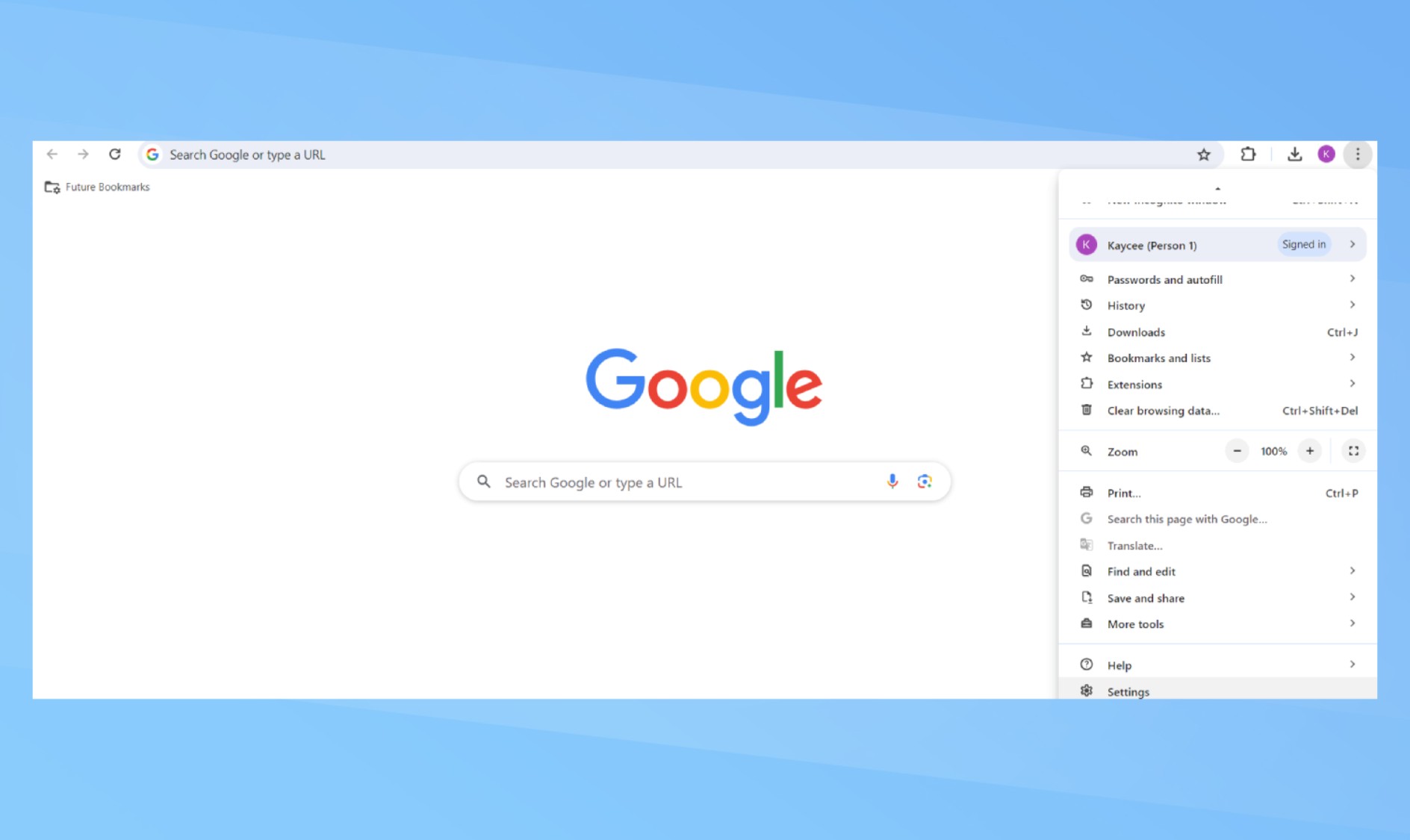
To access settings, click the three-dot menu beside your Google account profile in the upper-right corner. Then, choose Settings from the bottom of the menu. You can also reach Chrome settings by typing chrome://settings into the address bar.
2. Select the search engine
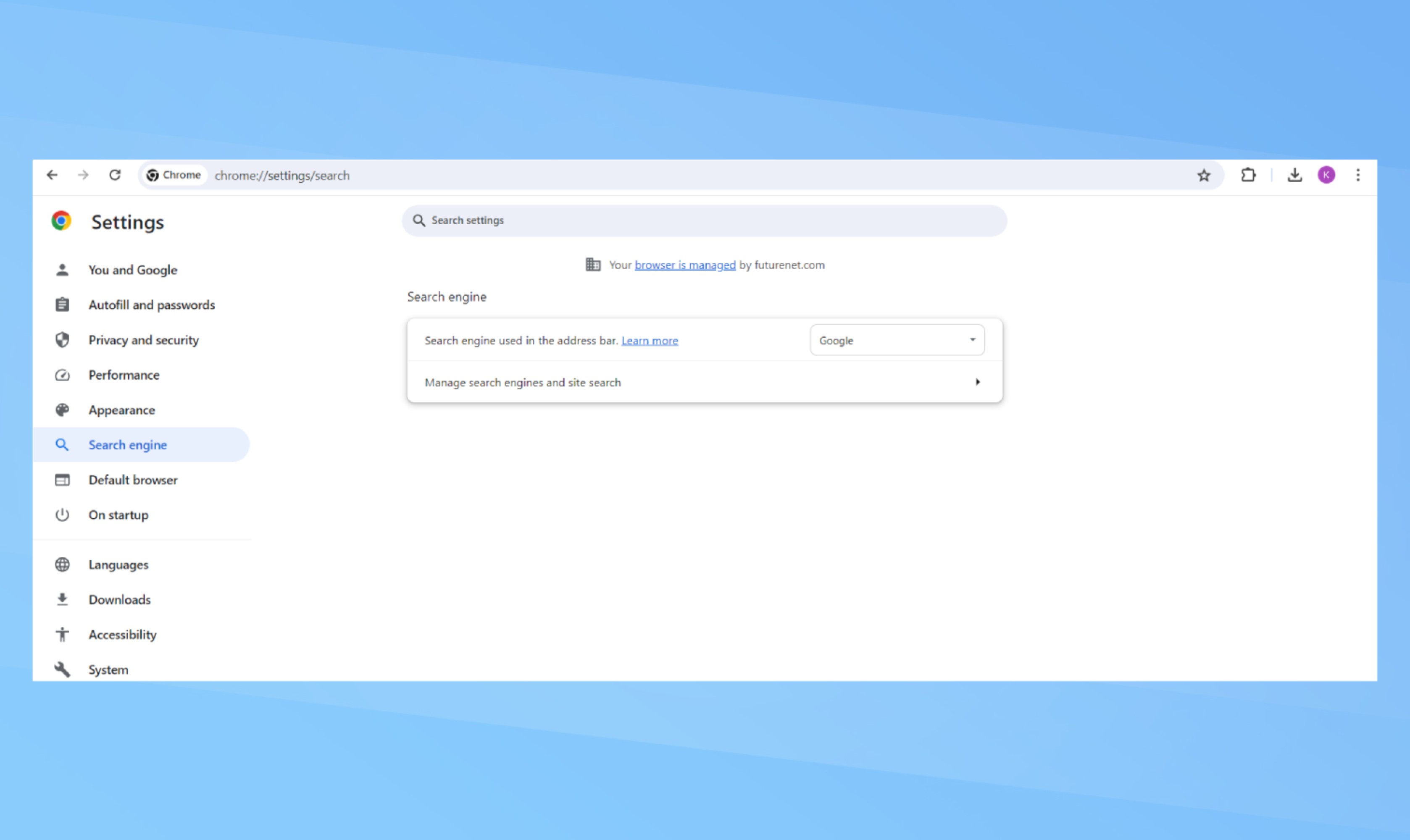
Select Search engine from the left-hand column, then click ‘Manage search engines and site search’ in the center of the browser window. Scroll down to Site search and choose the blue Add button.
3. Fill in the pop-up window
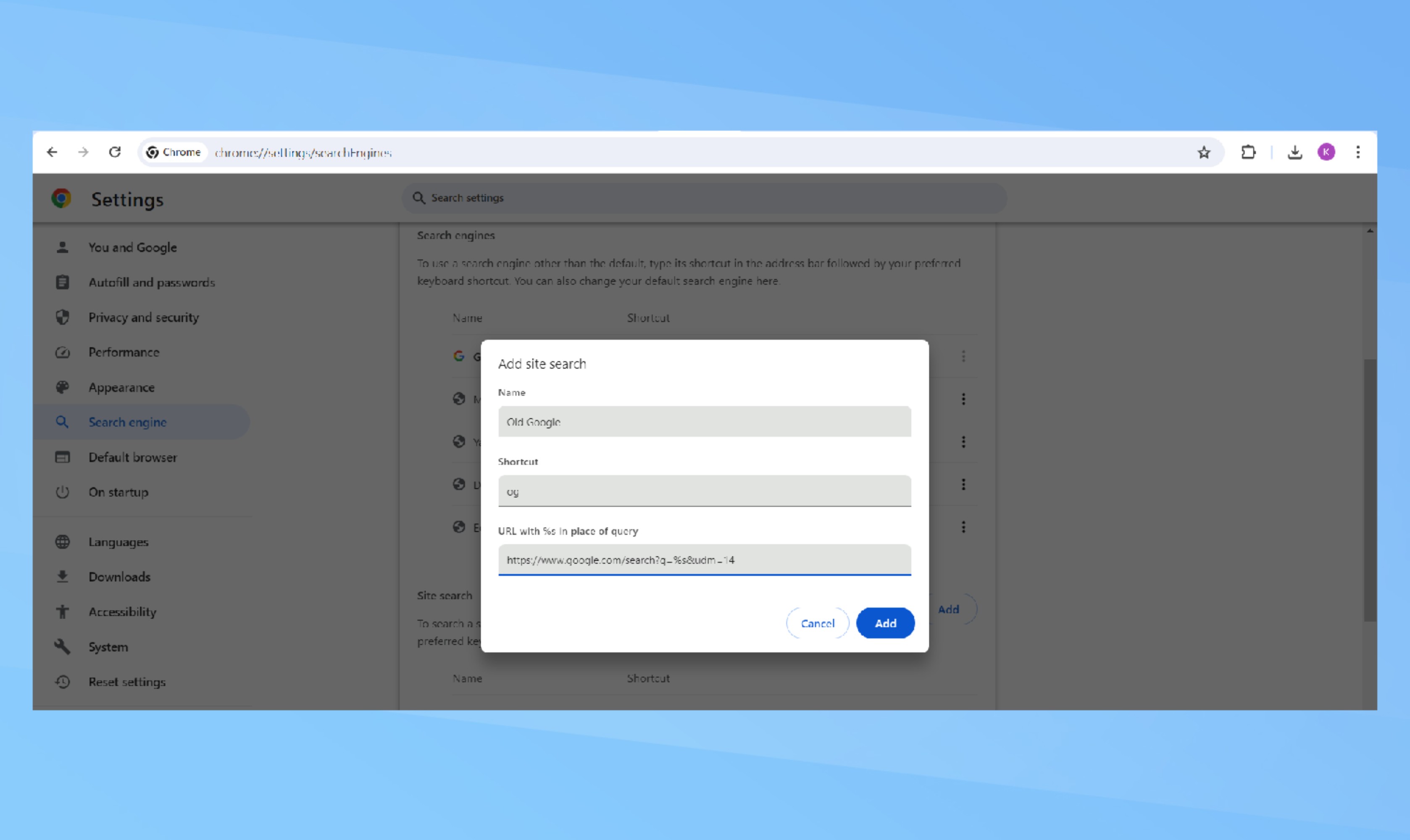
In the pop-up window, enter a name for the new search shortcut and a keyword to trigger it. This could be something like ‘old google’ and ‘og.’ For the final field, input the URL previously mentioned with %s in place of the query. Then click the blue Add button.
4. Enjoy the filtered search
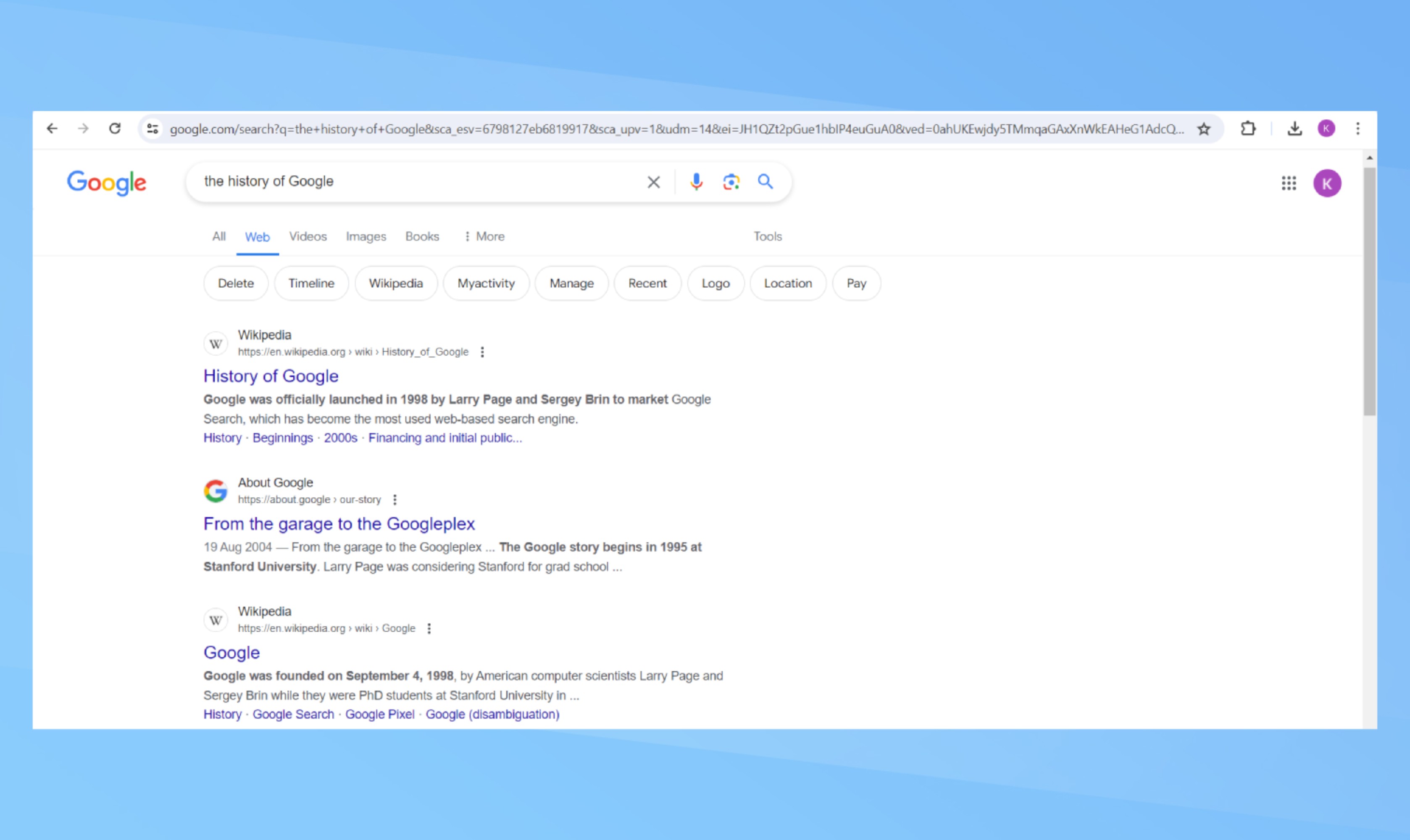
When you search in the address bar using ‘og’ followed by your search term, you’ll see Google’s web filter results.
How to make this the default
To make this your default search engine, Click the three–dot menu next to your new site search and choose ‘Make default.’ After setting it as the default, every search from the address bar will automatically use the web filter.
Since AI is the focus right now, it's not surprising that Google's new web filter may have been overlooked. If AI-powered searches interest you, 6 massive Gemini AI upgrades are incoming.
There are plenty of other hidden chrome tips that will make your browsing experience better, such as blocking third-party cookies and adding accessibility features like text-to-speech.