Emre relies on a precise three-round burst hitscan weapon in Overwatch. So, the best crosshair for Emre should help you line up quick headshots without distracting you during intense fights.
Unlike other heroes with spray-based weapons, Emre rewards accuracy and timing, especially when using ADS. That means a clean, minimal reticle often works best, something that lets you track targets smoothly while still giving you a clear reference point for burst firing. Here’s the best crosshair you can use for Emre in Overwatch.
Table of contents
How to change your crosshair in Overwatch
Before dialing in the best crosshair settings for Emre, you’ll need to know where to customize your crosshair. Here’s step-by-step guide:
- Open the Settings menu (cog icon in the top-right corner of the main screen).
- Head into Options, then navigate to the Hero tab and select Emre.
- Under the General tab, look for the Reticle section.
- Expand the Advanced options to unlock full customization of your crosshair.
You’ll see a preview of your crosshair on the left side of the screen, which updates in real time as you tweak settings. You can jump into the Practice Range while adjusting, so you can test your aim immediately against bots and get a feel for how your crosshair performs.
Best Emre crosshair settings in Overwatch
Since Emre uses a hitscan three-round burst rifle, I recommend using a dot crosshair for precision firing. It keeps your screen clean and helps you focus on landing tight bursts, especially around the 15 to 25-meter range where this Specialist Damage hero dominates. Here are the recommended settings:
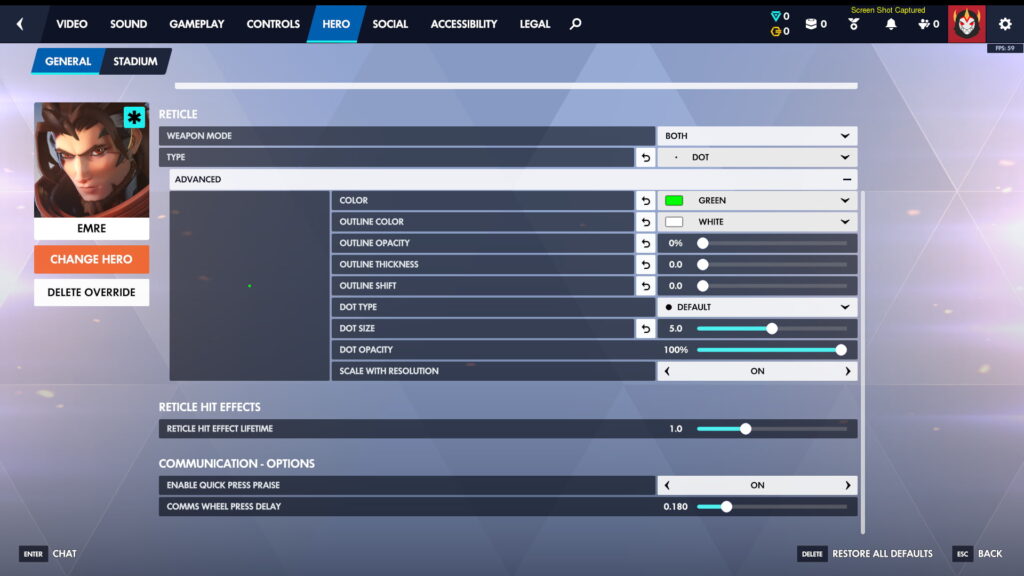
- Weapon Mode: Both
- Type: Dot
- Color: Green (can also select Yellow, Magenta, or Cyan)
- Outline Color: N/A
- Outline Opacity: 0
- Outline Thickness: 0.0
- Outline Shift: 0.0
- Dot Type: Default
- Dot Size: 5.0
- Dot Opacity: 100%
- Scale with Resolution: On
Using the same dot crosshair for both hipfire and ADS ensures consistency, so your aim doesn’t feel off when switching between firing modes mid-fight. The dot also helps with landing the projectiles from Emre’s Siphon Blaster (Shift) and Override Protocol ultimate (Q), as well as the Cyber Frag (E) grenades.
Green is a great choice because it contrasts well against most maps. But if you find yourself losing track of your crosshair in bright environments, switching to Cyan, Yellow, or Magenta can improve visibility.
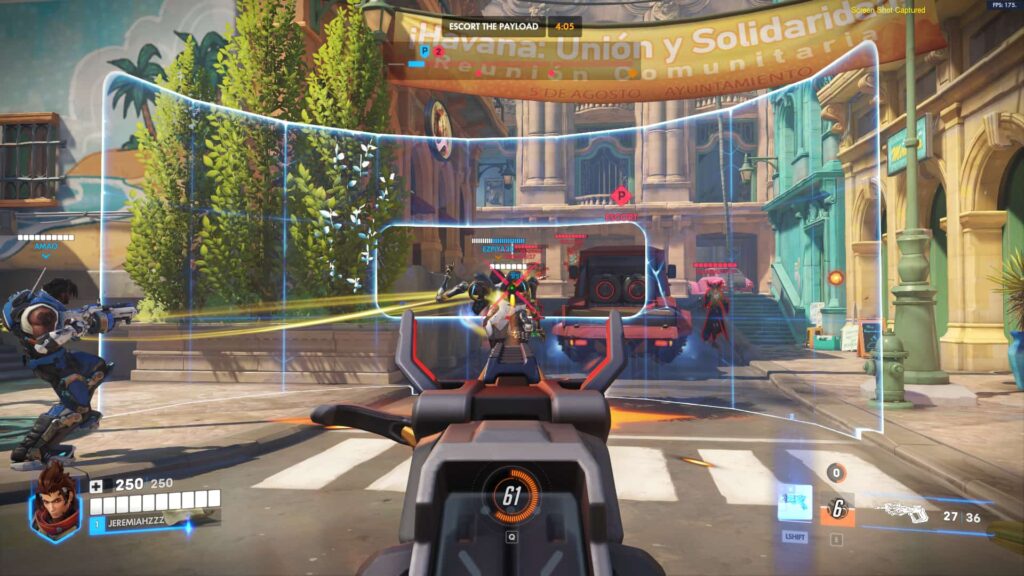
As for size, anywhere between 3.0 and 6.0 works well depending on your preference (5.0 could be a good starting point). Keeping opacity at 100% is important so your crosshair never fades during chaotic moments.
You should also adjust your Relative Aim Sensitivity While Zoomed to 55%. This helps maintain consistent muscle memory between hipfire and ADS, making it easier to track targets without overcorrecting when zoomed in.
Alternative crosshair for Emre in Overwatch
If you prefer a more traditional look, a classic crosshair can still work well, especially if you like using spacing to line up headshots instead of relying on a single dot.
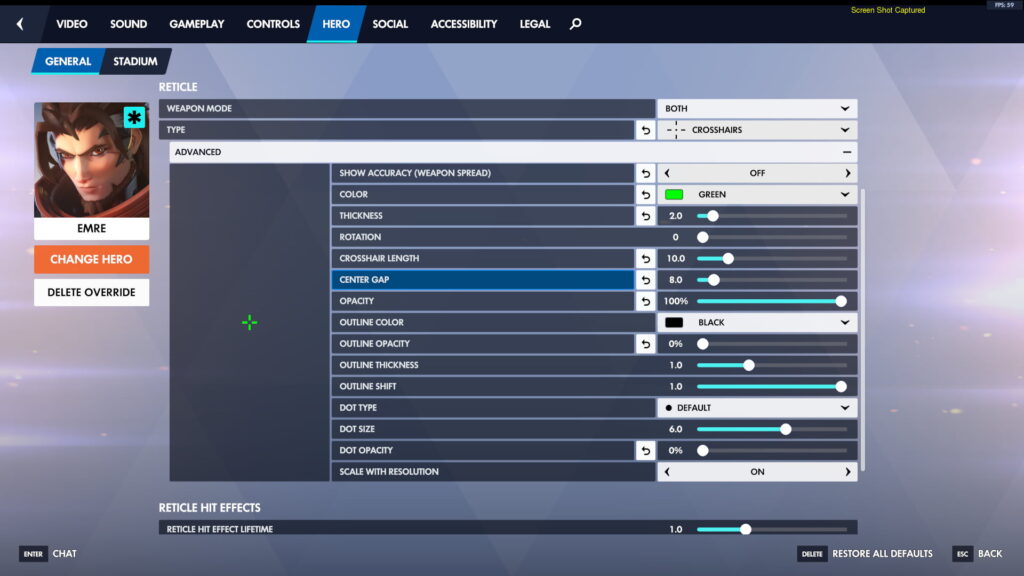
- Weapon Mode: Both
- Type: Crosshairs
- Show Accuracy (weapon spread): Off
- Color: Green (can also select Yellow, Magenta, or Cyan)
- Thickness: 2.0
- Rotation: 0
- Crosshair Length: 10.0
- Center Gap: 8.0
- Opacity: 100%
- Outline Color: N/A
- Outline Opacity: 0%
- Outline Thickness: N/A
- Outline Shift: N/A
- Dot Type: N/A
- Dot Size: N/A
- Dot Opacity: 0%
- Scale with Resolution: On
This crosshair removes the center dot, reducing clutter and encouraging you to frame your target’s head within the gap. It’s especially helpful for those transitioning from other FPS titles with similar reticles.
If the crosshair feels too bulky for you, try lowering the length to around 7.0 and thickness to 1.5 for a tighter feel.
Check our crosshair guides for the other new heroes from Overwatch Season 1: Reign of Talon, including Mizuki, Domina, and Anran.