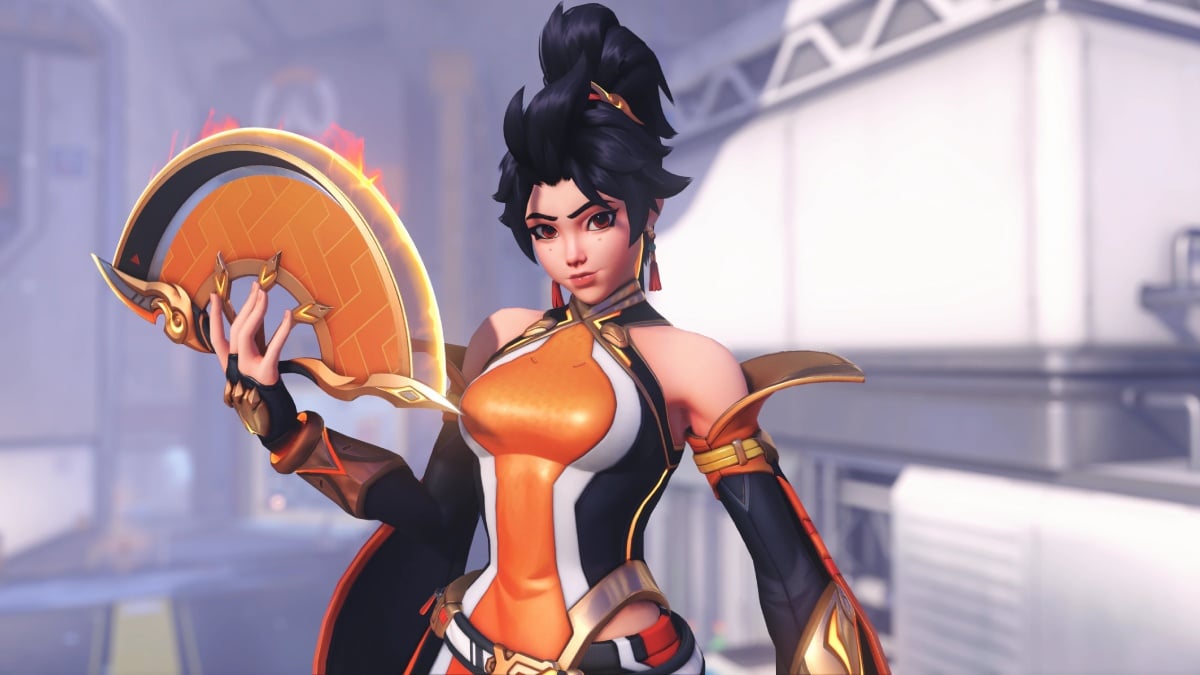
The best crosshair for Anran in Overwatch should be a clean, bright, thin crosshair that you can decipher on every map among the chaos, but never blocks your view of enemy heads.
You’ll want a small, precise reticle with strong contrast, then tweak thickness and length until it feels natural with your sensitivity. The wrong reticle, on the other hand, can disappear in clutter, cover enemy models, or make you guess every shot, which you wouldn’t want while climbing ranks.
So, here’s a simple crosshair style with high visibility for you to use while playing Anran in Overwatch.
Table of contents
How to change your crosshair in Overwatch
Before you go ahead and apply the settings mentioned below, you must know how to change your Overwatch crosshair in the first place. All you need to do is:
- Press Escape on the main menu to open Options
- Go to Heroes, and select Anran
- Under General, scroll down to the Reticle section
- Change Type to Crosshairs or Dot, then hit Advanced to unlock customization options
If you do this in the Practice Range, you can instantly see how each slider affects your reticle while shooting bots.
Best Anran crosshair settings in Overwatch
Anran thrives between 10 and 25 meters, so the settings below make the crosshair stay tiny to avoid blocking heads but visible enough for her projectile spread. I feel Cyan pops out for most maps, but you may also lean toward green or magenta against fiery maps like Dorado or Busan.
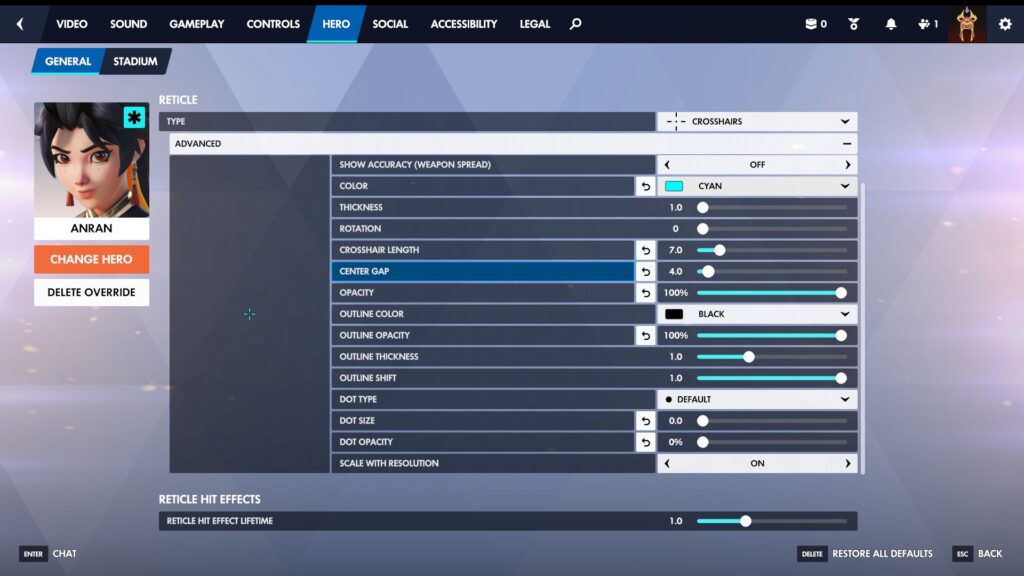
- Type: Crosshairs
- Show Accuracy: Off
- Color: Cyan
- Thickness: 1.0
- Rotation: 0
- Crosshair Length: 7.0
- Center Gap: 4.0
- Opacity: 100%
- Outline Color: Black
- Outline Opacity: 100%
- Outline Thickness: 1.0
- Outline Shift: 1.0
- Dot Size: 0
- Dot Opacity: 0
- Scale with Resolution: On
This crosshair works because thin lines make it easier to trace the enemy head, and bright colors like neon green or cyan stand out against dark corners and bright skies. Since there’s no dot in this crosshair, it reduces clutter and forces you to focus on placing the gap over the target’s head.
If you struggle to see the center, you can enable a small dot between sizes two and three with full opacity without changing the rest of the setup.
Best dot crosshair for Anran in Overwatch
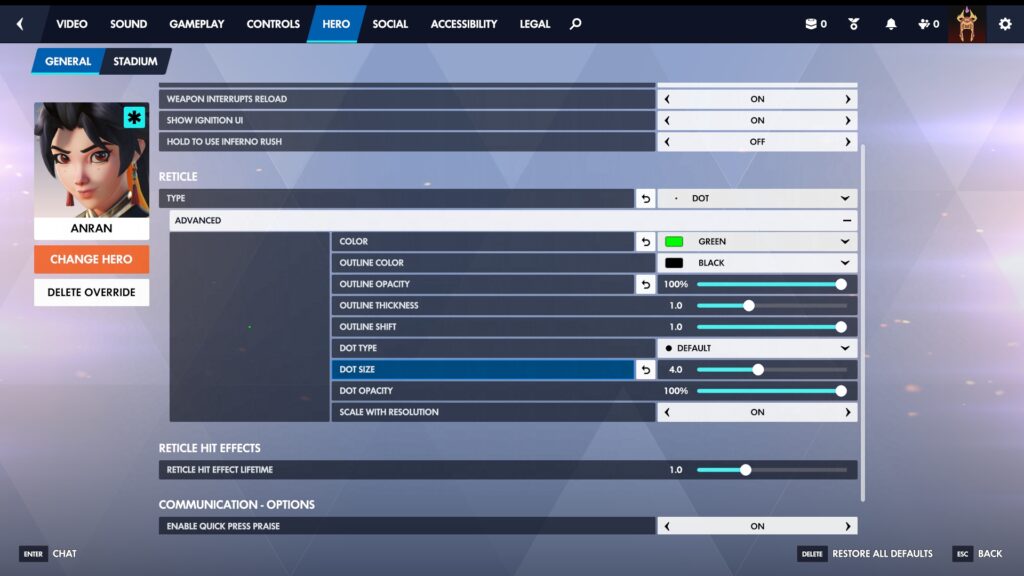
A classic dot crosshair also suits perfectly when you’re playing Anran, if that’s your preference. In that case, apply these crosshair settings below:
- Type: Dot
- Show Accuracy: Off
- Color: Green
- Dot Size: 4.0
- Dot Opacity: 100%
- Outline Color: Black
- Outline Opacity: 100%
- Outline Thickness: 1.0
- Scale with Resolution: On
Warm up in the Practice Range and Quick Play, while only adjusting one slider at a time, for example, gap first, then length. Don’t change colors every day, and stick with one.
If you lose your crosshair in hectic fights, slightly increase the thickness or outline opacity instead of making the reticle huge. If your tracking feels sticky or you overshoot heads, try switching to the previous crosshair.