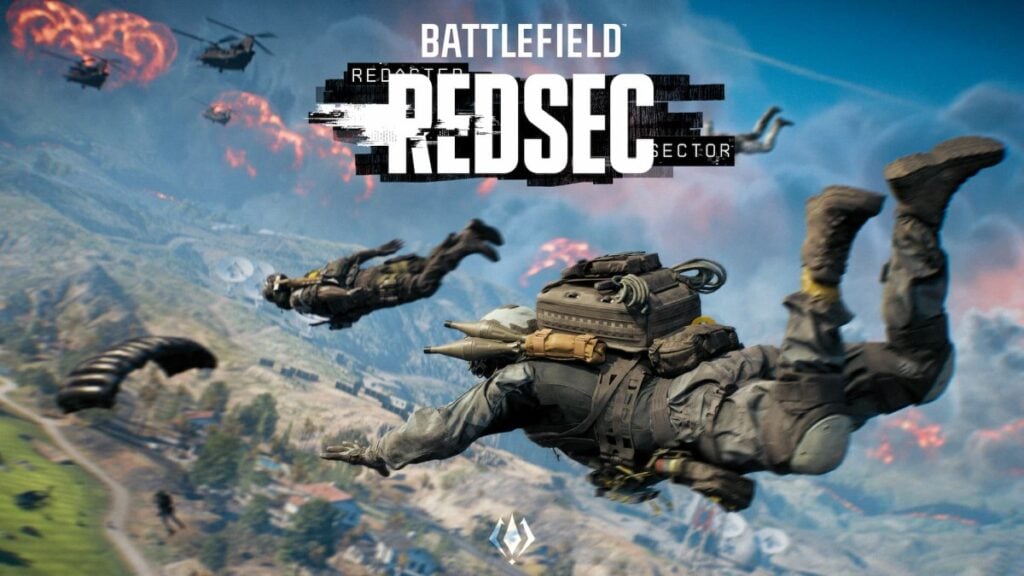
Battlefield REDSEC is finally out, and to enjoy the new battle royale at the highest possible frame rates with the ideal visibility, you must use the best settings to ensure that.
Like Battlefield 6 multiplayer, getting the settings right is also vital to dominate battle royale. Similar to other BRs, the gunfights occur at varied ranges, and at one time, there’s also a chance of multiple enemies appearing in the open.
During those intense moments, you must have the Battlefield REDSEC best settings enabled to boost frames and minimize input lag to still give you that visual and competitive edge in combat and wipe out the opponents. Having that said, here are the best settings to use in REDSEC.
Best Battlefield REDSEC graphics settings for performance and visibility
My system is equipped with a 3060Ti, Ryzen 5 3600, and 32GB of DDR4 RAM clocked at 3200MHz, and here are the graphics settings that are best suited for both performance and visibility:
- Texture Quality: High
- Texture Filtering: Overkill
- Mesh Quality: High
- Terrain Quality: Low
- Undergrowth Quality: Low
- Effects Quality: Low
- Volumetric Quality: Low
- Lighting Quality: High
- Local Light and Shadow Quality: Low
- Sun Shadow Quality: Medium
- Shadow Filtering: PCF
- Reflection Quality: Low
- Screen Space Reflections: Off
- Post Processing Quality: Low
- Screen Space AO and GI: Off
- High Fidelity Objects Amount: Medium
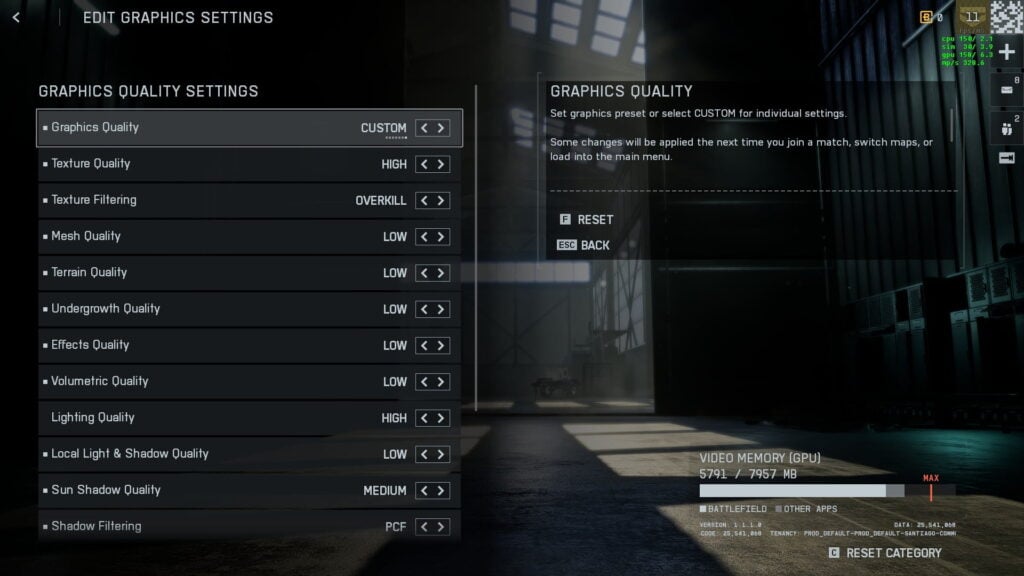
Texture and mesh qualities need to be kept at high levels so that you don’t lose visual quality during gameplay and can spot enemies easily. If you have a beefier system than mine (which most of you will anyway), you can toggle with the Volumetric quality for some more realism.
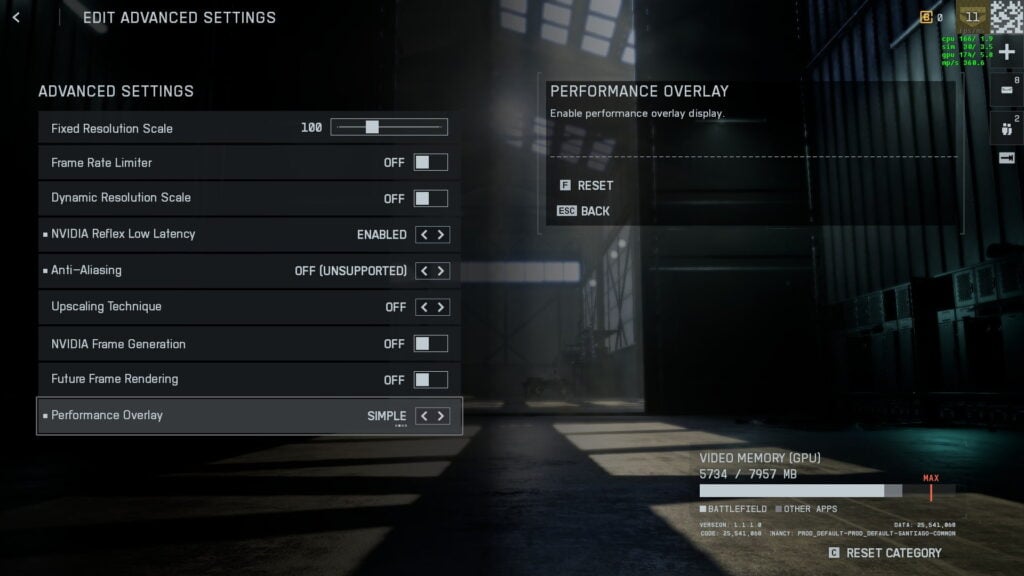
Advanced graphics settings
- Fixed Resolution Scale: 100
- Frame Rate Limiter: Off
- Dynamic Resolution Scale: Off
- Nvidia Reflex Low Latency: Enabled
- Anti-Aliasing: Off
- Upscaling Technique: Off
- NVIDIA Multi Frame Generation: Off
- Future Frame Rendering: Off
- Performance Overlay: Simple
Best Battlefield REDSEC camera settings
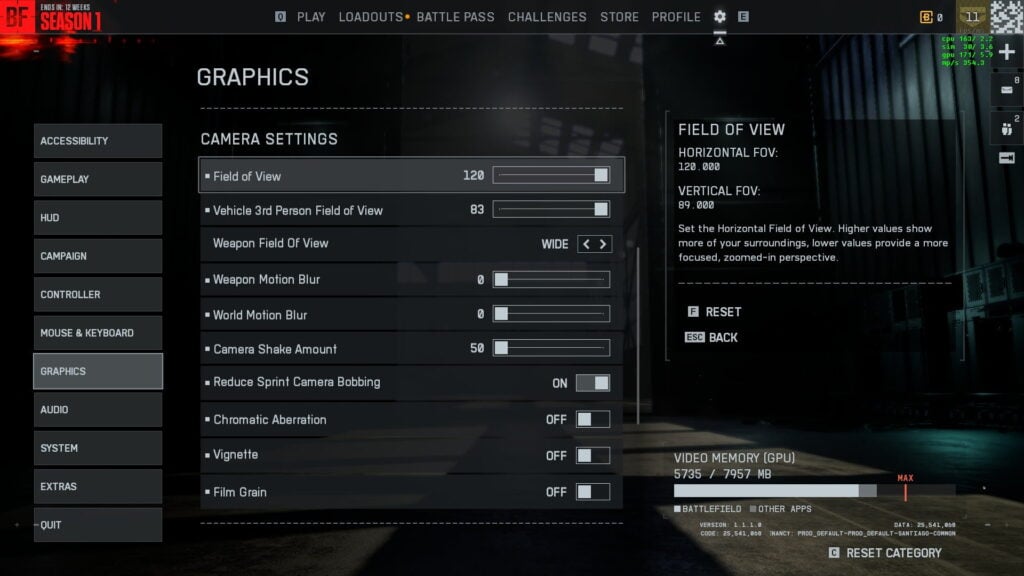
Irrespective of your system, these are hands down the best camera settings to use in Battlefield Battle Royale:
- Field of View: 110 to 120 (I prefer to keep FOV to the highest)
- Vehicle 3rd Person Field of View: 83
- Weapon Field of View: Wide
- World Motion Blur: 0
- Weapon Motion Blur: 0
- Camera Shake Amount: 50
- Reduce Sprint Camera Bobbing: On
- Chromatic Aberration: Off
- Vignette: Off
- Film Grain: Off
Best Battlefield REDSEC audio settings
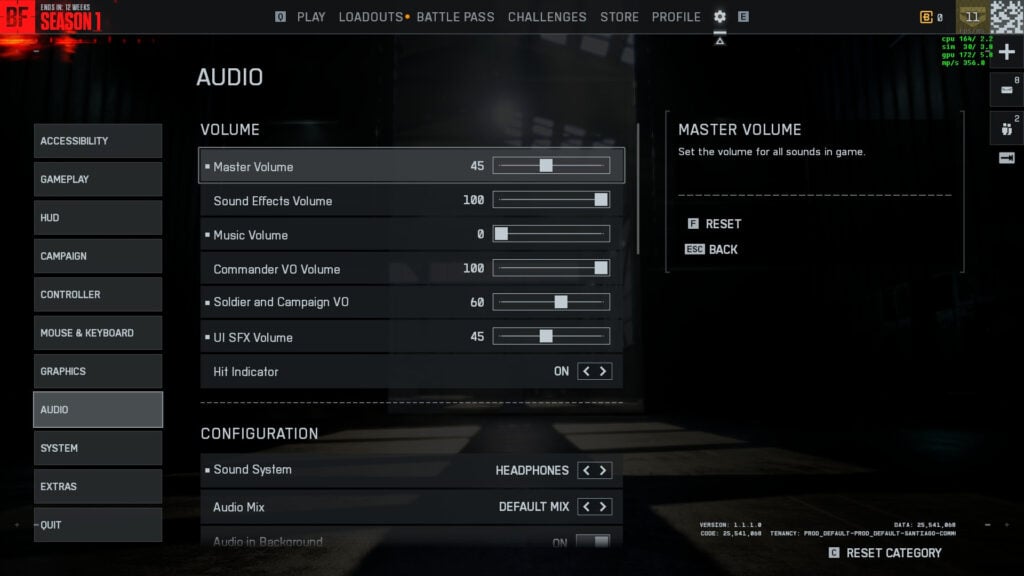
Last but not least, audio plays one of the most important parts in first-person shooters, and it’s no different for BF6 REDSEC. Here are the best audio settings to use in battle royale:
- Master Volume: 45
- Sound Effects Volume: 100
- Music Volume: 0
- Commander VO Volume: 100
- Soldier and Campaign VO: 60
- UI SFX Volume: 45
- Hit Indicator: On
Also, make sure to update your GPU drivers to the latest version for optimal performance. What I would suggest is to try out the settings inside the Firing Range first, and then tweak. However, there will be some settings that you can only adjust after hopping into a br match.
If REDSEC has left you impressed and you’ve purchased BF6, make sure to check the best graphics settings and best controller settings for multiplayer.