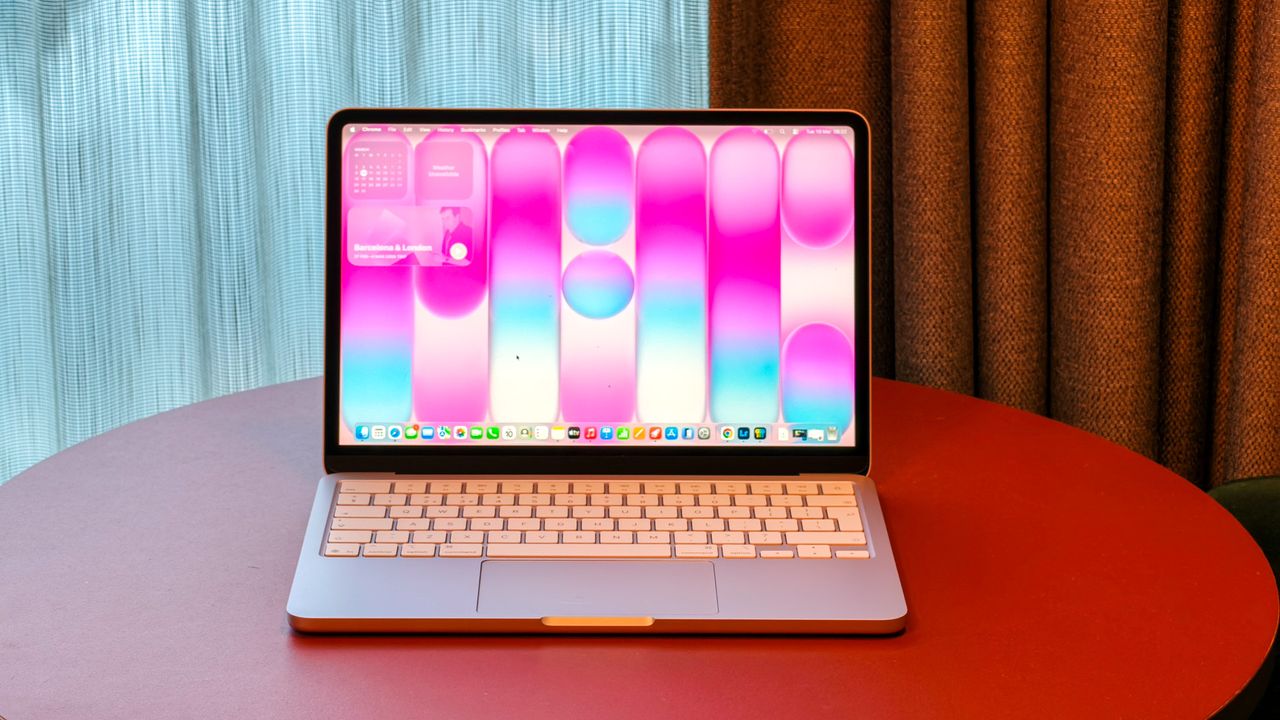
Apple has cleverly hidden names of its products within the wallpaper.
We knew about a couple already, but an excellent Instagram Reel has revealed a few more we hadn't seen before.
When it comes to design, Apple is a company that has a good reputation for delivering. But it isn’t just known for what many of us will see on the surface of products, like the iPhone and MacBook, it’s also known for its attention to detail that many might miss or overlook.
For years, Apple has small design elements within its products, which unless are pointed out to you, you’d be forgiven for not spotting them. Back when it announced the iPhone 5C in 2013, the inside of the charging port was colour-matched to the back of the phone, for example.
Where can you find the hidden messages?
Its latest hidden design feature is a little more obvious, though – once you know what you’re looking for.
As pointed out by Tom Hitchins (@bytereview) in his Instagram Reel, some wallpapers you will find on your Apple devices spell out the name of the product category or range they belong to. The default wallpaper for the MacBook Neo for example, spells out "Mac".
The same applies for the MacBook Pro’s default wallpaper, the iPad mini (which is probably the most obvious of all of them), and both the iPad Pro and iPhone Pro.
It also applies to the Air range – both MacBook Air and iPhone Air – though I’ll be honest, I still struggle to see it in the MacBook Air, despite Hitchins drawing it out. You really do have stand back and then it's far more obvious.
The iPhone Air is particularly smart. You need to spin the super skinny phone to a landscape position and once done, you should see the words ‘Air’ screaming at you.
Meanwhile, the bubble writing on the iMac hides the words ‘iMac’ better too, but it is there and you won’t miss it now it’s been pointed out.
If you’ve changed your wallpaper to a picture of your dog or kids, then you aren’t going to see these hidden messages of course, but change it back to the default wallpaper the device launched with and you’ll find it.