What you need to know
- Android 16 QPR3 Beta 1 adds a native toggle to remove the At a Glance widget from your home screen.
- You can hide the widget from your home screen while keeping the information visible on your lock screen and Always-on Display.
- The update introduces a brightness slider for the flashlight and allows you to swap navigation buttons (Back/Recents).
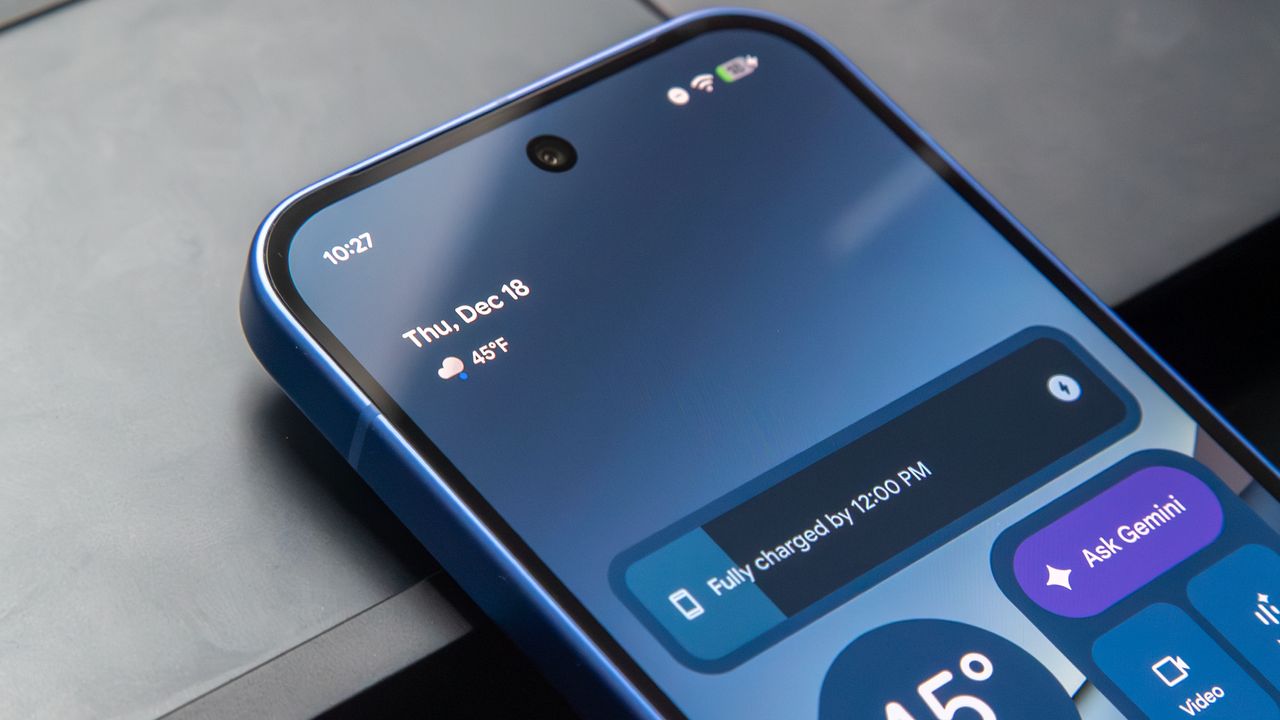
A long-standing debate between Google and its most devoted Pixel owners has finally reached a truce. The At a Glance widget, the permanent fixture of date and weather information at the top of your Pixel home screen, is no longer a mandatory part of the experience.
If you’ve used a Pixel recently, you probably know how annoying it was to try to customize your home screen, only to be stuck with the At a Glance widget. It took up space you might have wanted for something else and couldn’t be moved.
Now, you don’t have to struggle with your phone’s interface anymore. With Android 16 QPR3 Beta 1, Google is finally giving users a built-in way to take back control of their home screen (via Droid Life).
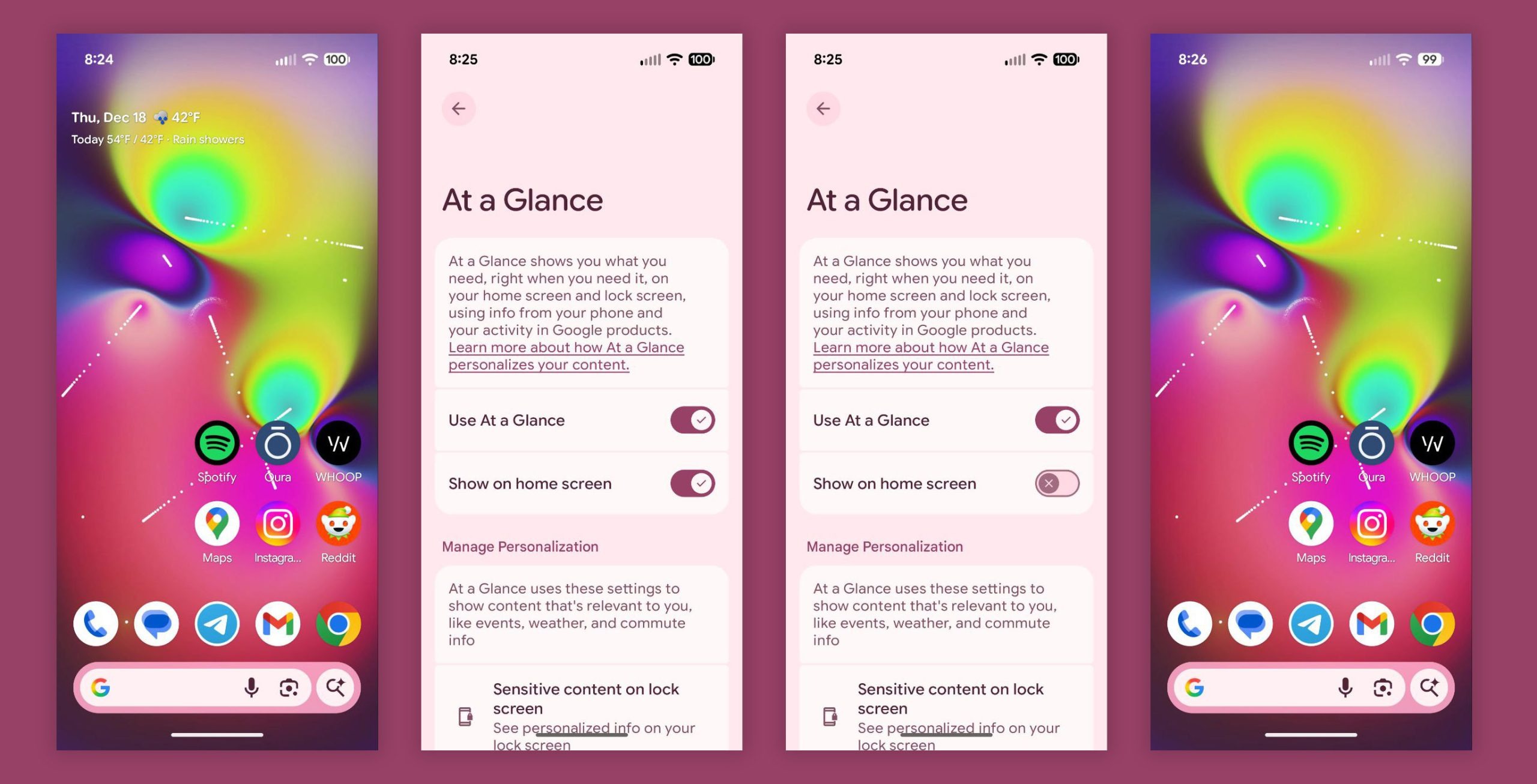
The main news is a straightforward new toggle. In this beta, you can long-press the At a Glance widget, go to Settings, and see a new option called "Show on home screen."
Turning off this option removes the widget right away, freeing up that space for anything you like. Nevertheless, you can keep the feature on, so date and weather still show on your lock screen and Always-on Display.
New utility features
Additionally, this update adds more useful features than you might expect for a quarterly release. For example, the flashlight now has a brightness slider, according to a comment on Google’s Reddit post. This allows you to dim the light for reading at night or make it brighter when you need more visibility.
If you’ve avoided switching to a Pixel because you’re used to other phones, this update helps with that too. Now, you can swap the navigation buttons to match the layout on Samsung devices, switching the Back and Recents keys to your liking.
Before you install this update, remember that it’s still in beta. It’s not ready for your main work phone. Early reports say Microsoft apps keep crashing in Work Profiles, which is a big problem if you use Teams or Outlook for work.
If you need your phone to work reliably, it’s best to wait for the stable release in March 2026.