.jpg)
Why Fast Answers Can Still Be Wrong
Deadline crunch: you ask the company bot for the emergency-spend approval flow. It answers before your coffee cools, citing a passage from Operations-Policy-v3.pdf. Trouble is, that file was retired months ago — the bot just promoted obsolete text to business gospel.
Speed without freshness is a liability. Gartner has forecast that task-specific AI agents will power a large share of enterprise applications within the next few years, up from a negligible base. When those agents drive workflows — or worse, automate actions — every stale paragraph becomes a silent bug that burns hours, customers, and compliance budget.
Engineers notice the rot first. The recurring complaint in developer forums is not that search is bad but that the wiki itself has become untrustworthy: documentation goes out of date faster than anyone maintains it, so people stop consulting it and start asking colleagues instead. Retrieval quality matters. Evidence you can trust matters more.
What Buyers Are Actually Comparing
Type "AI knowledge base" into a search engine and the results blur together. Four very different product classes compete for the same keyword, and choosing the wrong one makes a pilot drag on while budgets slip.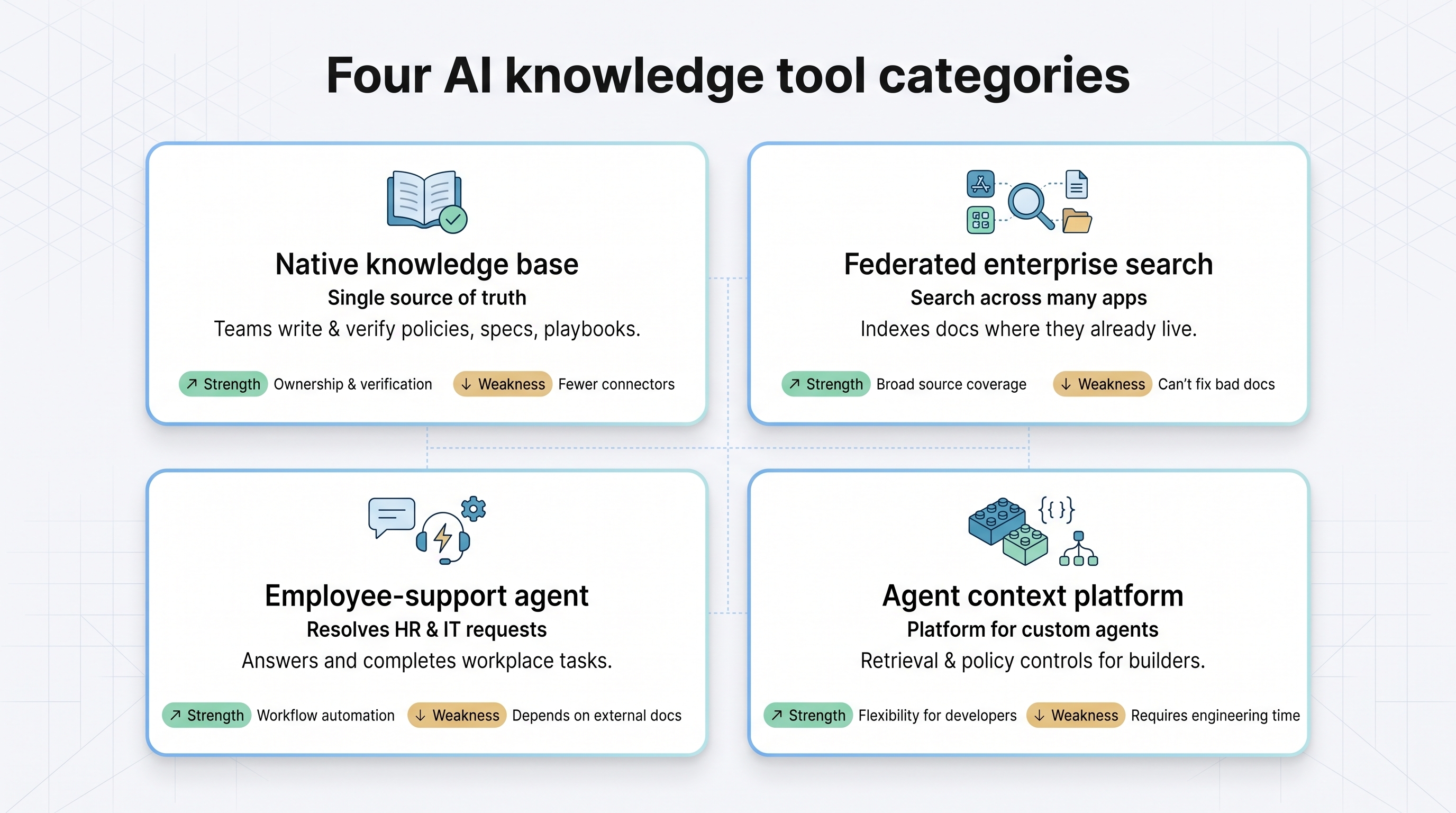
|
Category |
Primary job |
Typical strength |
Typical weakness |
|
Native knowledge base |
Maintain the single source of truth |
Clear ownership and verification loops |
Fewer third-party connectors |
|
Federated enterprise search |
Find information across many apps |
Broad source coverage |
Cannot fix bad documents |
|
Employee-support agent |
Answer and complete workplace requests |
Workflow automation |
Relies on external docs it does not govern |
|
Agent context platform |
Ground custom agents in enterprise data |
Flexibility for builders |
Requires engineering time and cost |
Knowing which job matches your pain saves weeks of evaluation.
How We Picked and Scored the Contenders
To qualify, a platform had to power internal permission-aware search, inherit source ACLs without manual permission mapping, expose click-through citations, and be generally available today. That ruled out help-centre chatbots, raw vector databases, and alpha projects without ACL sync.
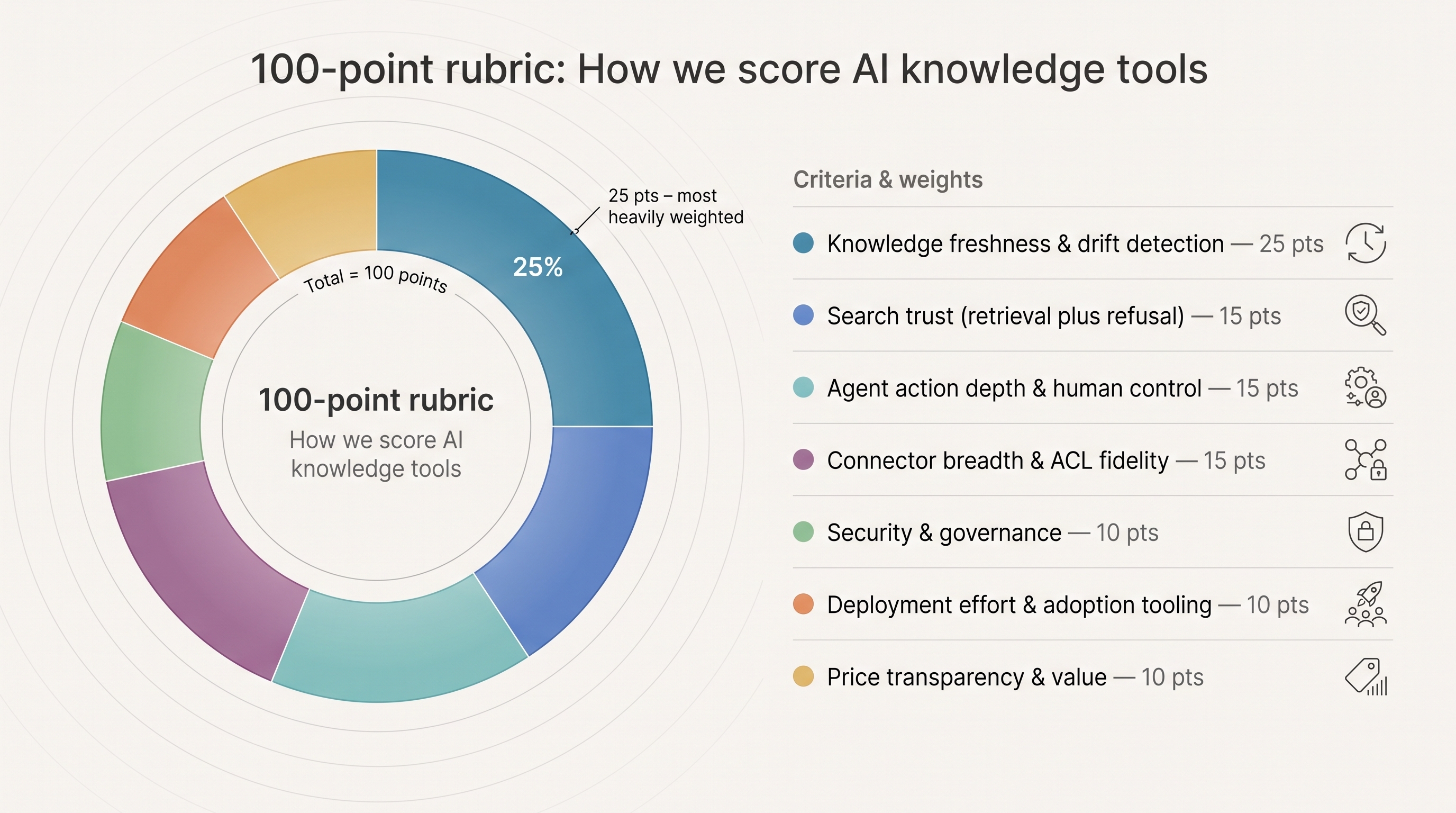
|
Criterion |
Weight |
|
Knowledge freshness and drift detection |
25% |
|
Search trust (retrieval plus refusal) |
15% |
|
Agent action depth and human control |
15% |
|
Connector breadth and ACL fidelity |
15% |
|
Security and governance |
10% |
|
Deployment effort and adoption tooling |
10% |
|
Price transparency and value |
10% |
The scoring rewards products that show their work, flag drift, and keep humans in control when a source needs fixing.
The At-a-Glance Comparison
|
Rank |
Product |
Best for |
Freshness |
Search trust |
Action depth |
Connectors |
Price |
|
1 |
Slite |
Self-maintaining docs |
●●● |
●●● |
●●● |
●● |
Pro $20 user/mo |
|
2 |
Glean |
Broad SaaS search |
●● |
●●● |
●●● |
●●● |
Custom quote |
|
3 |
Guru |
Governed verification |
●●● |
●●● |
●● |
●● |
Custom quote |
|
4 |
Notion |
All-in-one workspace |
●● |
●● |
●● |
●● |
Business $20 user/mo + credits |
|
5 |
Rovo + Confluence |
Atlassian shops |
●● |
●● |
●● |
●●● |
Plan-dependent |
|
6 |
Microsoft 365 Copilot |
Microsoft stacks |
● |
●● |
●●● |
●●● |
$30 user/mo |
|
7 |
Moveworks |
Employee service |
● |
●● |
●●● |
●●● |
Custom quote |
Freshness evaluates drift detection plus correction, not crawl speed. ● = baseline, ●● = strong, ●●● = best in class.
1. Slite: Best for a Self-Maintaining Company Knowledge Base
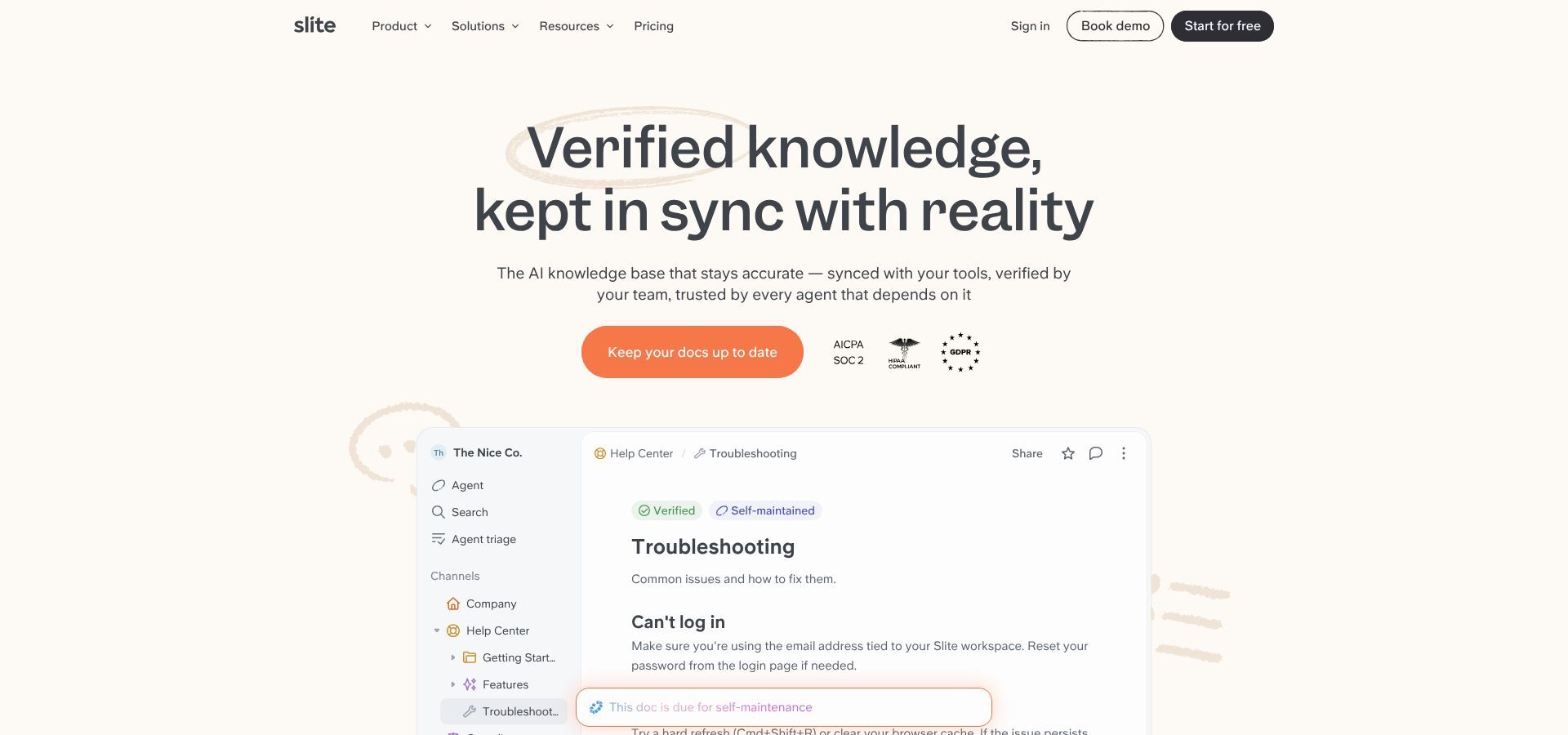
Slite self-maintaining knowledge base product homepage screenshot
Slite is an AI agent knowledge base: it keeps company documentation in sync as it drifts, so both the people searching it and the agents querying it work from the current version rather than last quarter's. It treats stale pages as bugs rather than background noise.
The Slite Agent cross-checks every document against Slack, Linear, GitHub, Intercom, and more than 20 other sources. When it spots drift — a refund macro that no longer matches the live policy, say — it flags the mismatch within minutes. Rather than opening a silent ticket, it drafts an exact fix, and through the Slite MCP it can rename a document, merge duplicates, or archive outdated pages. Each proposal lands in a human triage queue where owners approve, adjust, or reject it, with every action logged before it becomes the new source of truth.
Search still counts. AI Ask cites passages, ranks verified pages higher, and returns "no answer found" when proof is missing. Unanswered queries feed an Insights report so teams can close the gap.
Pricing. Basic runs $10 per user per month annually and includes MCP access and AI Ask across Slite docs. Pro at $20 unlocks the full Agent, cross-tool search, agent workflows, and 50 agent credits per seat. Enterprise is custom and adds reader-only seats and centralised billing.
Slite shines when you need one place to write, verify, and heal documentation before any agent or employee uses it. It falls short if you require Microsoft Teams or Dropbox connectors, on-premise hosting, OCR for scanned PDFs, or a toggle to disable AI.
2. Glean: Best for Searching Across a Large SaaS Estate
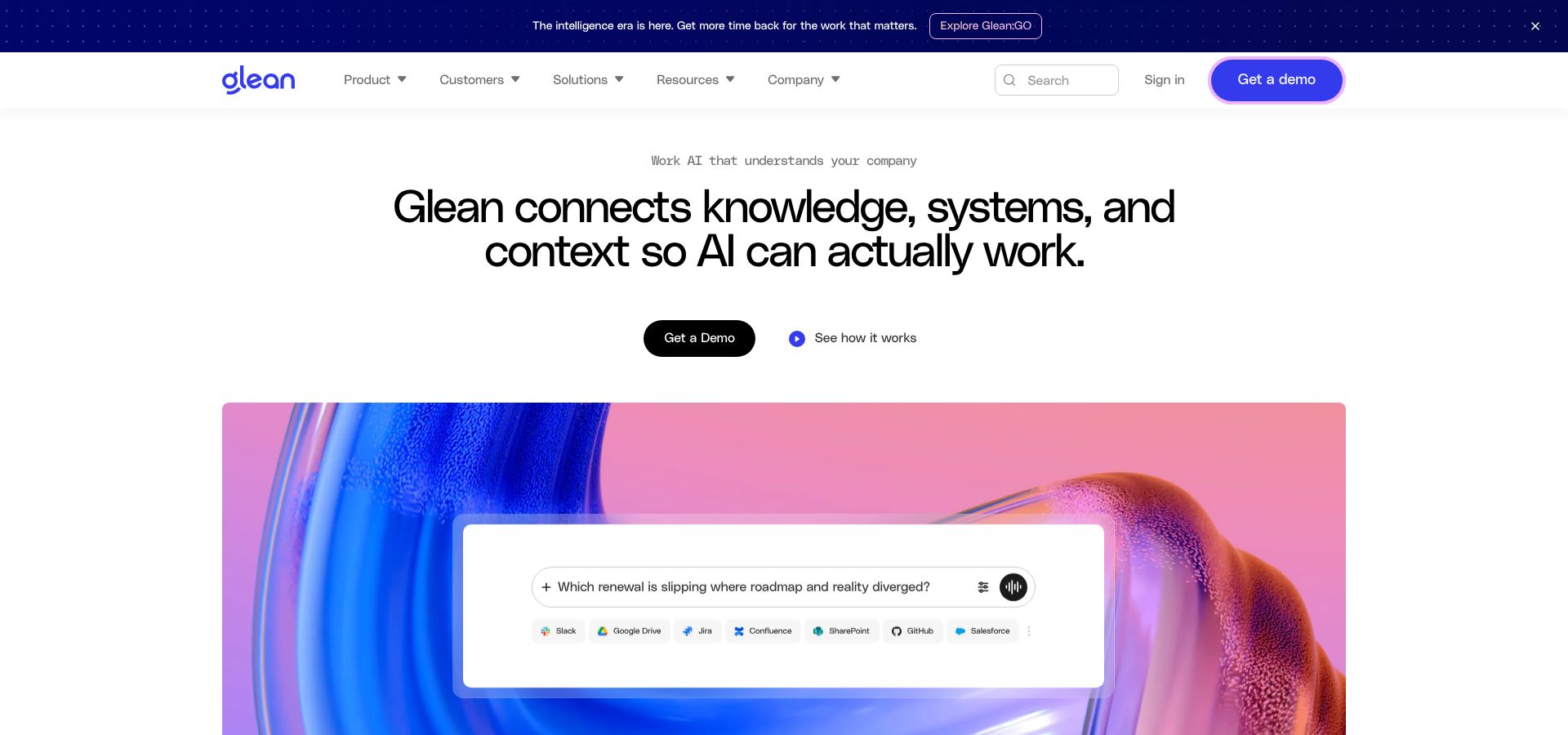
Glean enterprise workplace search platform homepage screenshot
When knowledge lives in Google Workspace, Microsoft 365, Slack, Salesforce, Jira, and a dozen more apps, Glean acts as the search layer that keeps every permission intact.
Its core is a workplace knowledge graph recording who created, viewed, or mentioned each ticket, document, or chat, then mapping how they connect. That context lets the assistant answer "what did we promise Acme Corp last quarter?" as confidently as "where is the latest leave policy?"
Glean re-indexes connected sources frequently but never edits them. If a source is wrong, Glean surfaces it with citations and leaves the fix to humans. Admins can wire the assistant to approve expenses, create tickets, or start workflows under role-based policies.
Pricing is custom. Enterprise deals typically bundle deployment, compliance review, and success engineering, so plan for a substantial annual commitment at scale.
Glean shines when your content is scattered and your security team requires inherited permissions. It falls short when you need a platform that owns and maintains the source material.
3. Guru: Best for Governed and Verified Knowledge
Guru treats knowledge like a quality-control lab. Each card shows an owner, a review interval, and a colour badge signalling trust. Ask a question and Guru responds only with verified cards; if nothing qualifies, it refuses.
On freshness it sits between Slite and Glean. It flags expired cards and pings humans to refresh them — no silent edits, no auto-drafted fixes. Manual effort rises with content volume, but transparency stays absolute. Answers surface inside Zendesk, Slack, and Microsoft Teams through the browser extension, and SSO groups flow through so private deal notes stay private.
Guru shines when you need visible ownership, audit trails, and badge-based trust. It falls short when you expect agent-led document edits or a search overlay spanning every SaaS tool on day one.
4. Notion: Best All-in-One Workspace
Many teams already plan and write in Notion, and its enterprise search now connects Slack, Google Drive, Jira, and GitHub, with results inheriting source ACLs and opening in the original app.
Custom Agents handle recurring work: write a prompt such as "archive project pages inactive for six months and ping owners", and the agent runs, logs each action, and offers one-click rollback. Agent runs consume credits at $10 per 1,000.
The gap is drift. Enterprise Search will surface the new Drive version of your expense policy, but it will not warn that the Notion wiki page is now stale. You still need humans or external automation to keep the garden tidy.
Business runs $20 per user per month with Enterprise Search and core AI features; Enterprise is custom.
5. Atlassian Rovo With Confluence: Best for Jira-Centric Product Teams
When your day revolves around Jira issues, pull requests, and Confluence pages, Rovo feels like the missing search bar. It taps Atlassian's teamwork graph — a real-time map of projects, people, and content — and answers questions like "which epics touch the new billing API?" in plain English.
Need to reopen every ticket linked to a failed deployment? Ask, preview, confirm. Rovo updates Jira and logs each change, inheriting the project roles you already manage.
A Confluence page update is searchable within minutes, yet Rovo will not warn that a design doc contradicts last week's Slack decision. It assumes your Confluence governance is solid — helpful when true, risky when not.
Rovo chat comes with Standard and Premium Atlassian Cloud tiers at no extra charge; advanced agents and external connectors require Enterprise or a usage add-on.
6. Microsoft 365 Copilot: Best for Microsoft-First Enterprises
If your work already lives in SharePoint, OneDrive, Outlook, and Teams, Copilot can search, summarise, and act on that data without leaving the suite.
Copilot calls the Microsoft Graph to pull documents, chats, and list items, then answers inside Word, Excel, Outlook, or Teams with inline citations. Graph permissions flow through, so a finance analyst cannot suddenly read HR reviews — but if your SharePoint ACLs are messy, Copilot faithfully reproduces the mess. With Copilot Studio you can build scoped agents that draft emails, update lists, or move files, with admins whitelisting connectors and logging every call.
Upload a new contract and Copilot quotes it in seconds, yet it will not notice that an old template contradicts current policy. Governance still rests with content owners.
Copilot costs $30 per user per month on top of qualifying Microsoft 365 seats, with Copilot Studio runs and premium connectors adding usage-based charges.
7. Moveworks: Best for Employee Service and Request Completion
Moveworks built its reputation resolving "my laptop will not connect to Wi-Fi" tickets on its own. It ingests knowledge articles, past tickets, and directory data, then answers or acts inside Slack, Microsoft Teams, or a web chat widget.
Search is conversational and permission-aware, but the real value is follow-through. Ask it to reset an Okta token and, if policy allows, it completes the task. HR agents can surface PTO balances or start leave workflows without hand-offs.
It syncs sources frequently but will not rewrite a stale article. Instead it routes the gap to the right team, lowering hallucination risk. Implementation takes more effort than point tools — expect security review, connector setup, and intent training — and pricing is custom.
Moveworks shines when you want to cut IT and HR ticket volume. It falls short when your primary need is content governance.
How to Choose Without Getting Fooled by a Polished Demo
The slickest demo runs on demo data; yours will not. Start with one question: what job needs doing? Pick the wrong product class and you will benchmark features that do not matter.
Build a 30-question benchmark using your own documents. Mix eight simple facts, five ID lookups, five multi-source questions, four unanswerable ones, three deliberate contradictions, three permission tests, and two action tasks. Run it as three different user roles, time the responses, and log citations, refusals, and misses.
Then stress-test with the cases vendors avoid. Put a newer Slack message against an older PDF and see which wins. Make two documents disagree on purpose. Remove a user's access and re-ask. Delete a file and time how long it takes to disappear from results. Try an image-only PDF. Ask something outside the corpus entirely. Request an edit and check whether approval and rollback actually work.
Repeat the whole set on day one and again two weeks later. Degradation under churn is the red flag that demos never show.
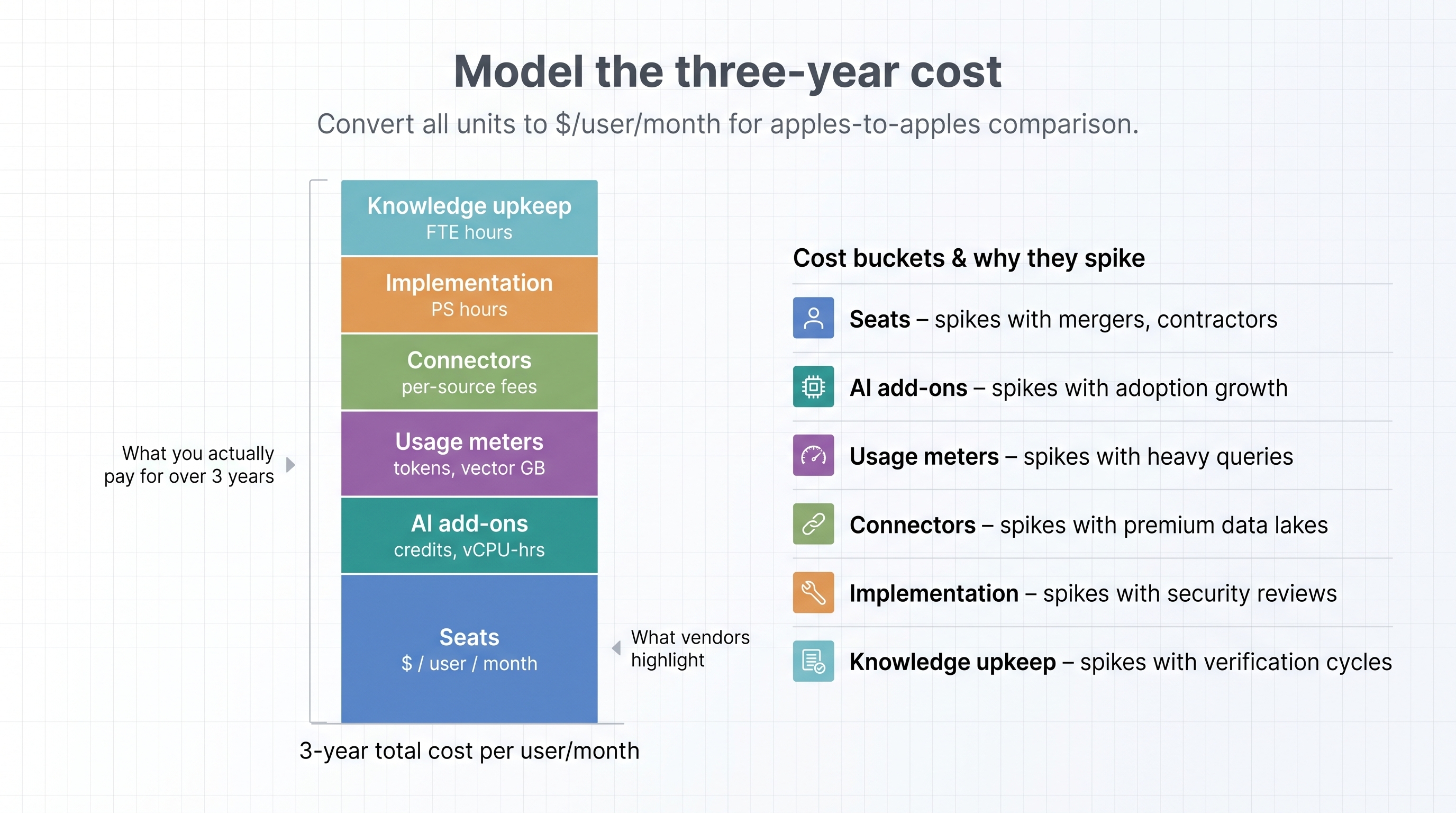
Model three years, not one. Seats, AI add-ons, usage meters, per-connector fees, implementation hours, and the ongoing human cost of verification cycles all belong in the same spreadsheet. Convert every unit to a monthly per-user figure so comparisons hold.
Pilot narrowly before rolling out. One department, three to five authoritative sources, named owners for each document, four weeks, and a bar of at least 85 percent correct answers with zero permission leaks. Review failures weekly and only expand if the bar holds.
Red Flags That Should Stop a Purchase
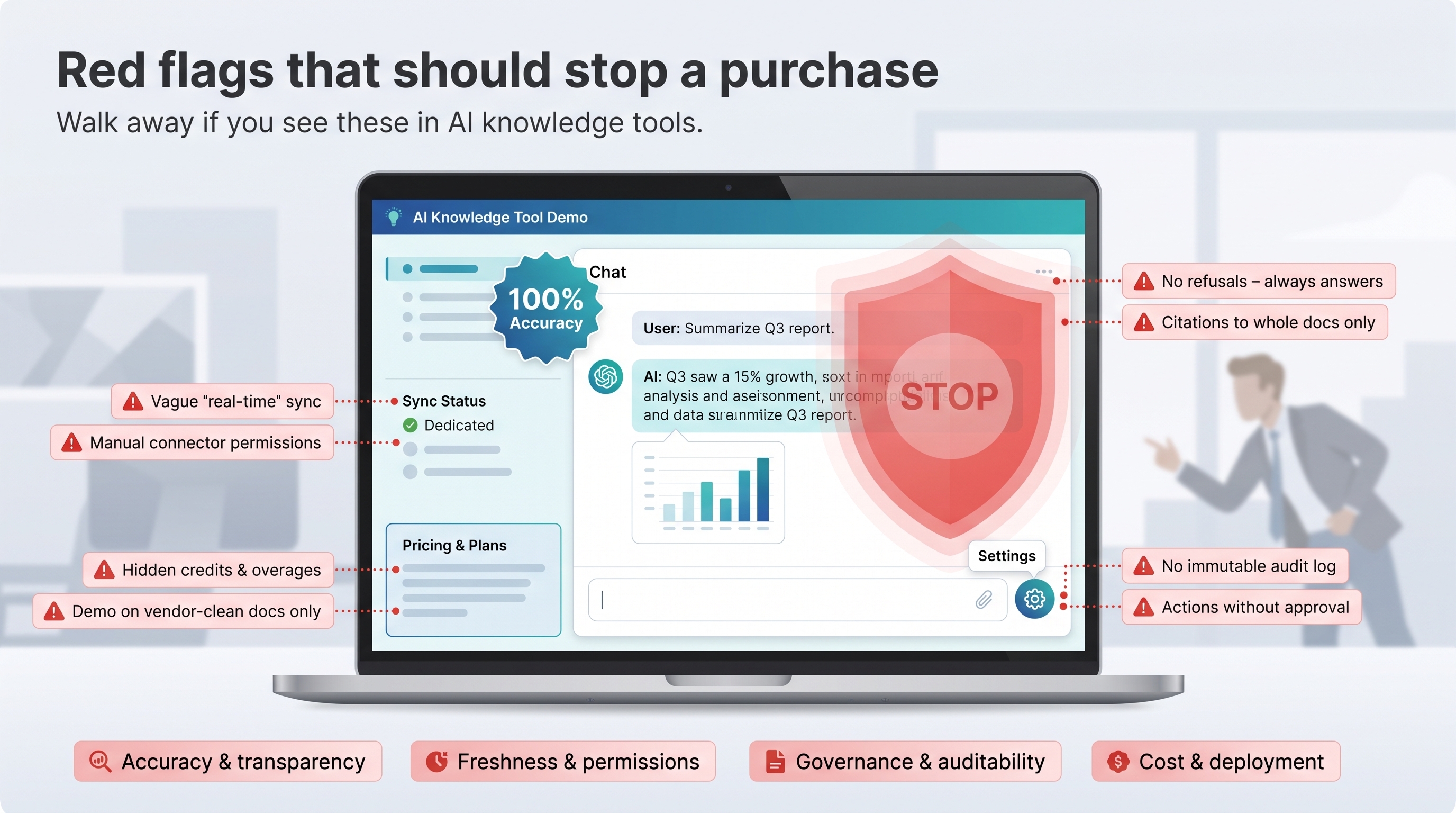
Walk away if the system never refuses a question, because that means every query gets an answer whether or not evidence exists. Walk away if citations point to whole documents rather than passages, or if a vendor claims to be hallucination-free.
On freshness and permissions, be wary of "real-time sync" with no source-specific interval, deletes that take days to leave the index, or connector permissions that must be rebuilt by hand rather than inherited.
On governance, agent actions that apply without approval or rollback are disqualifying, as is the absence of an immutable audit log of generated answers and tool calls.
And on commercials, pricing that omits credits, overage tiers, or professional-services fees is not pricing. Neither is a demo that runs only on vendor-prepared documents.
Conclusion
Every product here can be retrieved. The differences show up afterwards — when a policy changes, a permission is revoked, or a document quietly stops being true. Decide first whether your problem is finding information or trusting it, because those need different tools. Then pilot against your own messy corpus, not the vendor's clean one.