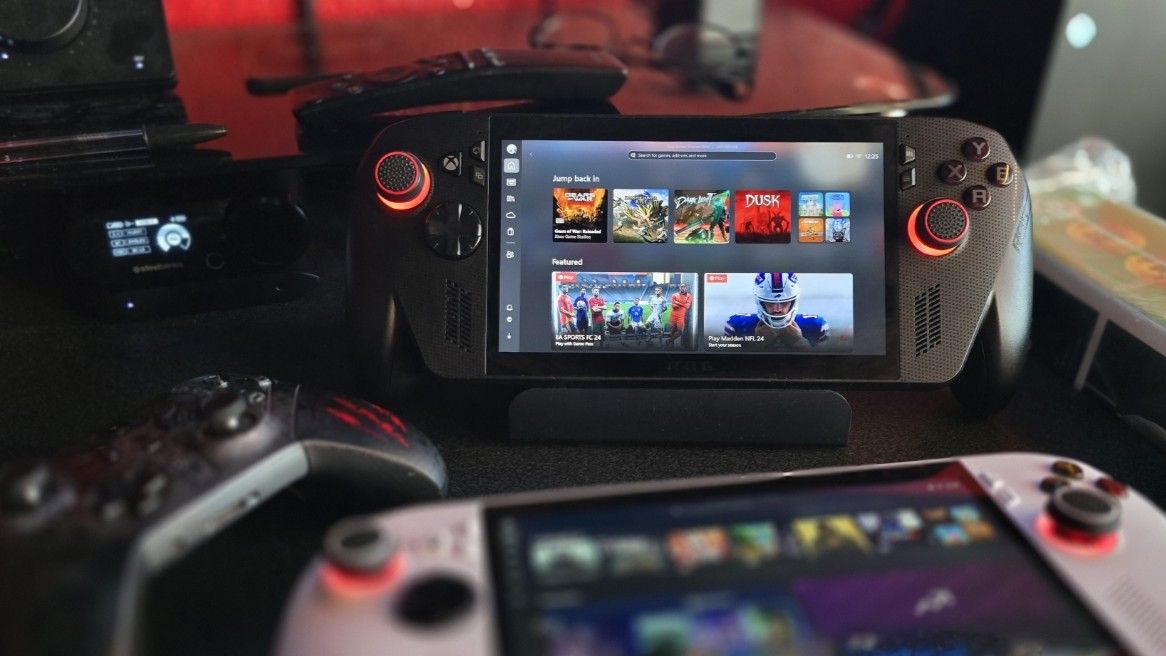
The promises made behind the Xbox Full Screen Experience that launched with the Xbox Ally handheld gaming PCs weren't just of interest to portable players.
Windows 11 has a lot of stuff going on in the background, and even on a desktop PC, when you're gaming, you just want it all to get out of the way.
While the feature is officially handheld only, when has that ever stopped folks from tinkering? This free tool available on GitHub will do the poking around on your behalf, making it easy to turn on Xbox Full Screen on your own PC. And it works.
The app is just called Xbox Full Screen Experience Tool, and there's really not much to it. When you run it, the tool will check that you have a compatible version of Windows, and then you hit enable. The default option is the recommended one, and other than whether you want a gamepad keyboard at login or not, that's all there is.
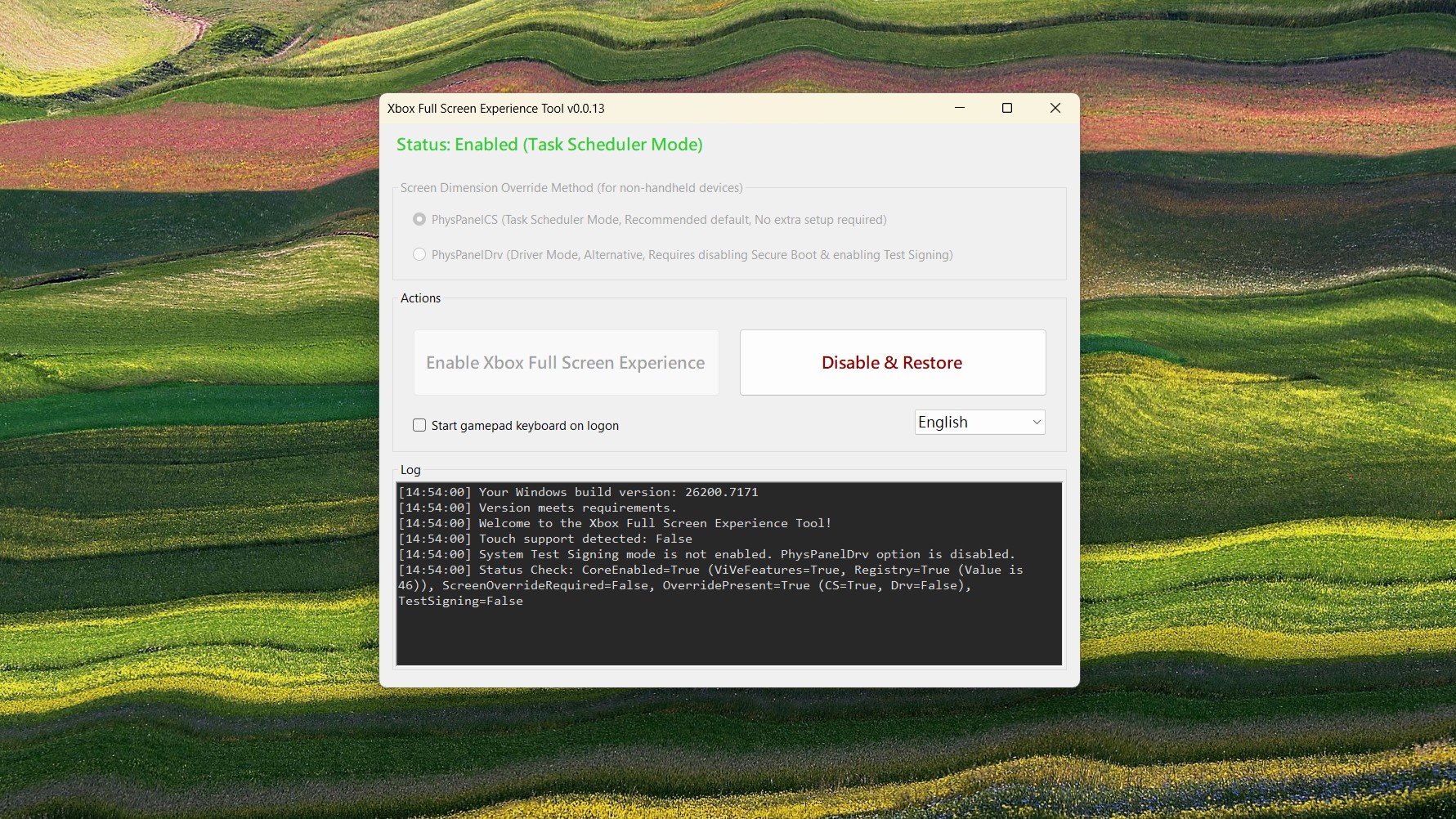
Once enabled, it'll reboot your PC, and then you can enable Xbox Full Screen in Settings. It's also worth checking for updates in the Microsoft Store to make sure any updates to the Xbox app are grabbed.
Head into the Gaming tab in Settings, and you'll now see a new option labelled Full screen experience.
You can set Xbox Full Screen to turn on at boot if you wish, but you don't have to. A button to jump into it will be added to your Xbox app.
If you enter Xbox Full Screen from desktop mode, you'll see a message pop up that recommends restarting your PC to benefit from the performance improvements. If you don't, then you won't.

I've had a little play around with it, and it works fine on my desktop gaming PC. I can't say for sure it's making a difference (the humblebrag of having a PC with an RTX 5090 inside it) but it can't make it any worse, right?
I'm going to keep playing around with it, though. It works great with a controller, automatically enabling Compact Mode, and it shuts off desktop notifications, too. The latter two being something I never remember to do myself.
The only question I have now is asking when Microsoft will just let everyone play with this, without the need to enable it through tweaks. If it makes Windows 11 better for gaming, let's get it out there to as many people as possible.
It's obviously targeted at controllers, but you can still use a mouse and keyboard. You're not forced to use an input you're not comfortable with.
If you give it a try yourself on your own PC, drop into the comments below and share your experience with us all.
FAQ
What does this tool do?
It lets Windows 11 PCs mimic the Xbox full‑screen dashboard, giving you a console‑style interface and streamlined navigation.
Do I need an Xbox console to use it?
No — the tool runs directly on Windows 11 PCs. You don’t need an Xbox console to try the experience.
Is it free?
Yes, the tool is completely free to download and use.
Is this an official Microsoft feature?
No — it’s a third‑party tool, not an official Microsoft release.
Who is this for?
Gamers and Windows 11 users who want a console‑style interface on their PC, or anyone curious about the Xbox dashboard.
Is it safe to use?
As with any third‑party software, users should download from trusted sources and be mindful of security. That said, since it is on GitHub, where its code is viewable by the community, it should be OK and is more trusted than third-party websites.
A one-click GUI tool to safely enable the hidden Xbox full-screen gaming experience on Windows 11.
If you're still rocking the original ASUS ROG Ally, the new Xbox Ally X would be a massive upgrade... but it'll cost you a lot. Before adding this handheld to your cart, it's worth asking if you can upgrade your existing handheld instead.

Follow Windows Central on Google News to keep our latest news, insights, and features at the top of your feeds!