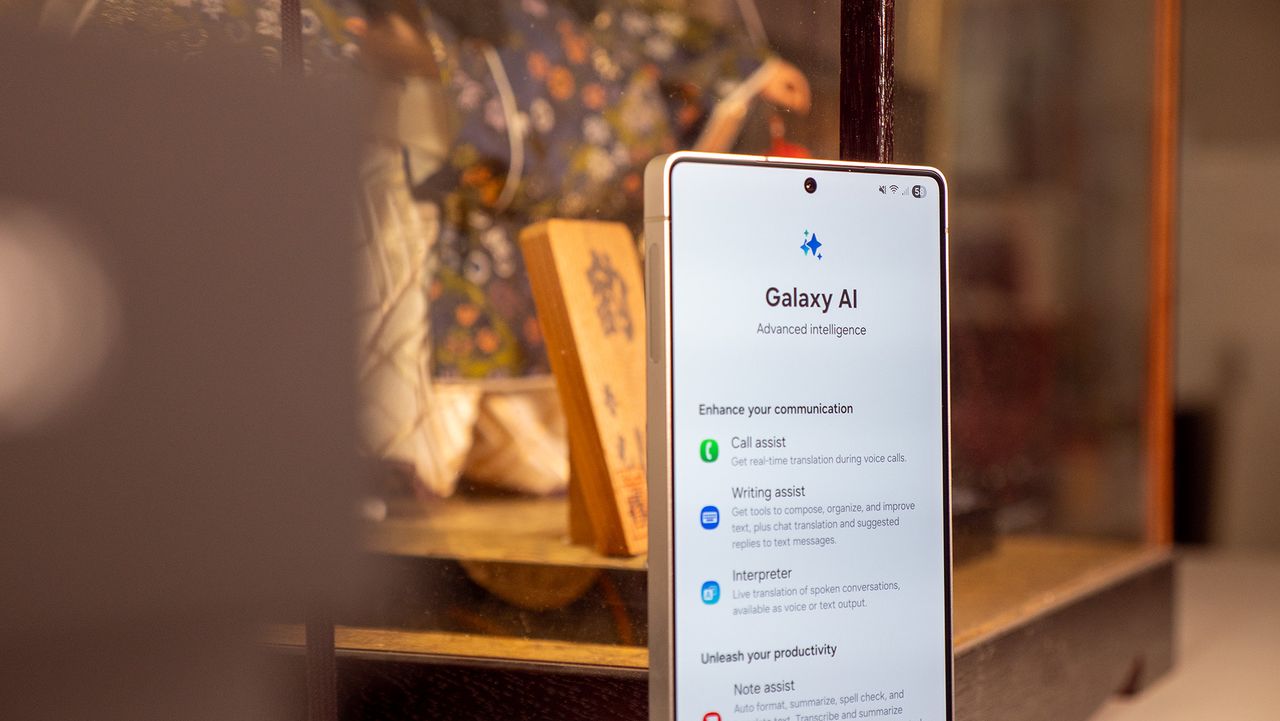
Of all the things you think Samsung Galaxy AI might be, it is not, in fact, a voice assistant like Google's AI smart assistant Gemini. While it uses Bixby integration as a voice command agent, Galaxy AI mainly powers various smart features inside Samsung's phones, with newer phones like the Samsung Galaxy S26 Ultra getting the latest and greatest tricks like Photo Assist, Interpreter, Audio Eraser, Drawing Assist, and the Now Bar.Some Galaxy AI tricks like Circle to Search will sound familiar to Pixel owners, as they rely on Gemini smarts, but others are exclusive to Samsung phones. You also get to enjoy Gemini Live as part of the Galaxy AI suite of tools and services. Galaxy AI tools extend to other Samsung devices like Galaxy Watches and Galaxy Buds.Our Galaxy AI guide runs through every AI-powered tool added to One UI 8, One UI 7, and One UI 6, with how-to guides and step-by-step instructions on how to get these Galaxy AI tools working. We'll also list out which Galaxy phones support specific AI features.
How Galaxy AI works
All recent Galaxy phones from the S22 onwards have Galaxy AI tools. Galaxy AI isn't a replacement for the Bixby assistant; it's a catch-all term for Samsung's AI features. You need a Samsung phone — the newer, the better — and a Samsung account to use them.Galaxy AI was first introduced with One UI 6.1, and the newest features are only available through One UI 8. It seems likely that Samsung will add most new Galaxy AI tricks on an annual release schedule.Samsung's ultimate Galaxy AI aspirations are to make it an Agentic AI, which essentially means it would go beyond an eclectic bundle of features and become a "true AI companion" that can analyze your data and give you unique insights and summaries while keeping everything on-device to preserve your privacy. Samsung calls this system its Personal Data Engine.With the latest Galaxy AI features shown off at Samsung Galaxy Unpacked in February 2026 and at MWC 2026 in March 2026, it is evident that Samsung is making strides with its agentic AI strategy.
On-device Galaxy AI features will require more NPU power than others, meaning they'll need the latest Snapdragon or Exynos hardware. But for AI tools that rely on cloud processing, any recent Galaxy phone will probably support them.Also, remember that Gemini is a primary foundation for all Galaxy AI tools. It's no coincidence that Google announced the Galaxy AI updates on its blog, including the Now Bar, and that Gemini remains a primary assistant option on Galaxy phones. Google supports Samsung in building these features, with Gemini tokens as the foundation.
Galaxy AI availability
The first generation of Galaxy AI tools launched on the Galaxy S24, Galaxy S24 Plus, and Galaxy S24 Ultra. Since then, it's come to a much wider range of Samsung phones, foldables, and tablets. All of the phones below have access to these Galaxy AI tools, so long as they're updated to One UI 6.1 and above:
- Galaxy S26 / S26 Plus / S26 Ultra
- Galaxy S25 / S25 Plus / S25 Ultra / S25 FE
- Galaxy S24 / S24 Plus / S24 Ultra/ S24 FE
- Galaxy S23 / S23 Plus / S23 Ultra
- Galaxy Z Fold 7 / Fold 6 / Fold 5
- Galaxy Z Flip 7 / Flip 6 / Flip 5
- Galaxy A35 5G
- Galaxy Tab S11 / S11 Ultra
- Galaxy Tab S10 Plus / S10 Ultra
- Galaxy Tab S9 / S9 Plus / S9 Ultra
In addition, some older Galaxy phones have access to an incomplete selection of Galaxy AI features: Circle to Search with Google, Chat Assist, Interpreter, Live Translate, Note Assist, Transcript Assist, Browsing Assist, Generative Edit, Edit Suggestion and AI-Generated Wallpaper.
- Samsung Galaxy S22 / S22 Plus / S22 Ultra
- Galaxy Z Flip 4 / Fold 4
- Galaxy Tab S8 / S8 Plus / S8 Ultra
As for the 2025 Galaxy AI tools, they launched on the Galaxy S25 series and began rolling out to other phones from April 2025 onwards.By default, most Galaxy AI features like the Now Bar, Writing / Drawing Assist, Gemini Live assistant, and AI select will work on the following phones and tablets:
- Galaxy S25 series / S25 FE
- Galaxy S24 series / S24 FE
- Galaxy S23 series / S23 FE
- Galaxy Z Fold 7/ Fold 6 / Fold 5
- Galaxy Z Flip 7 / Flip 6 / Flip 5
- Galaxy Tab S11 series
- Galaxy Tab S10 series
- Galaxy Tab S9 series
However, a few features like Audio Eraser and Natural Language Search won't work on the Galaxy S23 series, 5th-gen foldables, or Tab S9 series — most likely because they require speedy on-device AI that older NPUs can't deliver.As for Galaxy AI on accessories, every Wear OS Galaxy Watch and Galaxy Ring can access Galaxy AI insights like Energy Score. And the Galaxy Buds 3 Pro and other earbuds give you Galaxy AI's live translation and interpreter modes. But you'll need a connected Samsung phone to access them.
2024 Galaxy AI features
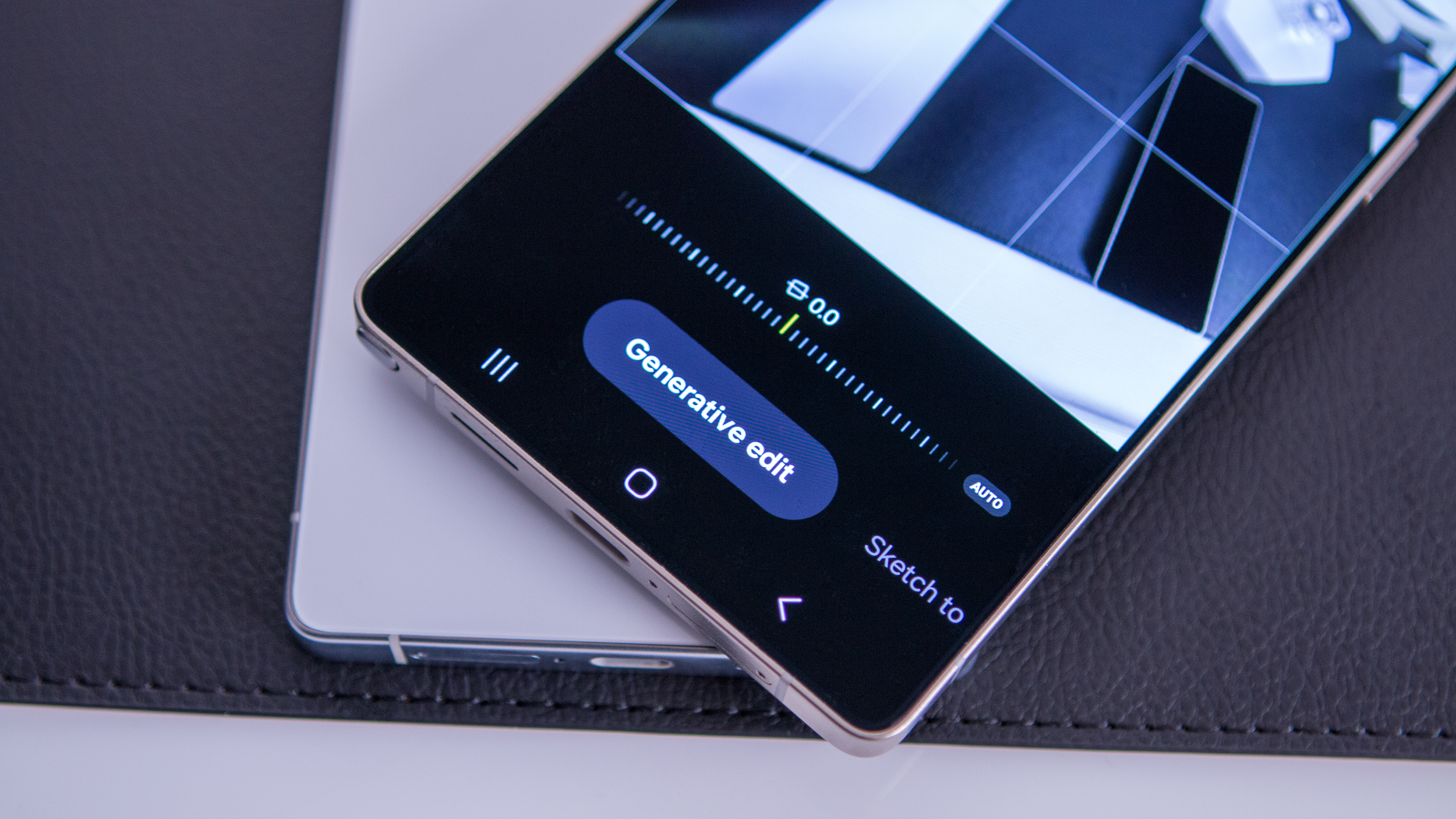
This section will highlight the first generation of Galaxy AI tools available on the S24 series and most other phones running One UI 6.1:Generative Edit: Any Android phone has a button to auto-edit photos to provide better color balance, brightness, detail, and so on. The Galaxy AI is no exception, with an Edit Suggestion for each photo that should make it look more professional.Generative Edit, like Google's Magic Editor, goes a step further. It analyzes the components of a photo, lets you select something (like a person, pet, or object), and transform, move, or remove that element. You can even tilt the entire photo and have the Galaxy AI fill in the empty portions of the canvas. Because of the potential for people to abuse this feature with misleading photos, Samsung watermarks Generative Edit photos so people can tell that they're altered.
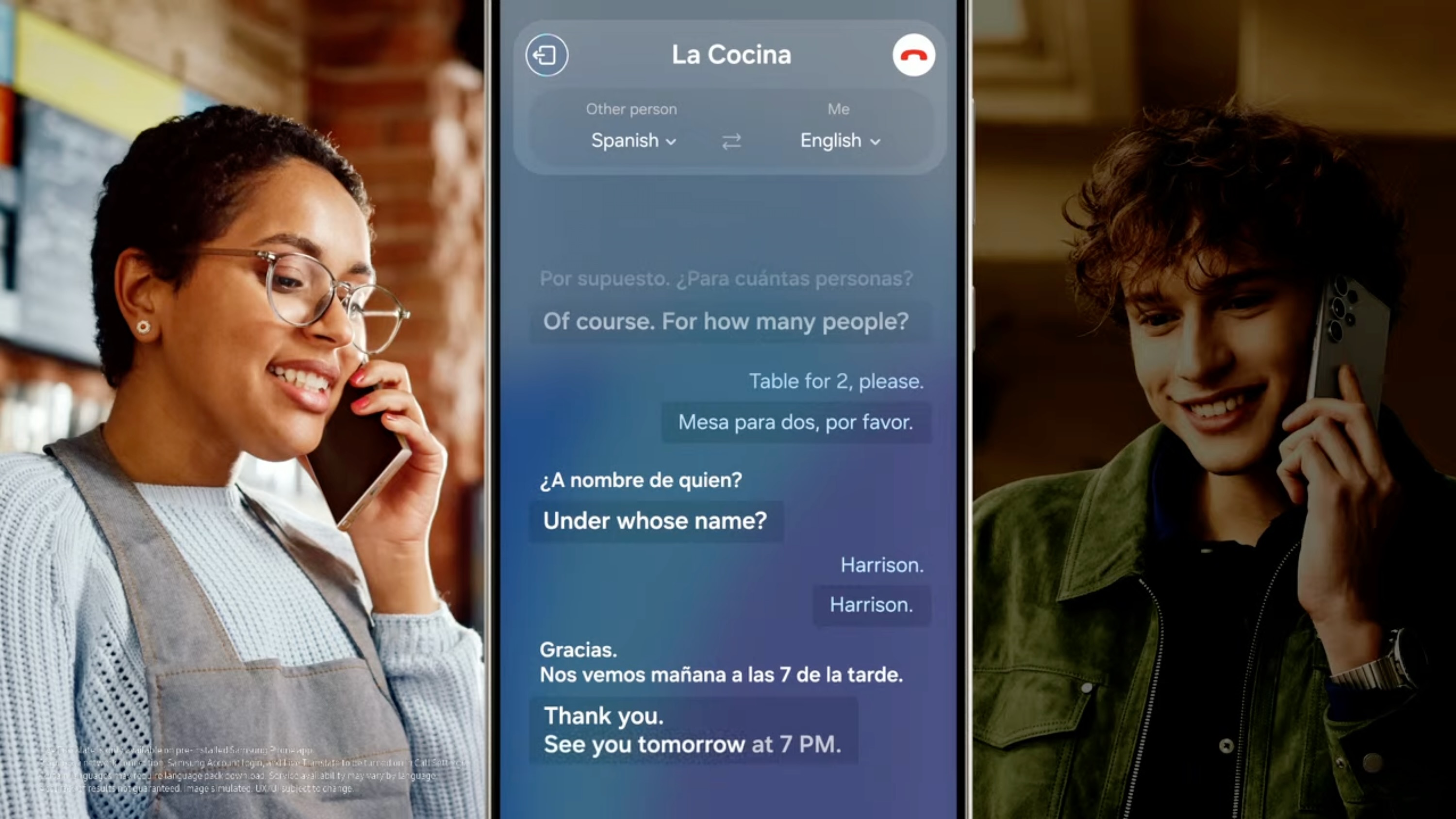
Live Translate/Interpreter: Your Galaxy S24's Phone app can understand and translate 13 languages in real-time, one of the few Galaxy AI features that works without an internet connection. Interpreter has a standalone app that works similarly to Google Translate, allowing users to hold conversations in different languages while the app interprets both at the same time. It is also integrated into Samsung Keyboard to translate entire conversations. You'll find Live translate under Call Assist whenever you make or answer a phone call, but your phone will only have one or two language packs downloaded by default. Our guide on how to use Live Translate walks you through how to download language packs and assign them to specific contacts so your phone auto-translates any time you talk to them. Writing Assist (formerly Chat Assist): While using your favorite messaging app, you can have the Galaxy AI Chat Assist fix your spelling and grammar, change the tone to be more professional or casual, or translate the text into the same 13 languages — all through the default Samsung Keyboard. You'll have to enable it so you can follow our how-to guide to get started. A recent update to Writing Assist in One UI 7 allows you to access many of these features without using Samsung Keyboard as your default.
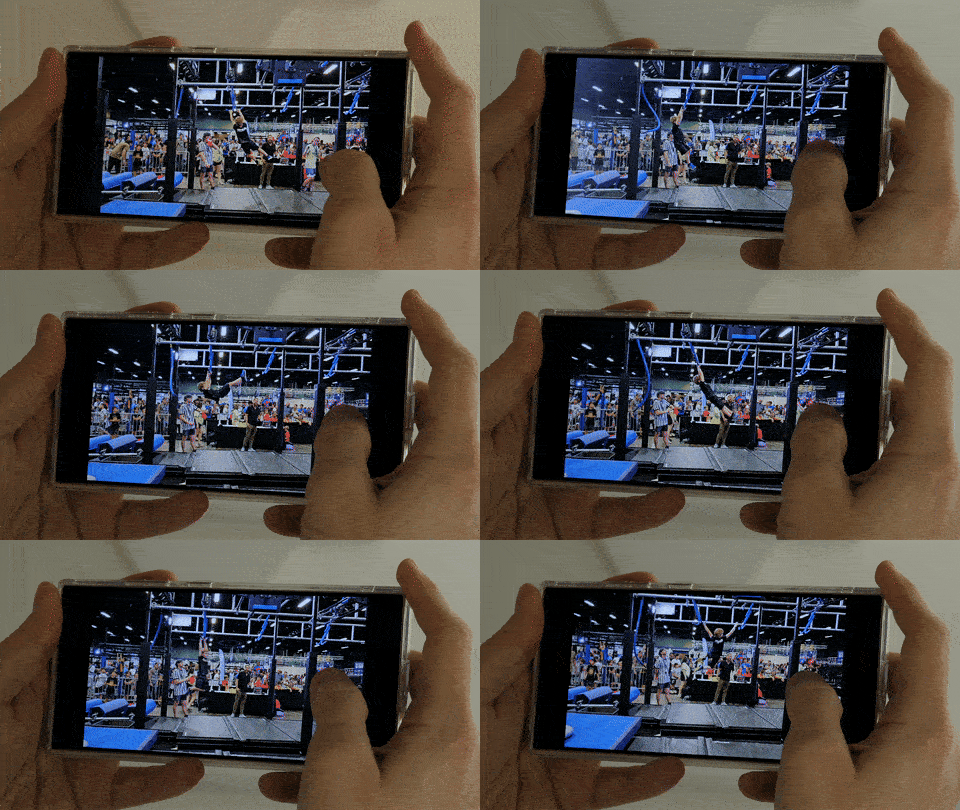
Instant Slow-Mo: One of our absolute favorite Galaxy AI features so far, this allows you to add slow motion to any video, including ones taken on older phones; it works by creating new frames to fill in the gaps, using AI tricks behind the scenes.You no longer have to decide to film in slow-motion mode ahead of time to get this cool effect, and you can restrict the effect to specific portions of the video. Check out our Samsung slo-mo guide for more guidance.Summarize notes and recordings: After typing or sketching out a Samsung Note, you can tap a sparkle icon and find options to translate or summarize what's written, so you can better parse the highlights later. The same applies to voice notes: After recording speech, the Galaxy AI can transcribe the words to text, then summarize or translate them as needed. Our how-to guide runs through how to use these features.
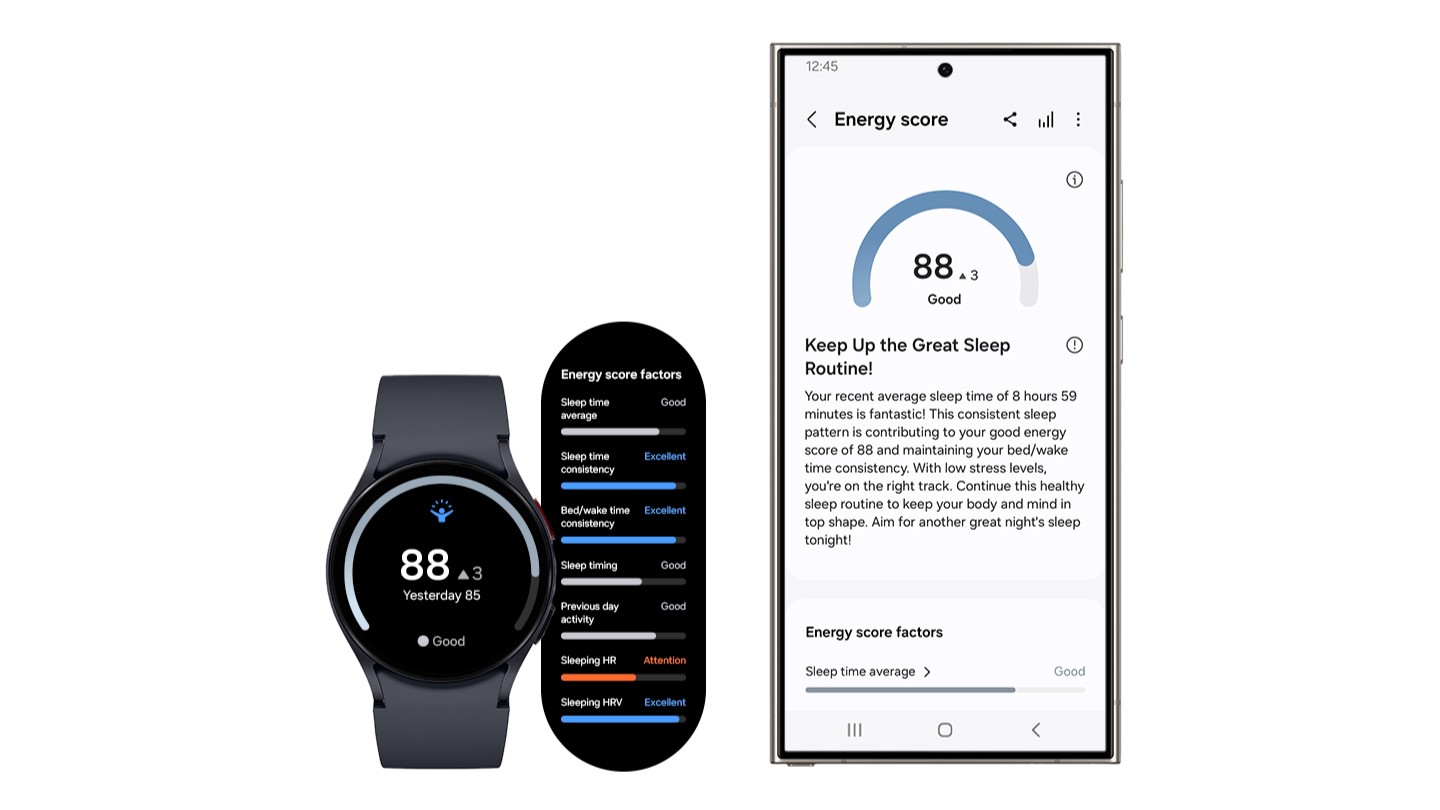
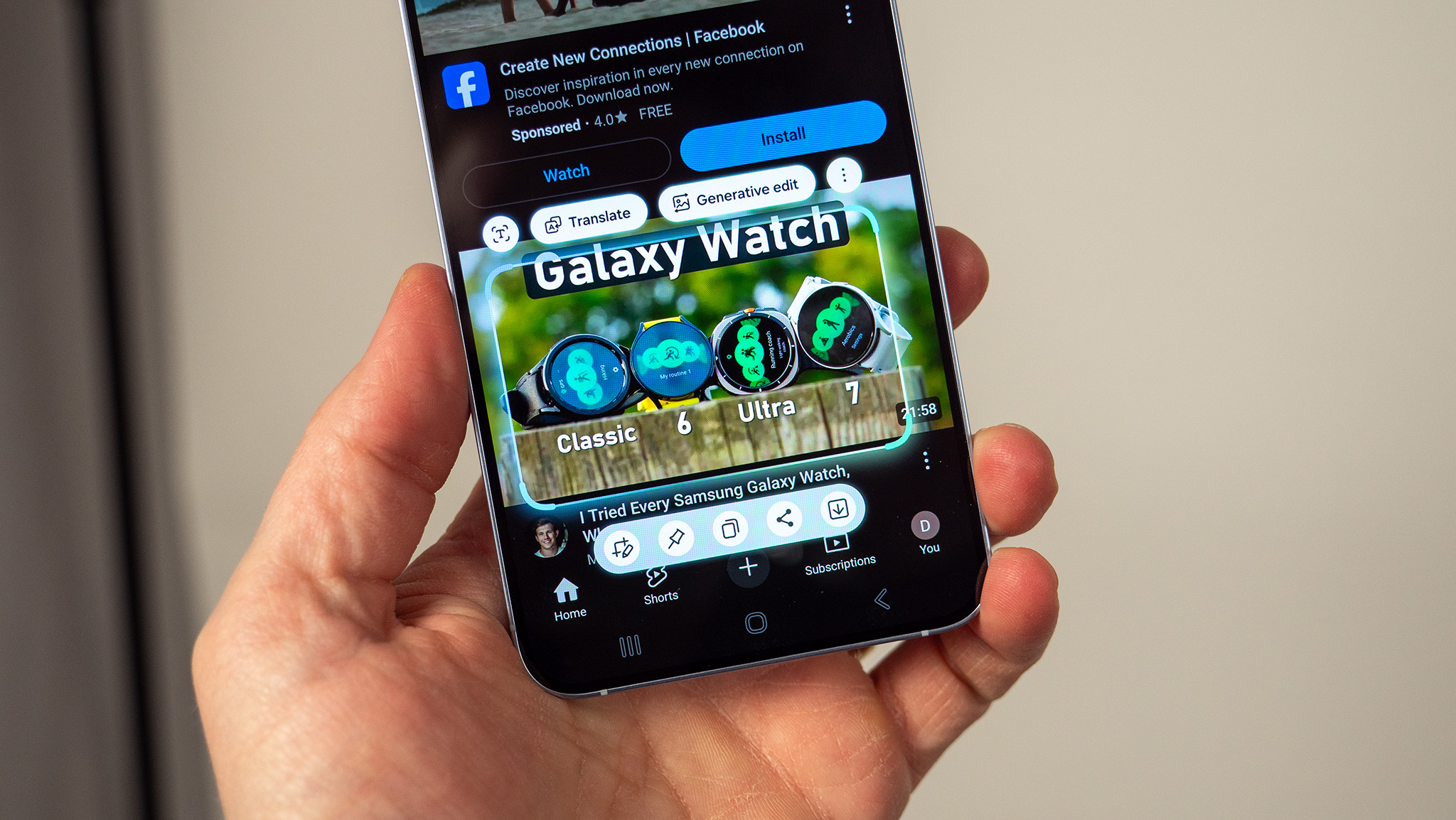
Google AI features: Google has shared several AI tricks with Samsung that Pixel 9 users will recognize, such as Circle to Search — the option to highlight a specific object or text in an image and have Google Search interpret what you're trying to recognize. Other familiar AI tricks for Google fans will be Magic Compose for recommending text responses and an Android Auto upgrade that summarizes long text chains while you're driving and suggests responses based on your past texts. Energy score: Wear your Galaxy Watch for sleep tracking and workouts, and Samsung will generate a score that indicates whether you're getting enough sleep for your bodily needs or whether you're especially tired from a difficult workout. Samsung will also generate wellness tips based on your health data, such as indicating if your resting heart rate is rising or decreasing over time.
2025 Galaxy AI features
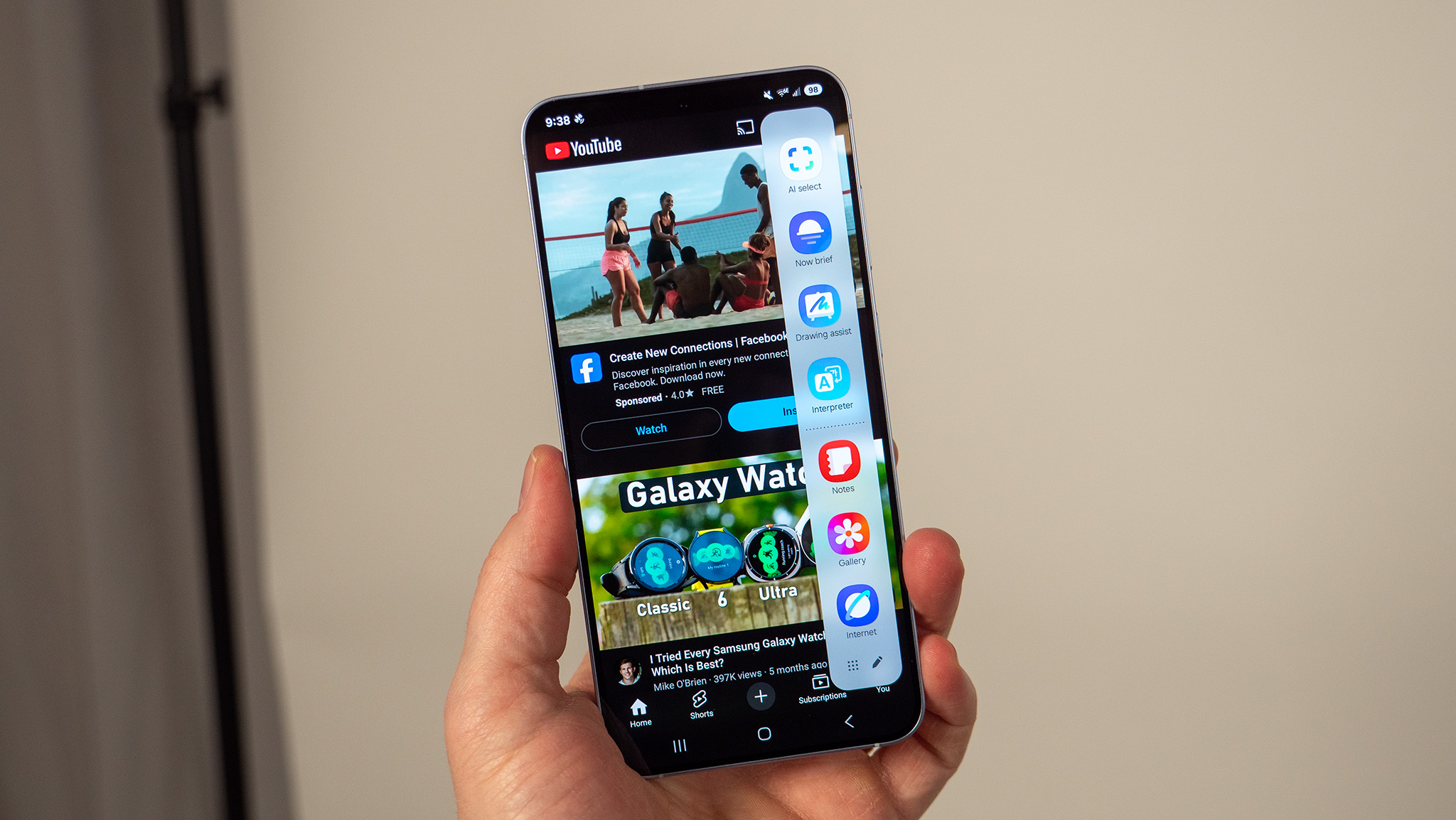
This section will focus on the Galaxy AI features that started off as Galaxy S25 exclusive features and arrived on older Galaxy flagships with One UI 7:Now Bar: This new feature "seamlessly integrates your everyday actions and most-used apps into your lock screen" to save you time. Possible pop-ups include live notifications, currently playing music, relevant routines like timers, scores for your favorite sports teams, Google Maps suggestions for your commute, and other contextual info.From the lock screen, you'll see one relevant widget, but you can swipe up from the bottom to swap between Now Bar previews, then tap the desired one to see more information. Just keep in mind that it'll be visible to other people without needing to authenticate. To edit what the Now Bar shows you, go to Settings > Lock Screen and AOD > Now bar and toggle options on and off, including any apps you want to show live notifications.
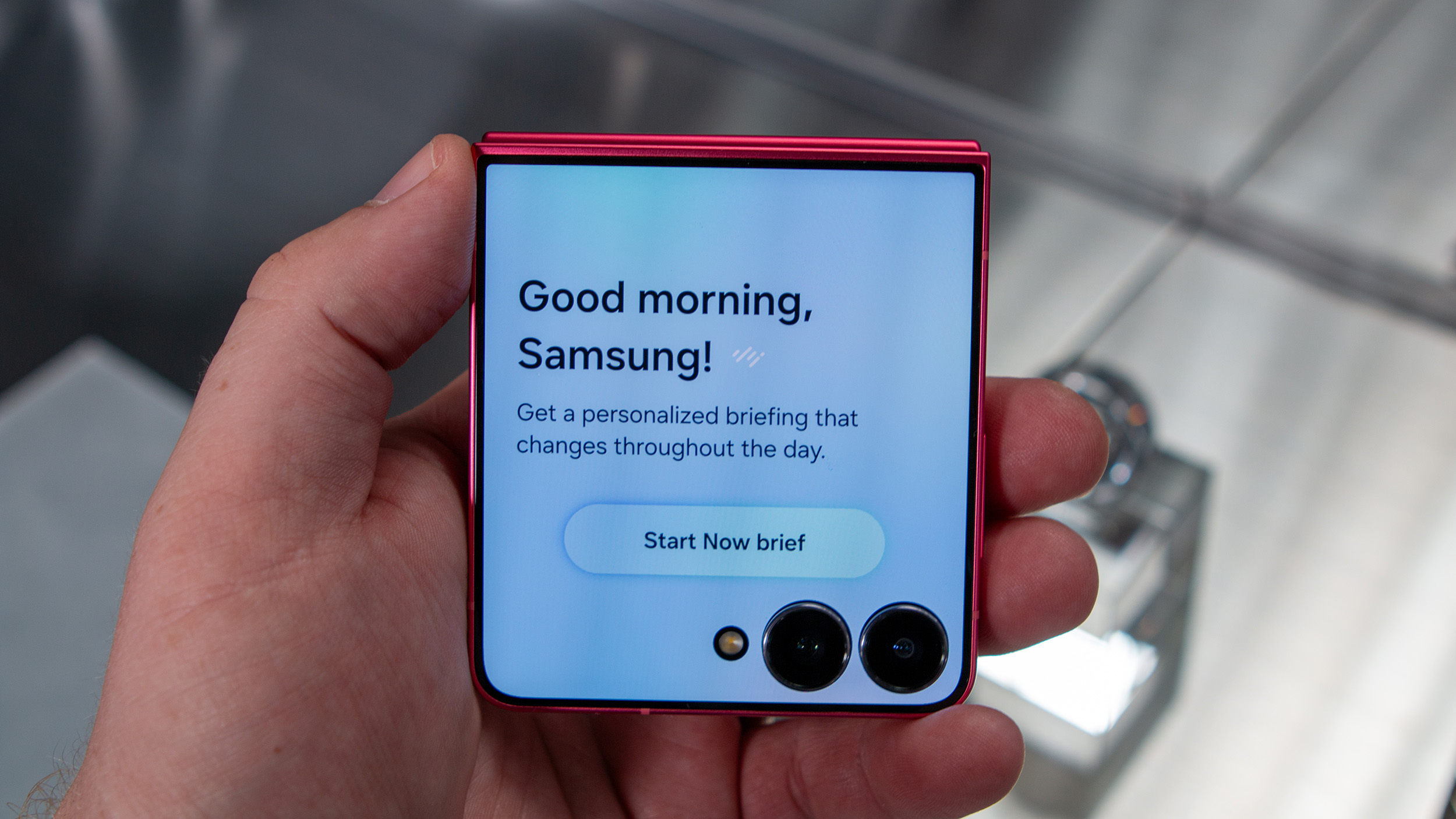
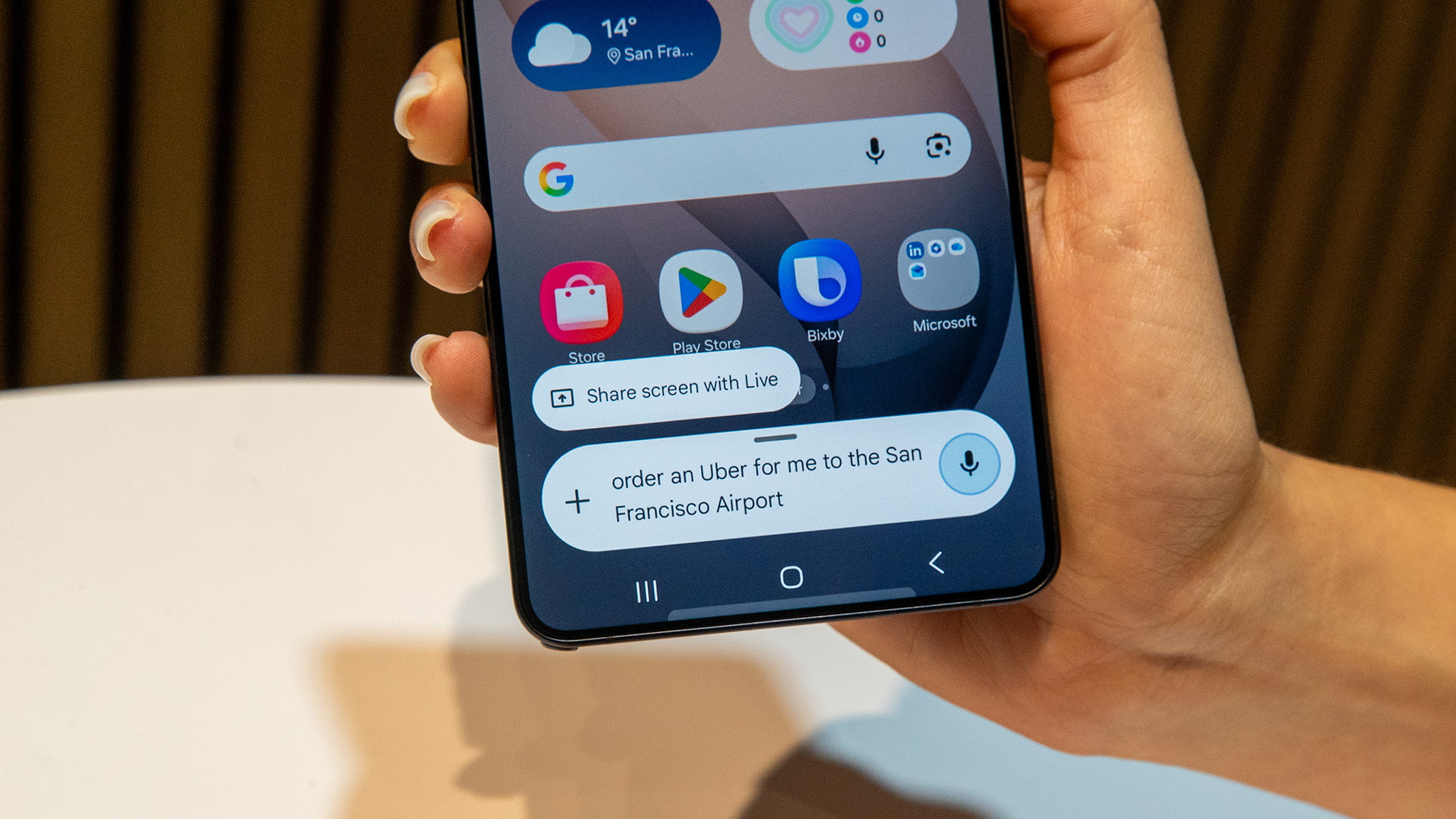
Now Brief: One UI 7 offers personalized briefings based on relevant information — similar to the Now Bar, only more detailed. Your morning Brief focuses on your Energy Score, sleep summary, weather, traffic, calendar reminders, timely Wallet passport data, and so on. You can then check your Brief throughout the day from the Edge panel or the Now Brief widget; relevant data might change in the afternoon and evening. To edit your Now Brief, go to Settings > Galaxy AI > Now brief > Content to include and toggle certain options on and off.Cross App Action: This is less of a specific feature and more of a new capability: Using Gemini, you can "take care of numerous tasks across different apps, with a single voice command," but only on the S25 series and with native Google and Samsung apps (plus a few major third-party apps like Whatsapp and Spotify).In practice, this means you could say, "Find the address for the nearest movie theater and text it to Bob," and have Gemini do the search and messaging for you. The same goes for finding information and adding it to your calendar or summarizing the points in a YouTube video and making a note.
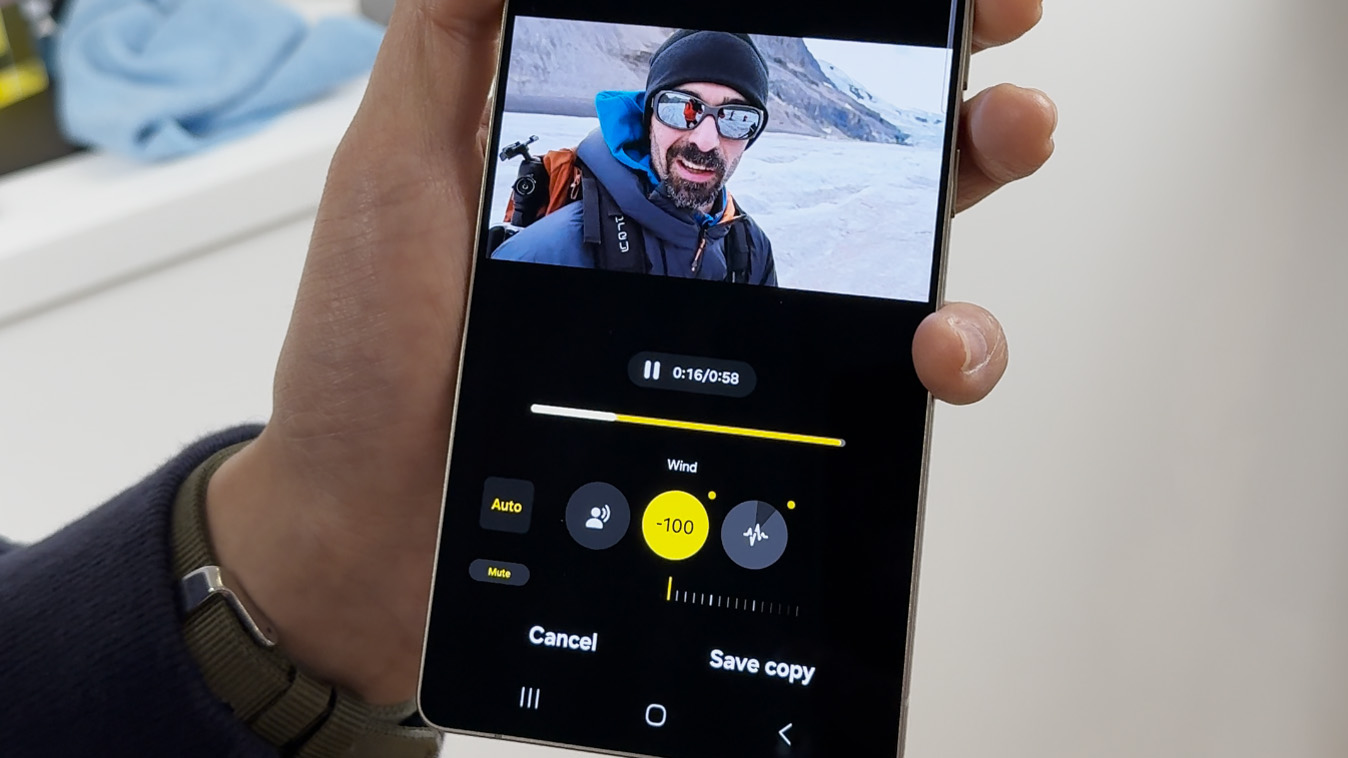
Audio Eraser: Samsung wants you to "get rid of distracting background noise" with Audio Eraser, which lets you dial up or down certain AI-detected categories — voice, music, noise, crowd, nature, and wind — to clarify the important parts of the audio and erase the rest.Auto Trim: One UI 7's second video-editing AI tool is Auto Trim, which takes up to 90 minutes of video and slices out "highlights" from the footage, essentially acting as your video editor to save you time. In the Gallery app, you can select a series of videos, then tap Create Option > Movie Option to hop into the Studio app and auto-generate your highlight reel.

AI Drawing Assist: As the name implies, AI Drawing Assist will draw something based on your text description or take a preexisting image and edit or augment it based on your request. Most recent Galaxy phones support this, from the Galaxy S22, Z Fold 4, and Tab S8 to the newer generations. It's best suited for devices with an S Pen, however.This feature was technically introduced in 2024 but received a major overhaul in 2025. This guide on how to use AI Drawing Assist runs through the specifics, but you can find this tool on the Edge panel to select an image in your browser, create a drawn or altered version of it, and then save it to your clipboard to share it (or download it). Certain apps like Samsung Gallery and Notes directly incorporate it as "Photo Assist" or "Note Assist."AI-suggested replies: This wasn't an official S25 feature at launch, but AI-suggested replies is a new experimental Labs feature available on Samsung Keyboard. Messages will be processed on the device in order to provide possible quick responses to them to save you time.
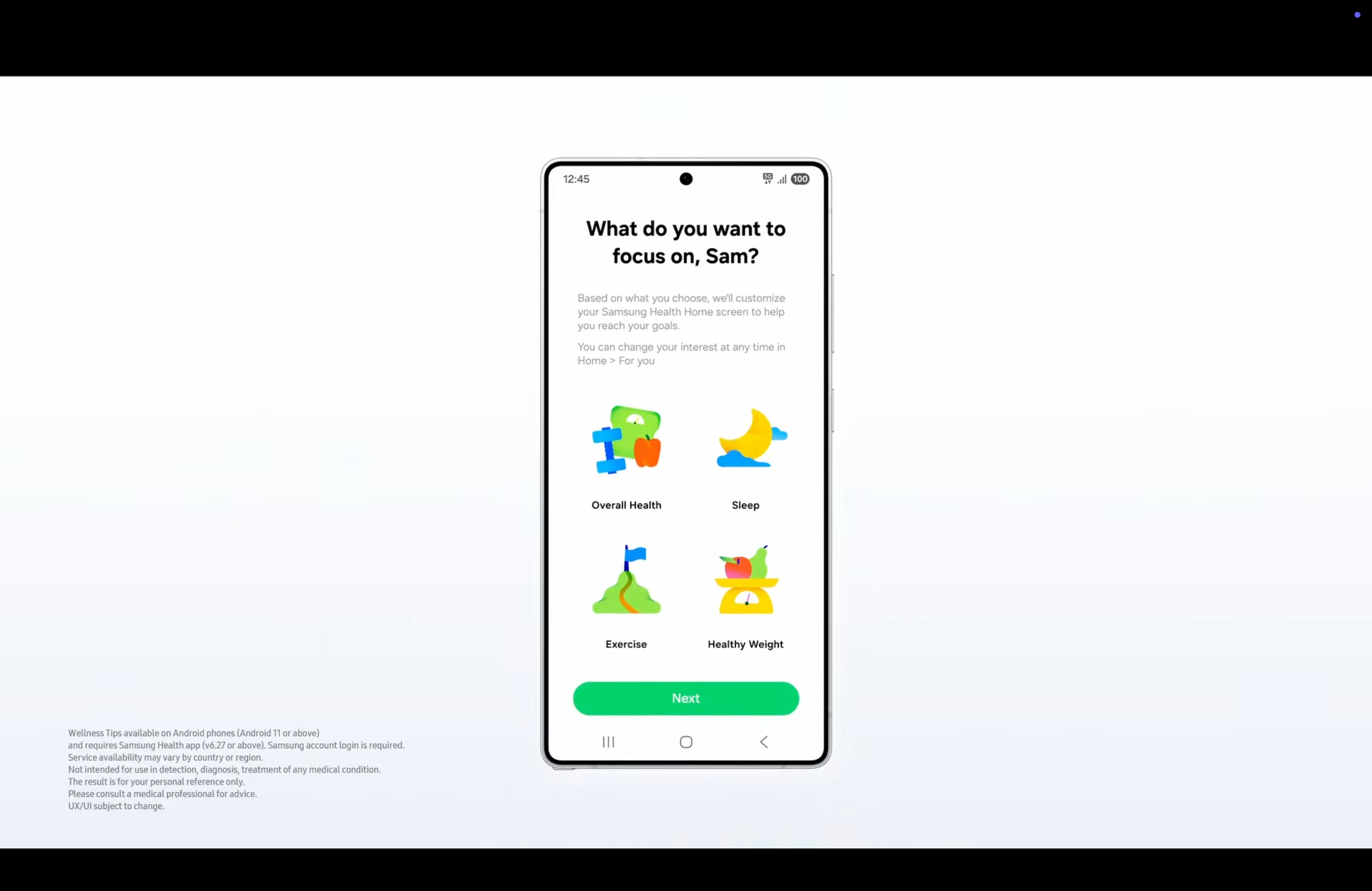
At the winter Galaxy Unpacked, Samsung announced Galaxy AI-powered Samsung Health features coming this summer.These include a vascular load metric to help you "reduce strain on your heart and maintain long-term heart health" and "personalized nutrition advice" with recipes and meal plans based on your antioxidant index.Most notably, Samsung mentioned "AI tools" that'll let Health app users "ask questions, get real-time insights, and receive personalized coaching as if you would from your own personal health assistant." All of these features should arrive with Wear OS 6 in fall 2025, starting on the Galaxy Watch 8.
2026 Galaxy AI features
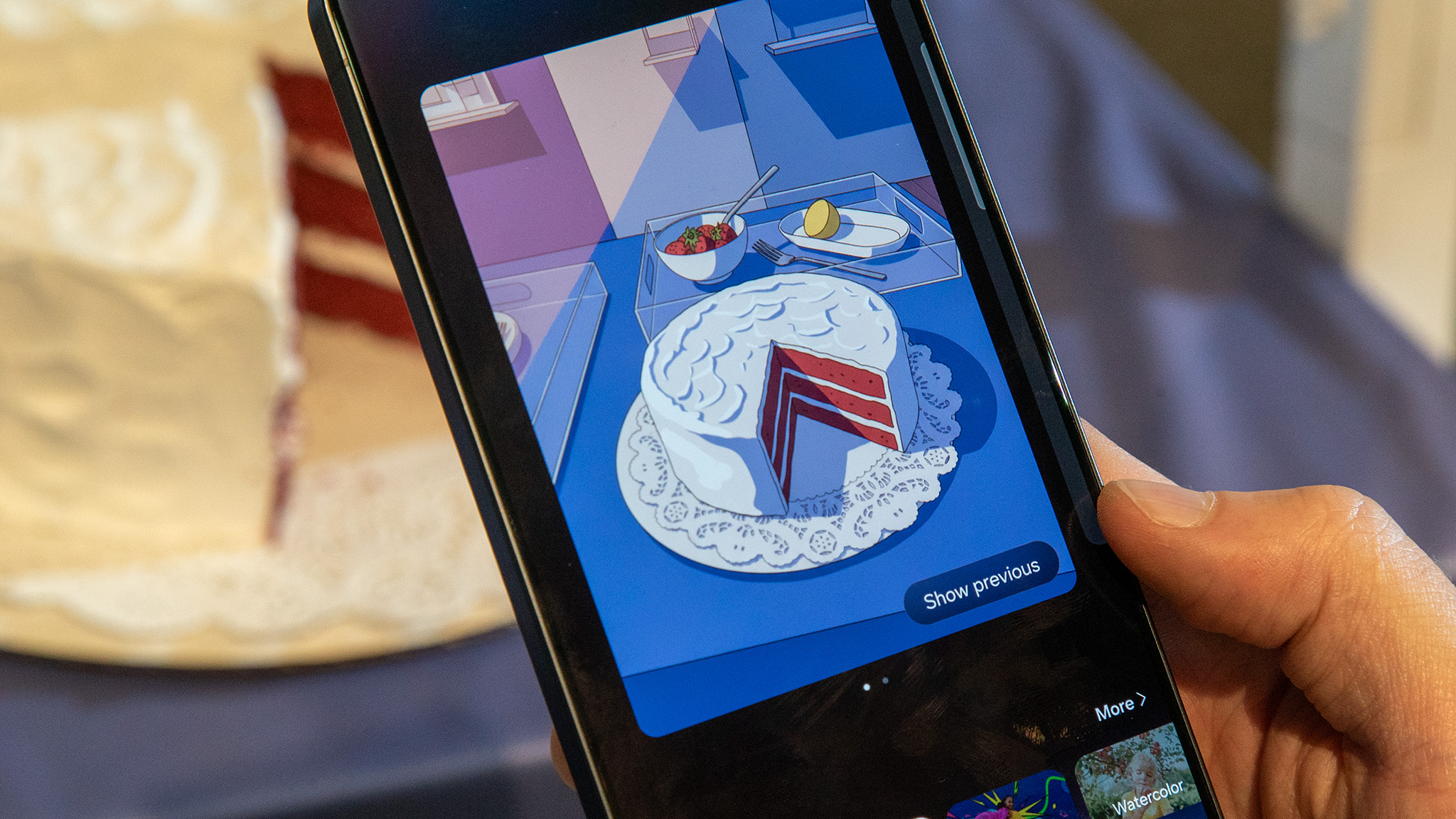
Samsung launched an array of AI-based tools and features with the debut of the Galaxy S26 family of smartphones. The Samsung Galaxy S26, Galaxy S26 Plus, and Galaxy S26 Ultra all run One UI 8.5 out of the box, and of course, it is a very AI-laden build.The S26 lineup brings Google Pixel 10 series features to the S26 series. Although it looks like these features are exclusive to the S26 family for now, it is very likely that Samsung will eventually bring a large portion of these features to older models as well.Bixby overhaul: We can't talk about the S26 series and not bring up the massive Bixby overhaul introduced with One UI 8.5. Thanks to this upgrade and integration with Galaxy AI, the AI is now capable of "natural interactions and intuitive device control, reducing friction in everyday tasks," meaning you can use conversational language with it and it can access the web in real time.
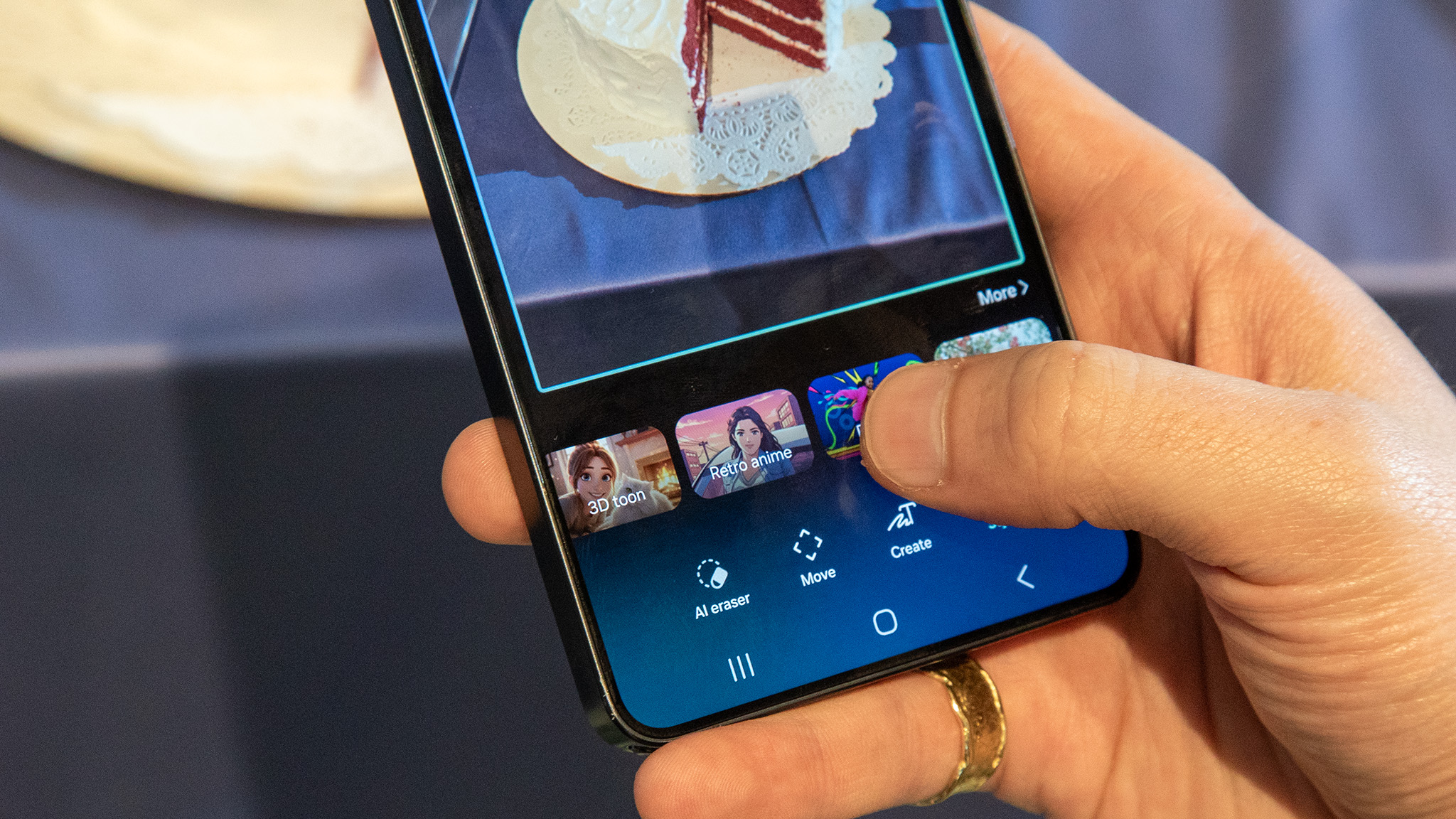
Circle to Search with Google: An upgraded version of the feature, enabling users to search everything on their screens at the same time.Photos Assist: Much like Google's Ask Photos feature, Galaxy AI can now edit photos based on text-based prompts.Creative Studio: Once again, this is another flagship Pixel feature ported to the Galaxy S26 series. It is essentially a copy of the Pixel Studio app found on the Pixel 10 series. You can create stickers or use AI to edit images. Samsung integrated its Notes app into the Creative Studio app.Now Nudge: This is where we see agentic AI manifest. Now Nudge pulls from your apps and device data to subtly make timely, relevant suggestions.Now Brief: Another example of agentic AI at play, Now Brief has been upgraded to create personalized, timely briefings based on "individual context."
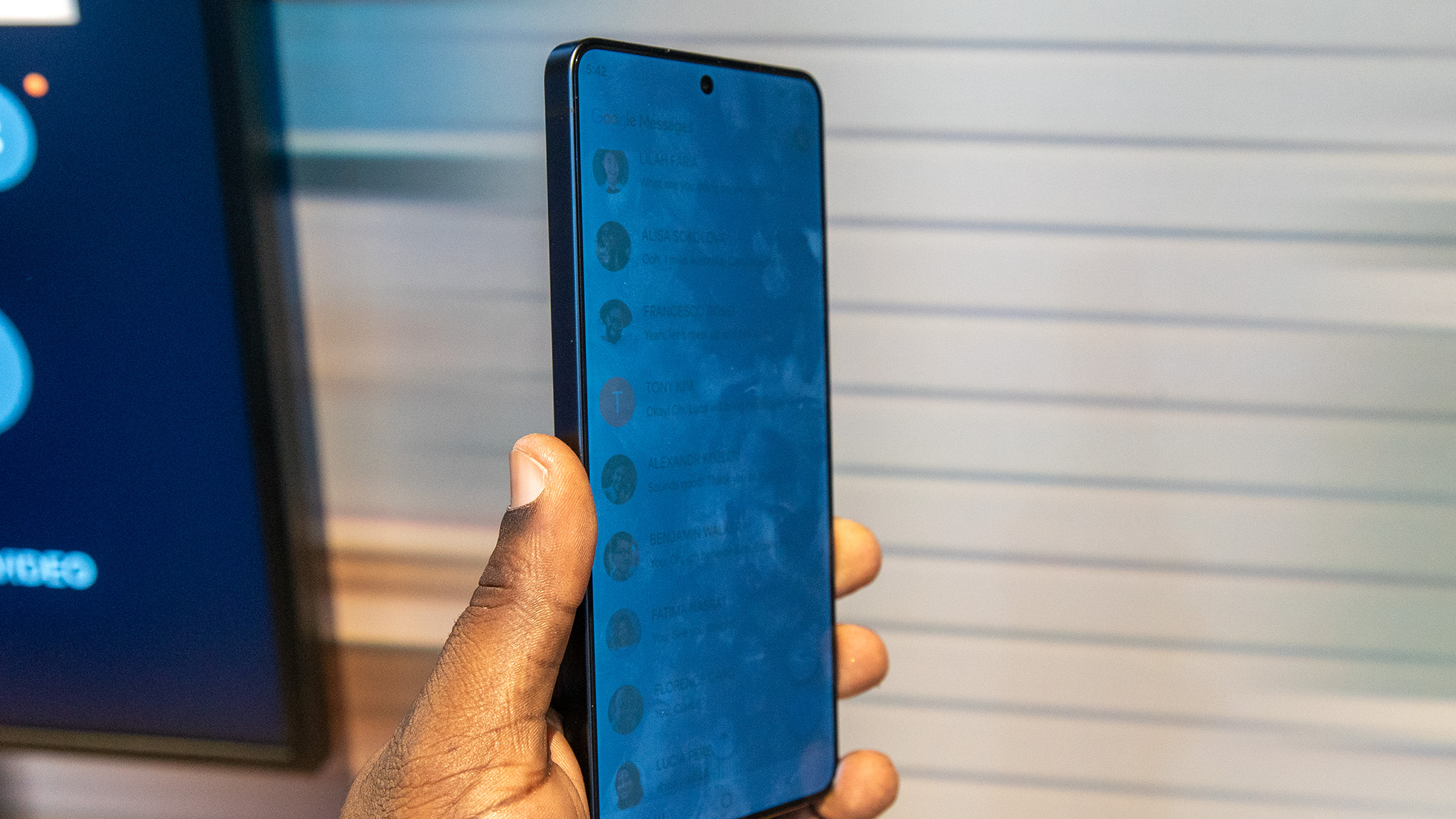
Privacy Display: The amazing Galaxy S26 Ultra Privacy Display shocked the world in the best way possible — and wiped out the entire privacy screen protector market in one fell swoop. Samsung's fascinating Privacy Display uses a combination of hardware and software to safeguard sensitive data.Scam Detection: This works similarly to the AI-powered Call Screen app on Pixels. Galaxy AI uses on-device processing to screen phone calls.Other notable AI features introduced via the Galaxy S26 series in 2026 include Gemini-powered automations that work in the background, completing actions on your behalf.
Do you have to pay for Galaxy AI?
While there were worries about Samsung charging a premium for Galaxy AI features, Samsung has confirmed that Galaxy AI’s core features will remain free. However, this guarantee does not extend to third-party tools such as Google's Circle to Search.Samsung has also made no promises or assurances that non-core AI features will not be locked behind a paywall. This, accompanied by the company's ambiguous wording stating “Galaxy AI basic features provided by Samsung are free,” could mean that more advanced AI features might need to be paid for in the future. It is unclear which exact tools and features this would cover.Up until the end of 2025, every Samsung article or help page about Galaxy AI had the disclaimer "Galaxy AI features by Samsung will be provided for free until the end of 2025 on supported Samsung Galaxy devices" or some phrasing like it.For context, Google gives new Pixel owners a free year of Gemini Advanced before charging a subscription for it, but its normal on-phone AI tricks don't cost anything yet.
AI excellence
With the Snapdragon 8 Elite Gen 5 powering a new level of Galaxy AI tools and features, the Samsung Galaxy S26 is the most affordable access point to tools like Now Nudge and Creative Studio, instead of paying $400 more for the S26 Ultra.